Main Menus
72.2.3.5 Dispaly Assets Scheduling
It allows you to see when the asset is scheduled, listing all the various scheduled times on the days in question. If scheduled across various stations, by selecting the appropriate tab you are able to visualize the scheduling across the various stations too:
Dispaly Assets Scheduling
Moreover, by clicking on a certain schedule appearance and selecting the Preview button, it will be possible to see the video stream of the related appearance as it were on-air.
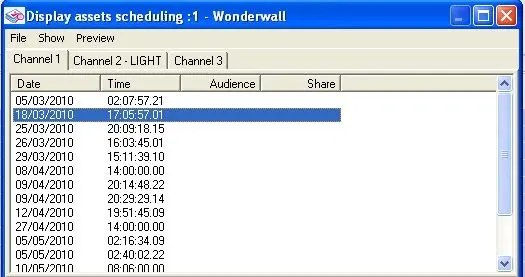 Dispaly_Assets_Scheduling