Media Features
72.2.2.18 Annotations - Media and Devices
The Media and Devices area, positioned at the right-hand side, allows to manage the media files associated to the asset form as well as the devices on which this media is stored:
Media List - This area contains all the files and tapes associated to the current asset, it also allows to preview (if available) all media versions.
Device List - This area allows to carry out certain operations (depending on the type of device) regarding either High-Resolution and Proxy-Resolution media.
Proxy Preview - This area provides a simple and intuitive interface for previewing proxy media linked to assets, thus allowing, for example, to check the video stream after an ingest operation or just before an on-air transmission.
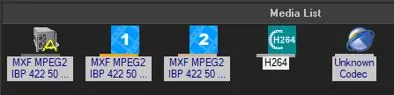 Media_List_1