59.2.43.19 Linking Flexi-metadata Profiles and Elements
All Flexi-metadata profiles and elements defined under the Flexi-metadata section can be used to describe assets in several ways, including:
Associate Metadata Elements to asset properties
Flexi-metadata can be associated with specific asset properties under the Flexi-metadata mapping tab:
Associate_Metadata_Elements_to_asset_properties
Assign Metadata Profiles to specific asset types
Once you have configured a Flexi-metadata Profile, by access to the "Etere Configuration > Settings > Types > Additional Data > Flexi-metadata" tab of a certain Asset Type, you can assign existing Flexi-metadata profiles to the asset type. As a result, assets would have a different (and custom) metadata based on their type.
Assign_Metadata_Profiles_to_specific_asset_types
Set a default Metadata Profile
Moreover, by right-click on a certain profile and selecting the 'Set as default' option, you can set:
Set_as_default
• Default for assets: Set the profile as the default template for all assets that have not been associated with a specific Flexi-metadata profile.
• Default for metafiles: Set the profile as the default template for all metafiles whose codec has not been associated with a specific Flexi-metadata profile.
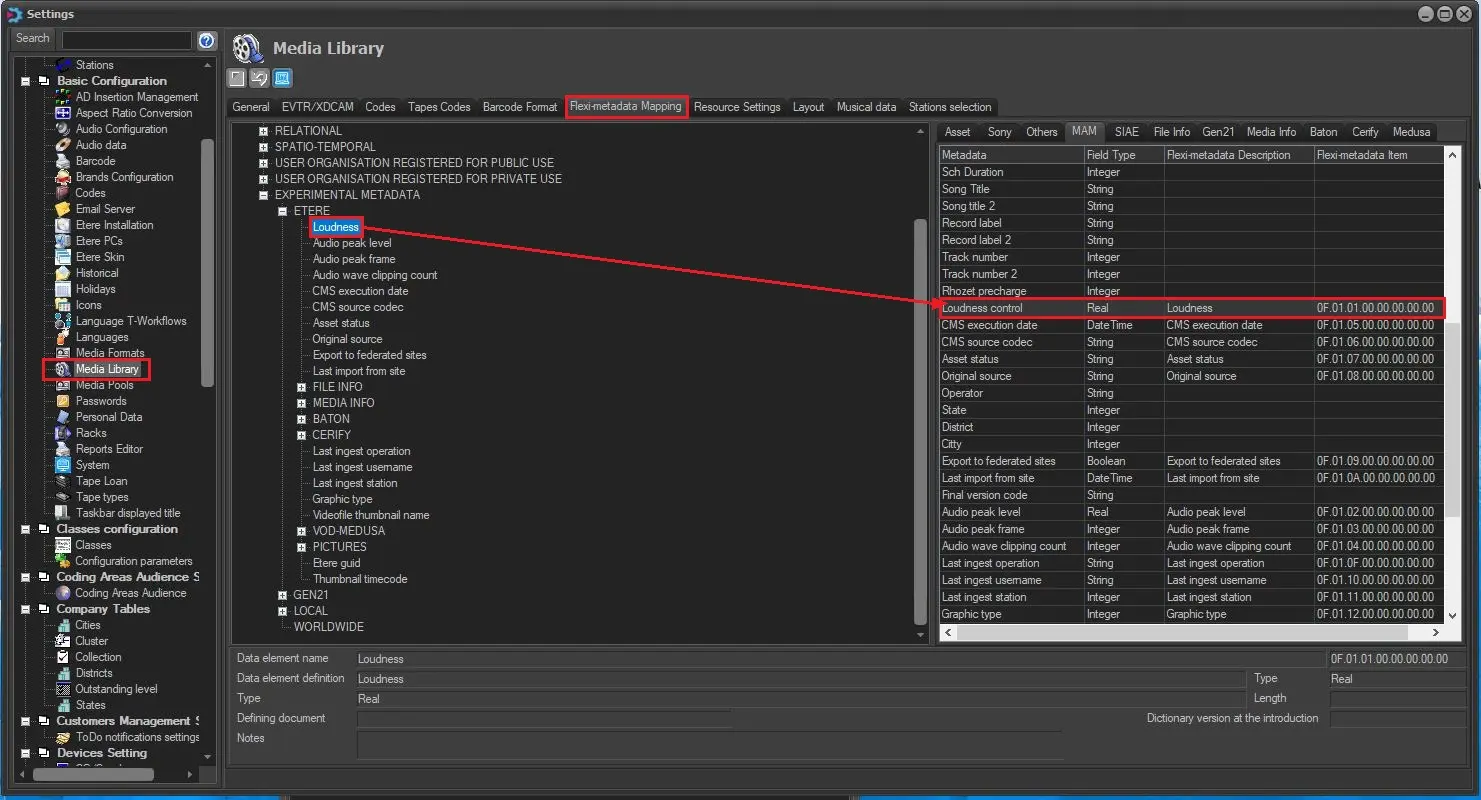 Associate_Metadata_Elements_to_asset_properties
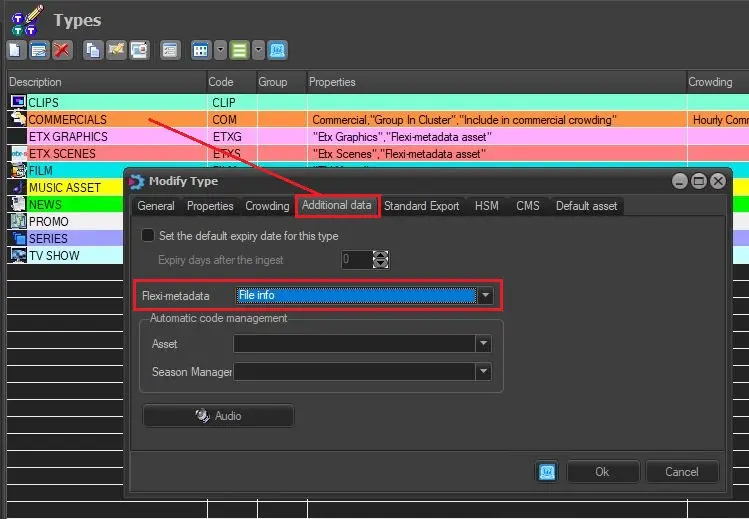 Assign_Metadata_Profiles_to_specific_asset_types
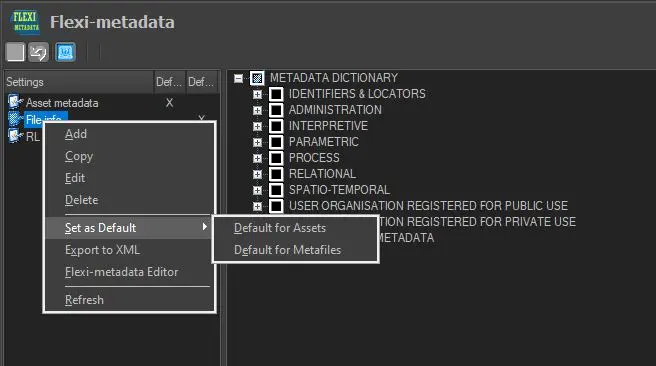 Set_as_default