92.2.2.4 Pinout
Please follow the information presented in this page for using the connections supported by EA1791:
FOR REMOTE CONTROL (RJ45 Pinout)
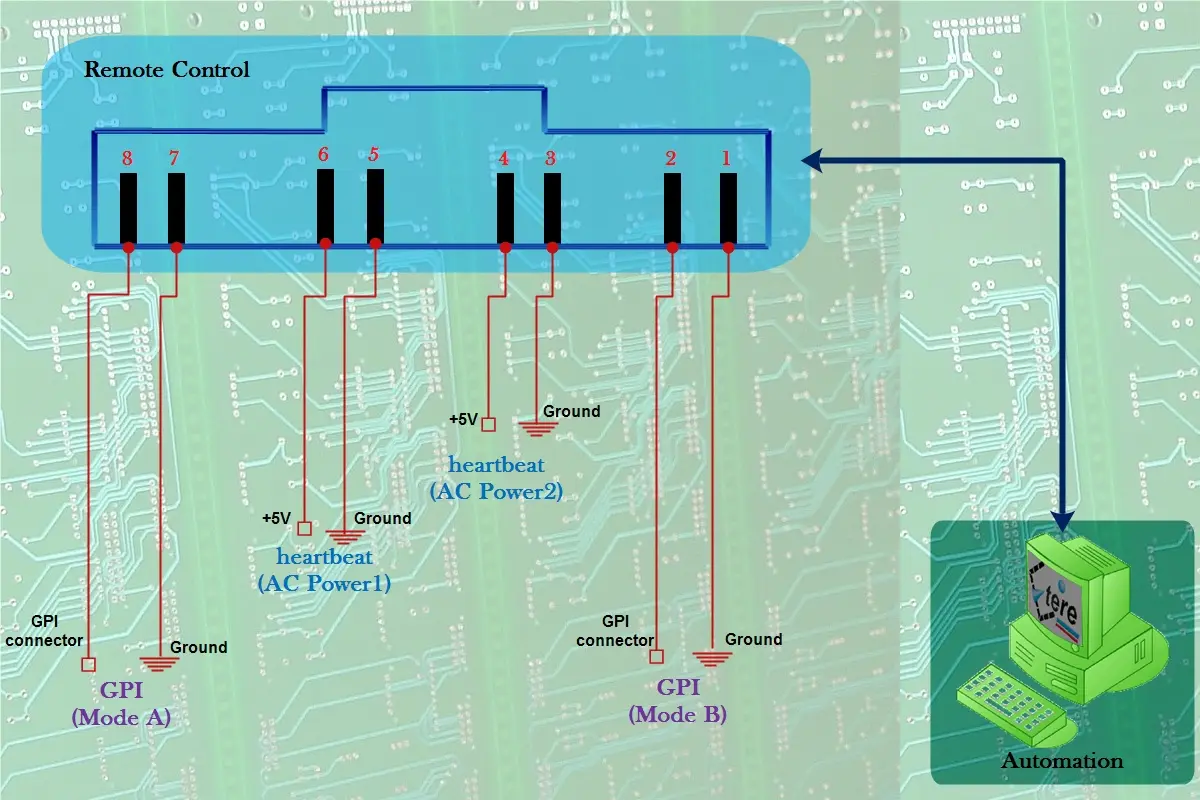
The connector for Remote Control is a RJ45, and its pins are configured as described below:
Et0558_new_remote-control-pin-design
Remote Control PINS
Pins 1 and 2 (GPI Mode-B)
By using the pins 1(ground) and 2(Gpi contact) of the remote control connection, either the line A or line B can be forced. By opening contacts the device is set to A, by closing them (short-circuit them) it is set to B.
Pins 7 and 8 (GPI Mode-A)
By using the pins 7(ground) and 8(Gpi contact) of the remote control connection, it is equivalent to press the 'manual switch button' but remotely. In this mode, the A/B status varies each time pins 7 and 8 are short-circuited.
Power Supply PINS
Pins 3 and 4 (Heartbeat from AC-2)
The pins 3(ground) and 4(+5v) would continuously sending heartbeats of +5V to indicate that the second power supply (AC Power2) is working correctly; otherwise, if the heartbeat is not sent, it means that the related power supply is not working.
Pins 5 and 6 (Heartbeat from AC-1)
The pins 5(ground) and 6(+5v) would continuously sending heartbeats of +5V to indicate that the first power supply (AC Power1) is working correctly; otherwise, if the heartbeat is not sent, it means that the related power supply is not working.
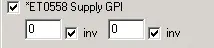
NB: Heartbeats can be managed by Etere Automation to check the current status of both power supplies. See the Etere Automation > Automation Control manual for further information regarding how to use this feature to send a Snmp message in case of missed heartbeat:
Automation_gpiet0558b
FOR SERIAL CHANNELS (RJ45 Pinout)
Connections between Serial IN connectors (RJ45) and Serial Hubs are pin-to-pin. For further information about signals please consult the manual of the Serial Hub you are using.
FOR GPI CHANNELS (DB25 Pinout)
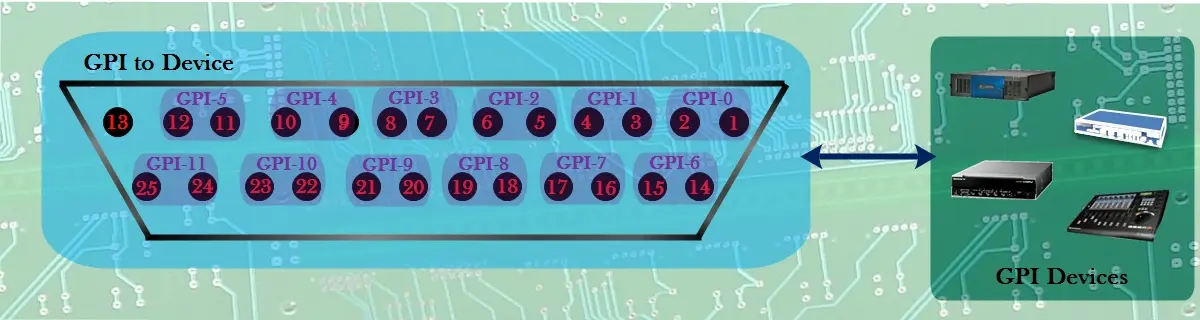
Each one of the GPI ports (2 input and 1 output) have 25 connectors that allow using up to 12 devices (GPI data connectors), connectors are numbered (i.e. GPI-0, GPI-1, GPI-2 and so on) from right to left from upwards to downwards:
GPI_to_Device
NB: If the GPI-to-Device switching mode is enabled, the first connector (GPI-0) will be used to switch between lines A and B.
 Et0558_new_remote-control-pin-design
 GPI_to_Device
 Automation_gpiet0558b