72.2.2.71 Relationships - A Practical Example
The following example illustrates the advantages of using Etere's hierarchical assets structure to facilitate the management of a commercial campaign composed by different assets organized as in the following diagram:
Example 1
The figure above shows a hierarchical structure which core is an asset called "Bee Beer" Commercials, said asset is the parent of two yearly advertisements campaigns (i.e. 2011 and 2012). These yearly campaigns are linked to semestral (i.e. 1st-half, 2nd-half) and trimestrial periods (i.e. 1st-quarter, 2nd-quarter) which at the same time are formed by month-specific spots (i.e. january, february, march, etc). The hierarchical structure of the advertising campaign illustrated above can be replicated within the Etere system as described below:
Example 2
1. The core asset ("Bee Beer" Commercials) is linked -using the [add child] function- to the yearly campaigns which form it (2011 and 2012),
2. The semestral (1st-half, 2nd-half) and trimestrial (i.e. 1st-quarter, 2nd-quarter) periods managed for each year are linked -using the [add child] function- to the monthly-spots (January, February, March,etc) and fillers (1st-filler, 2nd-filler) which form them.
3. Then, the yearly campaigns (2011 and 2012) are linked -using the [add sub parent] function- to their related semestral periods (1st-half, 2nd-half) and trimestrial periods (1st-quarter, 2nd-quarter).
4. Optionally, one or more versions (alternative assets featuring slightly different contents) can be created for each item in the structure.
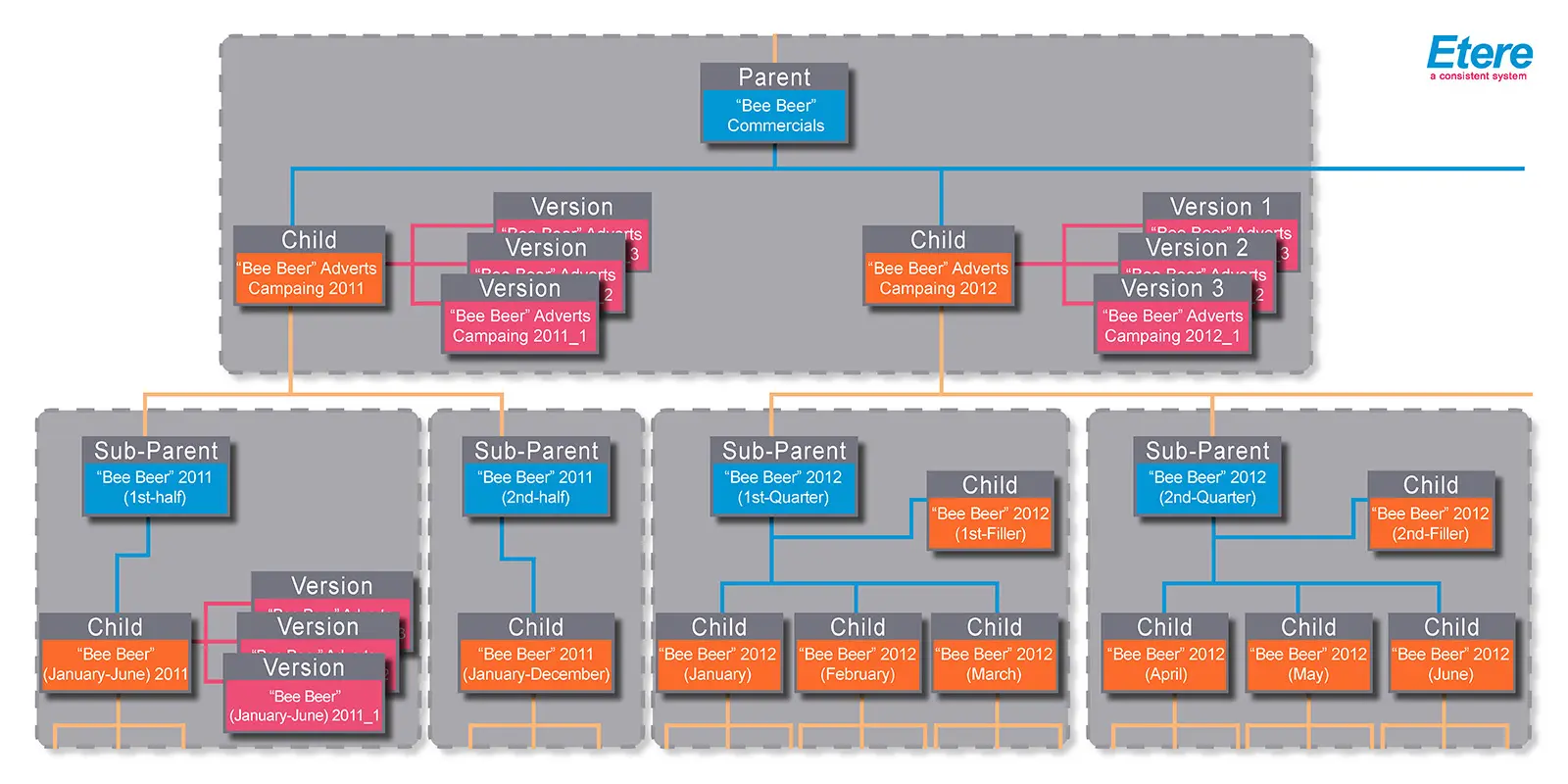 Example_1
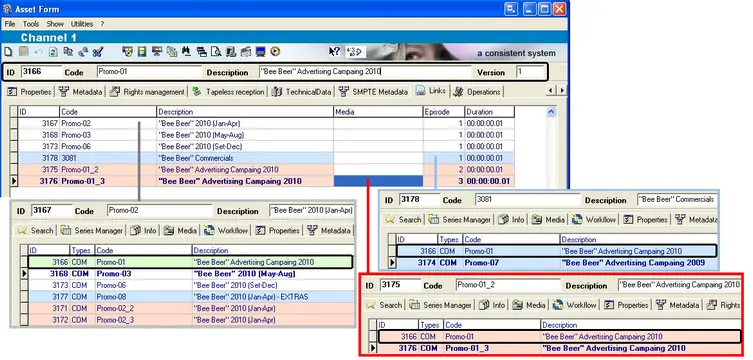 Example_2