85.2.4.6 From the Asset Form
In order to use the Etere STMan channel branding feature it is enough to set the parameter set on the configuration tab, after which, Etere STMan will send all configured scripts at the set time slots and enabled information about events.
Exported Fields
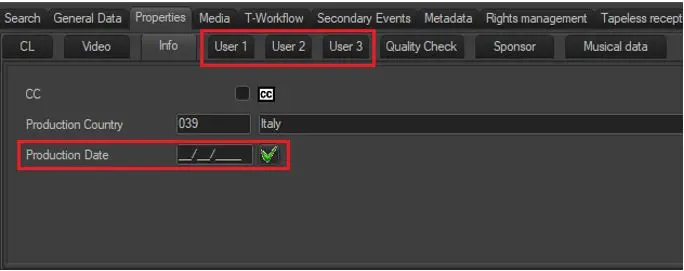
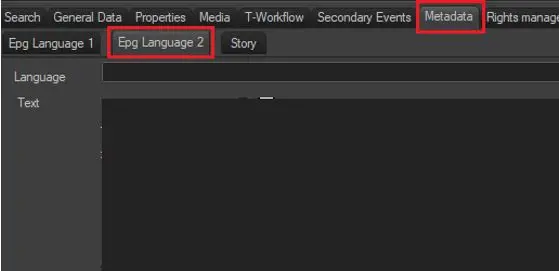
Asset's information sent in sequence to the titler is taken from the following five parameters contained in their Asset Form:
Production Date
- user 1
- user 2
- user 3
- Production data
- Epg Language 2
Metadata
In the script files the values that must be updated with this data should be written as follows:
- %001 <-- "User 1"
- %002 <-- "User 2"
- %003 <-- "User 3"
- %004 <-- "Production Date"
- %005 <-- "EPG2"
It's possible to insert three additional parameters in the script files (%007,%008,%009) related to user 1, user 2 and user 3 fields of the next video file in the playlist (e.g.: to promote the coming up next event).
NB: In order to work, at least user 1 and user 2 fields must be filled.
 5160_Production_Date
 5159_Metadata