72.2.2.10 Properties - Musical Data
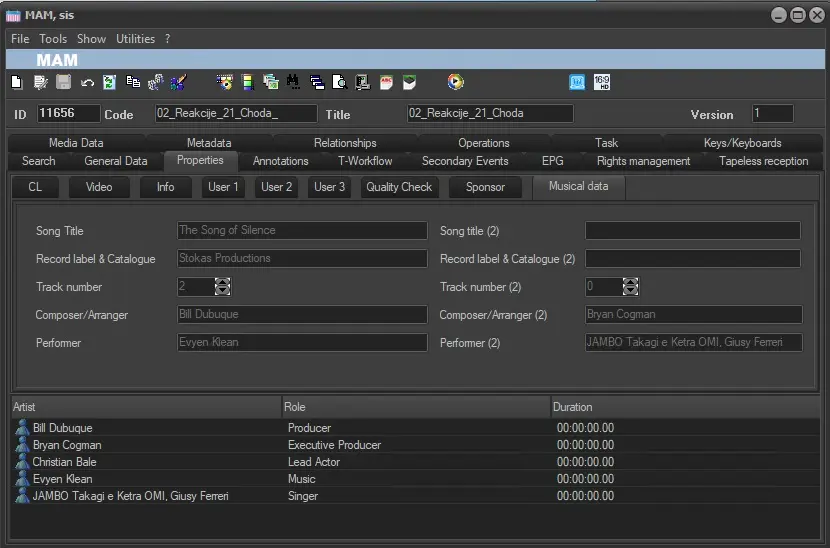
Musical Data contains information of the music of the video. These fields are automatically mapped and cannot be written manually by the user.
Musical Data
• Song title: title of the song featured in the asset,
• Record label & Catalog: Specify the record label and the catalog with which the assets has been produced,
• Track number: Indicate the track number in case the asset forms part of a compilation (e.g. CD, DVD, etc),
• Composer/Arranger: Artist who composed/arranged the song featured in the asset. The Composer/Arranger can be assigned by making right click on a certain artist and selecting the 'set as... | composer' option,
• Performer: Artist who performed the asset in question, this value can be assigned by making right click on a certain artist and selecting the 'set as... | performer' option.
Moreover, when you enter the first character of the Artist name in the field, all suggested artist’s names matched the character would be available for selection.
All the information presented in this tab will be available for report generation under the Reports section.
Result_musical_Data
Automatic data retrieval from Flexi-metadata
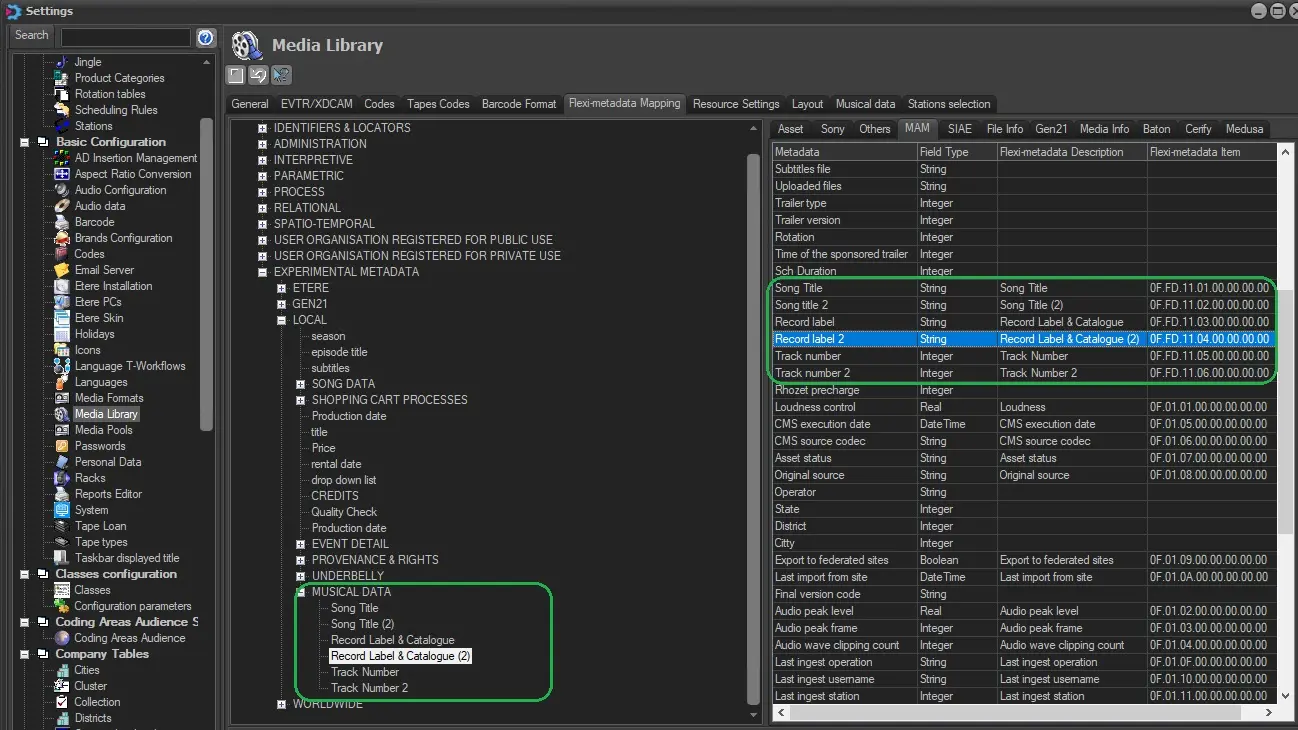
To show Song Title, Record Label and Track Number music details it is required to link them to the related Flexi-metadata fields. In Media Library/Flexy-Metadata Mapping section of Settings in Configuration module
Flexi-metadata_Mam_mapping
Roles and Artists
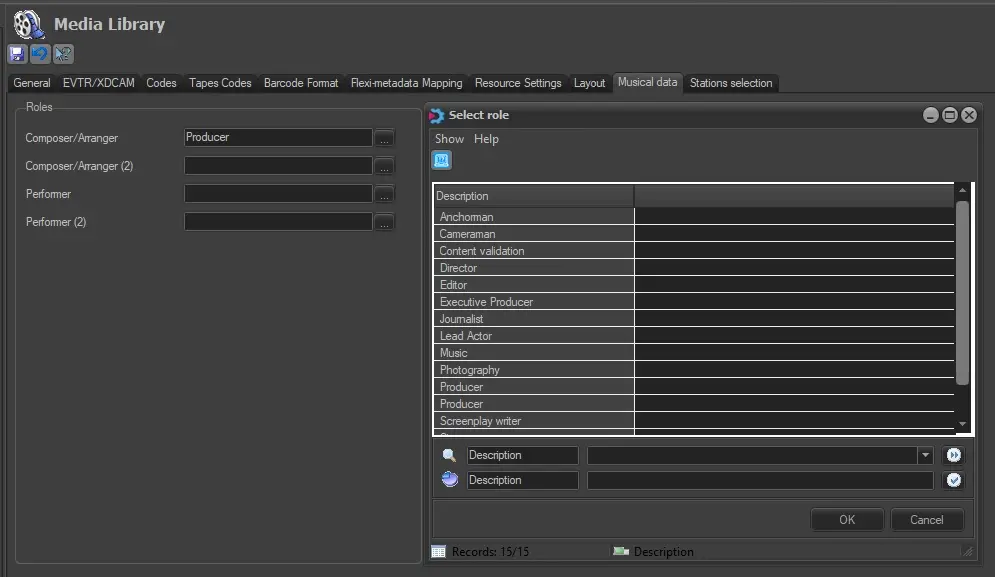
To show Composer and Performer you have to go to Media Library/Musical data section of Settings in Configuration module and map them with Roles you had set before on Settings\Roles.
Then every time you add artists on the asset with that role mapped you will also see it on the Musical Data tab of the asset.
Composer
Flexi-metadata fields can be linked to MAM details (music details) under the Etere Configuration module, under the "Configuration > Settings > Basic > Media Library > Flexi-metadata > MAM" section. First create the flexi and then mapped them following the picture
 Composer
 Flexi-metadata_Mam_mapping
 Result_musical_Data