Search Assets
9.2.4.17 Rights Management
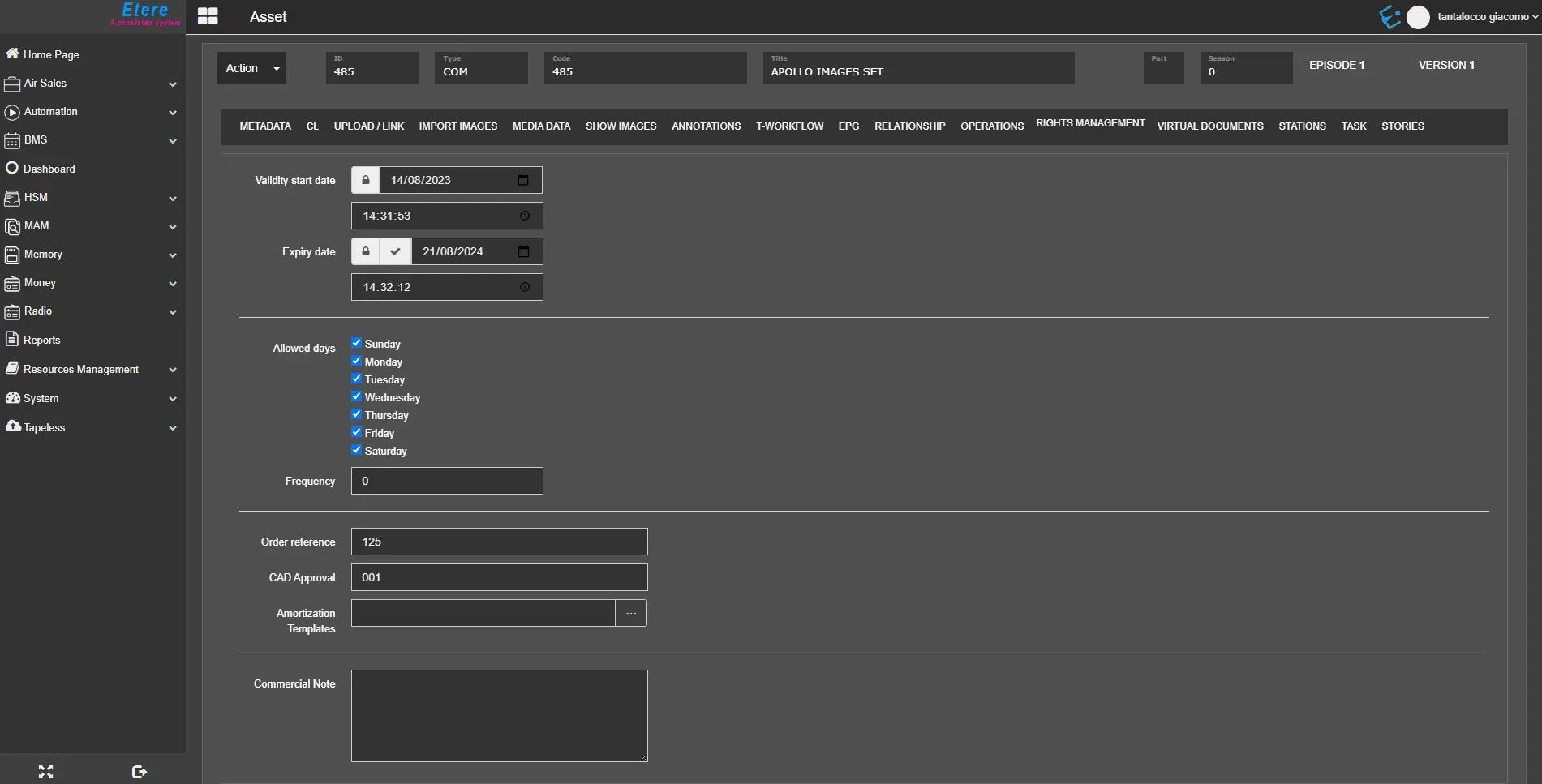
The Rights Management tab describes the rights of the asset in question. It allows the user to specify the asset's validity, the date and time when it expires, when and how often it can be scheduled and other relevant information, as described below.
rights_management
- Validity start date/time: Set the date (and exact time) from which the asset can be scheduled and when it will appear in the "Asset search".
- Expiry date/time: Define the date (and exact time) after which the asset can no longer be scheduled and would no longer appear as a result in the "Asset search". If the lock button EtereWeb_ML_Rights_Management_Lock is pressed, the asset will be protected and never expire. By pressing the tick button EtereWeb_ML_Rights_Management_Expiry, the asset will automatically be marked as expired.
- Allowed days: Indicate the days the asset would be allowed to be scheduled. Unchecked days would be forbidden to schedule the asset in question, either from Executive Editor or Strategic Editor.
- Frequency: Indicate the number of times the trailer is allowed to be scheduled to go on-air within a day, according also to the dates of validity and expiration. If the scheduled events exceed the setting, a warning will be prompted in the editor.
- Order reference: Insert any relevant order reference or notes related to the asset.
- CAD Approval: In some countries, before an asset can be approved for broadcast, it must be approved by the Commercial Acceptance Division. This field will hold the CAD approval code for future reference and approval confirmation. If no video approval is entered here, operators will be warned during the scheduling process about the possible "not-approved" state of the asset's video.
- Amortization Template: Allows to associate an amortization template to the asset to improve the management of its runs. These templates are configured in the Etere BMS > Amortization Templates section.
- Commercial Note: Enter any complementary text regarding the current asset's rights management here.
Refer to Rights Management's page in the MAM chapter for more detailed information.
 rights_management