84.2.6.18 Backup VTR - Using
1. Print an Emergency Schedule
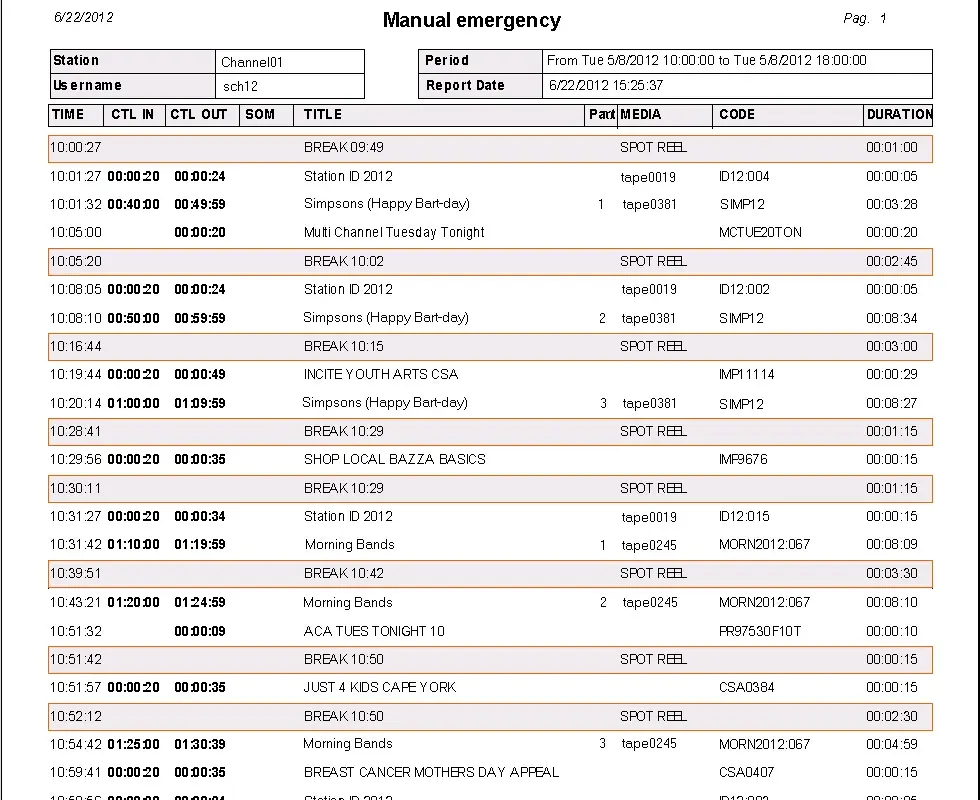
The Emergency report allows printing automation schedule with necessary info for the manual On-air broadcasting of tapes, it is available in the Etere Scheduling | Reports | Automation Schedule | Emergency Manual report:
5043_Manual_Emergency
Using the emergency report, operators will be able to run events manually; this print allows to obtain the automation schedule same as the one programmed plus extra info related to taped asset that allow the manual On-air broadcasting (tape code, SOM, EOM, etc.).
2. Load a video tape in the VTR
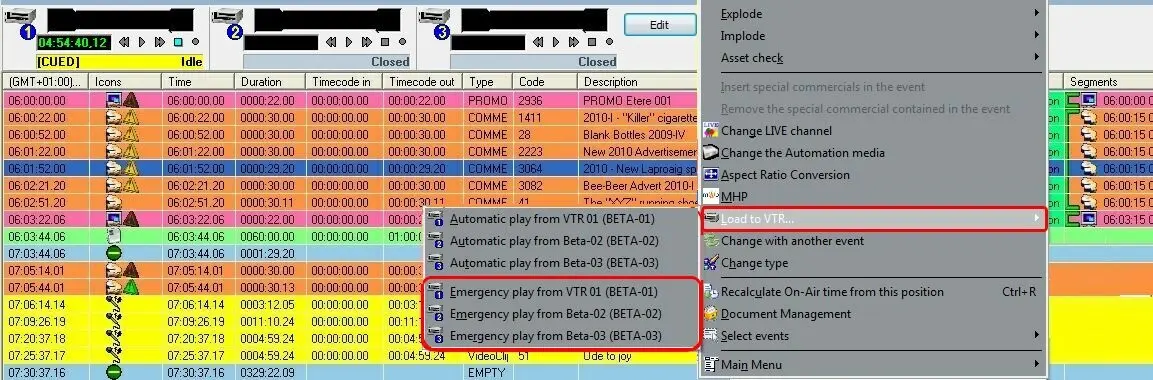
If the tape containing the scheduled event has been defined within the database, it is possible to automatically play the tape on the VTR from the event's mark-IN to its mark-OUT (for a frame-accurate playout). To perform this task, just go to the Executive Editor schedule and select the related event, make right-click on it and hit the load tape in VTR option:
5045_Load_to_VTR
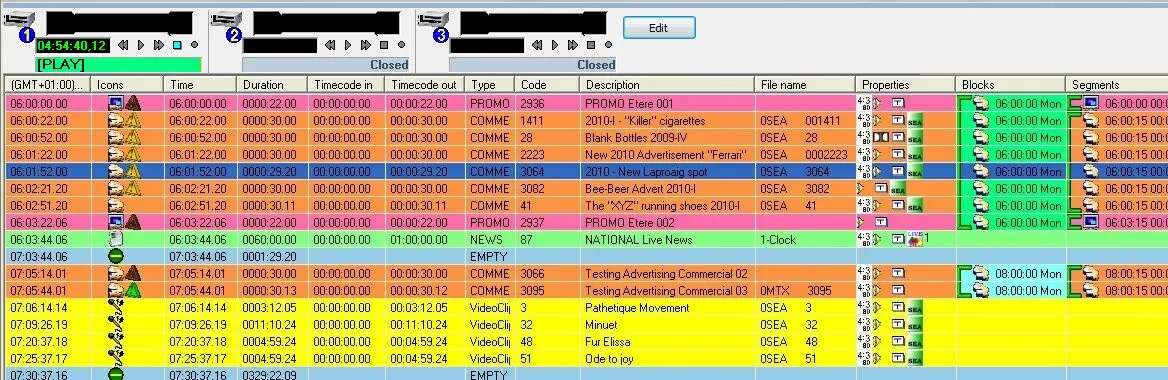
•Emergency play from...: This function allows to use a VTR device to overpass a possible playout emergency (e.g. missing event media, video server fault, unsuccessful event cue, etc) and thus avoid a black-on-air, this, by performing the following actions:
1.The selected event is set as a 'Live" (i.e. unrecorded event which is transmitted from a live source),
2.Loads the event time code into the VTR, that is, the VTR is placed at the event's mark-in,
3.Puts the VTR in cue until the scheduled time of the event, that is, it cues the tape to the correct frame,
4.The operator manually publish (F9) the broadcast playlist to update the playout information on the automation server,
5.At the event's scheduled time, the automation puts the VTR in play and switches the router to the related VTR channel (see Previous Configuration).
5044_Scheduling_back_up_vtr
Important considerations
•If a "load" operation is requested for a VTR currently playing an event, a confirmation will be asked before continuing with the load operation.
•A "bumper" will be automatically inserted at the end of the schedule, this, for showing a black screen instead of the freeze -last played- frame.
•Functions available under the VTR panel are the same explained in the VTR Control section of the Etere Automation chapter.
•In case of opening various Executive Editor instances, it will be possible to switch between them using the "CTRL [1,2...9]" shortcut.
 5043_Manual_Emergency
 5045_Load_to_VTR
 5044_Scheduling_back_up_vtr
 5046_Playout_via_Etere_Cartwall