84.4.4.21 STANDARD > GENERIC > XML WITH TAPES
Export Scope
The XML with tapes Export function creates an .XML file containing the schedule of the date specified on the front 'Export' screen and in the Export path in the Parameters section. This file will have the name XXyyyymmddLUN.xml where the first 2 characters are user-defined in the Parameters section and last 3 represent the days of the week:
•LUN Monday
•MAR Tuesday
•MER Wednesday
•GIO Thursday
•VEN Friday
•SAB Saturday
•DOM Sunday
Export Parameters
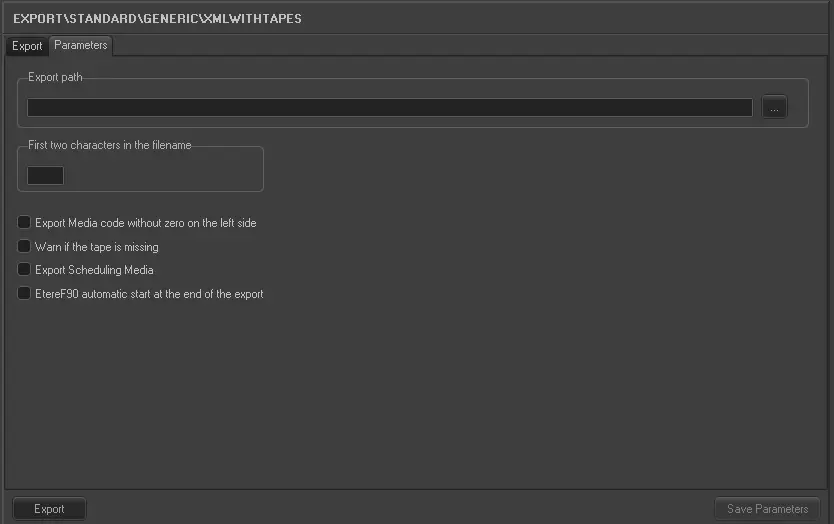
Under the Parameters section, other settings that can be configured are:
Export_standard_generic_xml_with_tapes
•Export Media code without zero on the left side: This option allows you to export a asset code by removing the padded zeros, e.g. export "0000213" as "213".
•Warn if the tape is missing: prompt warning message if an asset code has no tape linked to it.
•Export Scheduling Media: Exports the tape name as found in the TPALINSE table or in the asset form.
•Etere F90 automatic start at the end of the export: Automatically start F90 when the export is completed.
Launch the export
Once the export has been configured, it can be started just by pressing the <Export> button.
 5086_Export_standard_generic_xml_with_tapes