59.3.2.2 Conforming of a portion of the playlist
This section will explain how the Executive Editor Tool Conforming of a portion of the playlist must be configured on the Etere System.
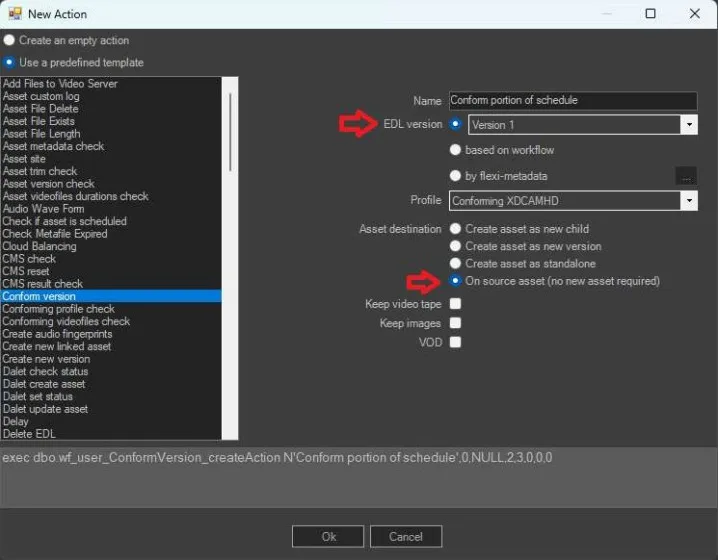
A dedicated Conform version must be created, selecting EDL version 1, the wanted Profile and the destination on source asset.
conform version action
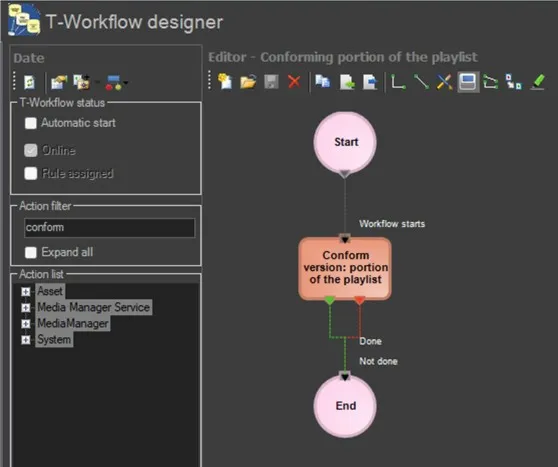
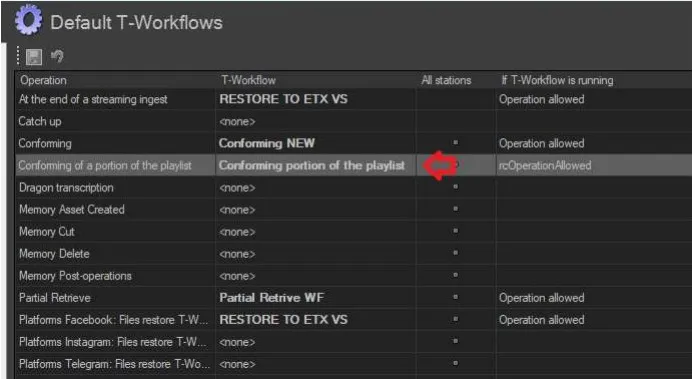
A T-workflow should be created, containing the above action, and set as default T-workflow for the Conforming of a portion of the playlist Operation:
conforming portion workflow
default conforming portion
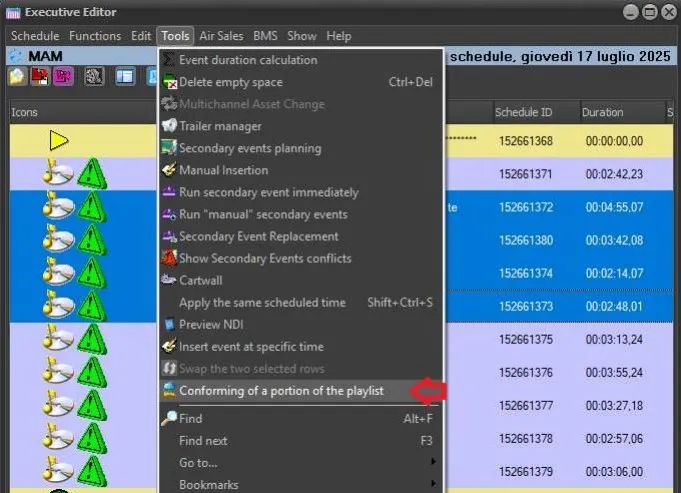
In Executive Editor select the events to be conformed and launch the function.
conforming of a portion function
A new form will be opened, where the user can select either to create a new asset or select an existing one
asset for conforming portion
Note: a conforming default T-Workflow must exists in the system, because it will be the one launched after the new one created here. Please refer to the chapter 72.2.2.16 Annotations - EDL Conforming T-Workflow for more information.
 conform_version_action
 conforming_portion_workflow
 default_conforming_portion
 conforming_of_a_portion_function
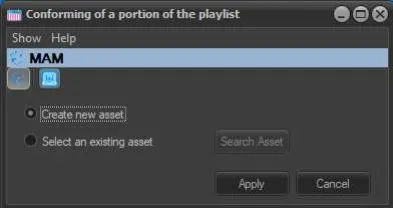 asset_for_conforming_portion