59.5.17.5 Rundown
Report Description
In Rundown Editor, you can select the “Rundown” report in the Reports menu bar to generate a report listing all Rundowns in the schedule.
Report Filters
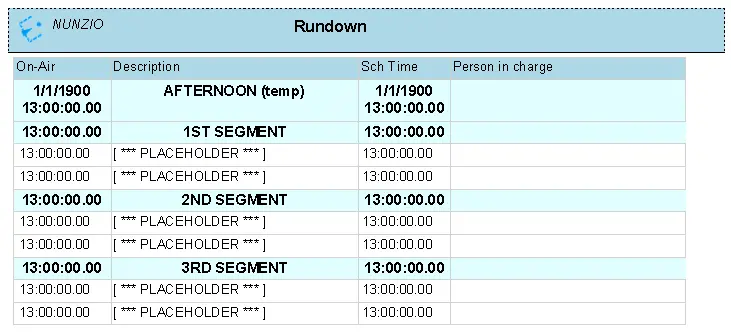
No parameter is required. The report presents the following information:
•On-air: It captures the date and time when the Rundown would go on-air.
•Description: A brief description of the Rundown.
•Sch time: The time when the Rundown was scheduled.
•Person in charge: The name of the person who manages the Rundown.
Report Preview
A sample Rundown report is displayed below. You can use the <Print> icon to print the report, use the <Page setup> icon to modify the page layout or export the report using the <Export> icon to export the report to Word format or other supported formats, e.g. PDF, Excel, PowerPoint, Data Feed, XML, etc.
nunzio_rundown_report
 nunzio_rundown_report