70.3.5 Maintenance Time
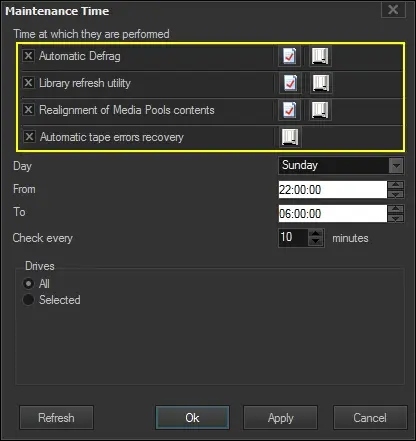
The Maintenance Time is a key tool that permits to automatically perform specific maintenance tasks with a certain user-defined time frequency. The main tool window permits operators to plan the most common tape library maintenance tasks according to a series of criteria based on the following parameters:
Maintenance Time
Available tasks
In the top part of the window there will be displayed the -up to 3- available maintenance tasks provided by Etere HSM. The [hsm_MaintenanceTime01Parameters] button allows to configure each one of the tasks available for the maintenance time:
Maintenance task -
Default status :
Maintenance task - Automatic Defrag
Default status : disabled
Maintenance task - Library Refresh Utility
Default status : disabled
Maintenance task - Realignment of Media Pools contents
Default status : disabled
Maintenance task - Automatic Tape Errors Recovery
Default status : enabled
NB: The Report button allows consulting the operations history (logs and reports) of all scheduled and performed maintenance tasks.
Time at which they are performed
The frequency with which maintenance tasks are performed can be set in this area, this, by specifying the following parameters:
•Day: Specify the week day on which the maintenance will be performed.
•From - to: Indicate the time interval at which selected maintenance tasks will be launched.
•Check every: Dictate the exact frequency (in minutes) to check for tasks to be performed.
NB: Please note that selected tasks will be scheduled at most 20 minutes before the end time (e.g.: if the end time is 06:00:00, therefore operations will be scheduled until the 05:40:00).
Drives
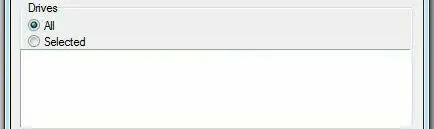
Specify if the maintenance operations will be performed for all the drives configured in the system (as by default) or only for a selected group:
Drives
NB: All drives controlled by currently active Etere Data Pump instances will be displayed.
 Maintenance_Time
 Drives