73.4.2.1 Using Memory Browser
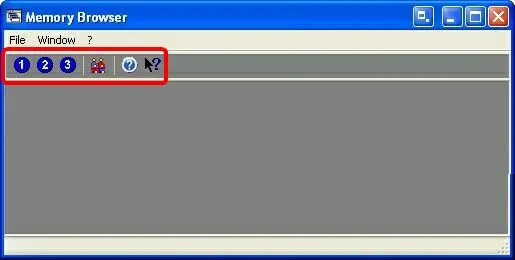
When Memory Browser is launched, the toolbar allows to perform the following operations:
Memory Browser 1
•Stations icon: Select one of the station to start browsing memory files recorded on that specific station. It's possible to open more than one stations contemporaneously by click on the station icon.
Memory Browser 2
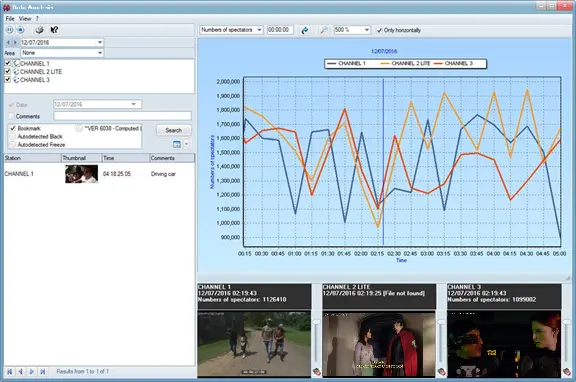
•Data Analysis: The Data Analysis function present a visualized chart capturing the audience statistic related to the video content recorded by Etere Memory for certain station, it simplify the understanding of audience composition.
Data Analysis
An audience graph (share vs spectators) can be viewed for specific dates, stations, coding area, and time slots; while previewing memory recordings. Additionally, the plotted graph can be printed by using the <print> icon.
Moreover, by using the “Source time is UTC” option in the top panel, you can choose to view the audience statistics in local time or UTC time zone.
To view a post video file, the file must be searched in Memory Browse. Once located, enable the option “Save recording on asset” to create the Memory asset during encoding.
When the playlist of the day is created from the assets with Memory Browser, Memory Browser would play the selected assets in playlist until no asset is available.
NB: The Microsoft Visual C++ 2008 Redistributable Package is required to use Etere Memory Browser since it installs required Visual C++ runtime components.
NB: To prevent timeline error during browsing, the TImezone settings in SQL Server and Memory Browser machine must be in-sync.
 memory_browser_stations
 data_analysis
 memory_browser