59.2.35.1 Copy Logo
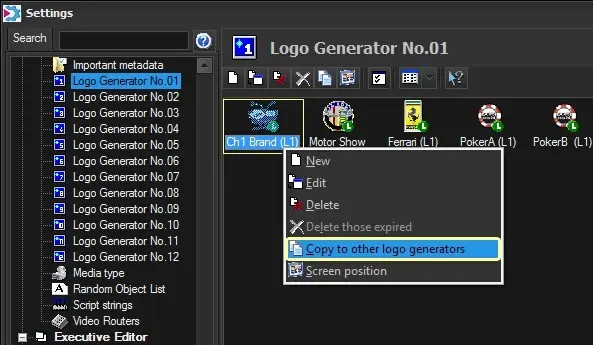
The "Copy to other Logo Generators" contextual function allows copying an existing logo (including all its properties) from one logo generator to another and from one station to another. Logos with the same number are not allowed to exist in the same station and logo generator.
Copy_Logo
Copying a logo is as easy as selecting the Logo, copying (Ctrl + C) and pasting (Ctrl + V) on the desired stations and layers.
Note: The Copy function is only available if ETX is in use.
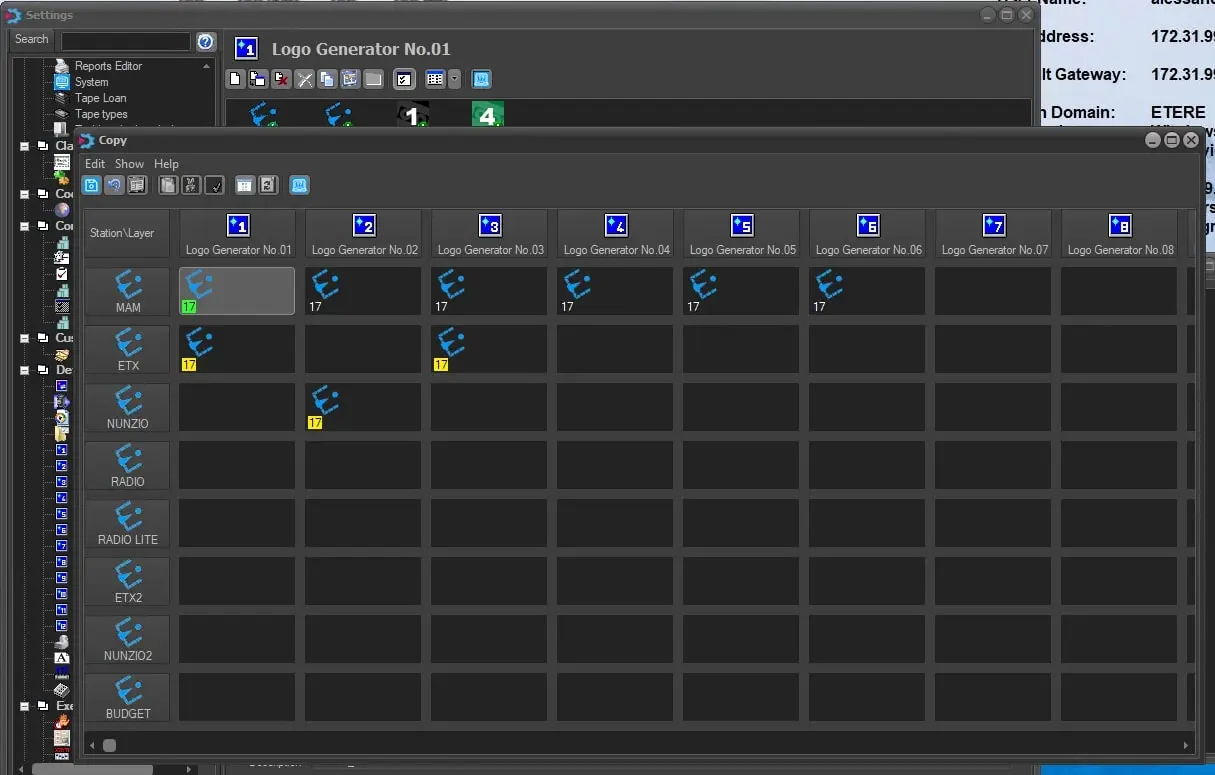
In the image below, the copy of the logo number 17 has been carried out.
The logo highlighted in green is the currently selected logo, which belongs to the current station and the current logo generator.
The ones highlighted in yellow are the copied logos, so the copy has been performed for:
- station 2 \ logo generator no.1
- station 2 \ logo generator no.3
- station 3 \ logo generator no.2
copy_table
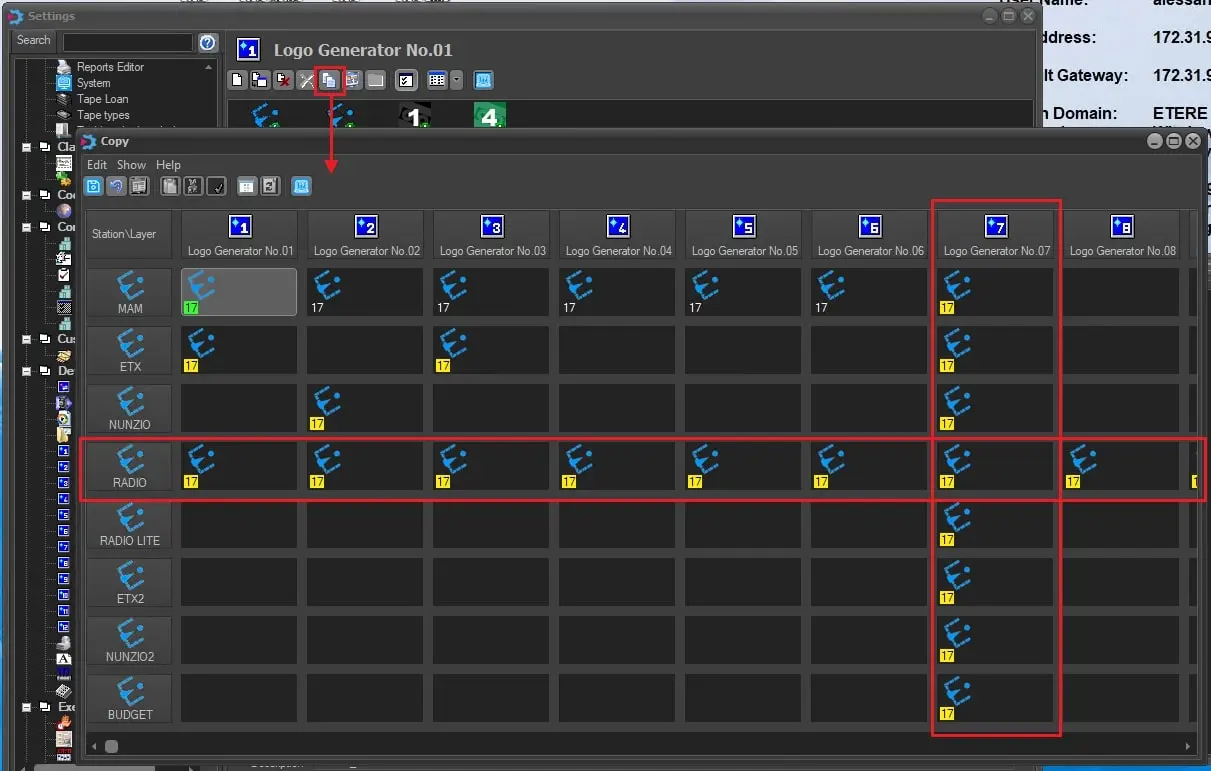
Selecting a column or a row, it's possible to paste the logo in all the available spaces as shown in the image below, where the logo has been copied in all the layers of station 4 and in the logo generator no.7 for every station:
copy_row_column
In the same way, it's possible to remove the logo or restore the default configuration of the layers.
 Copy_Logo
 copy_table
 copy_row_column