59.8.2.4 Configure the storage calculation
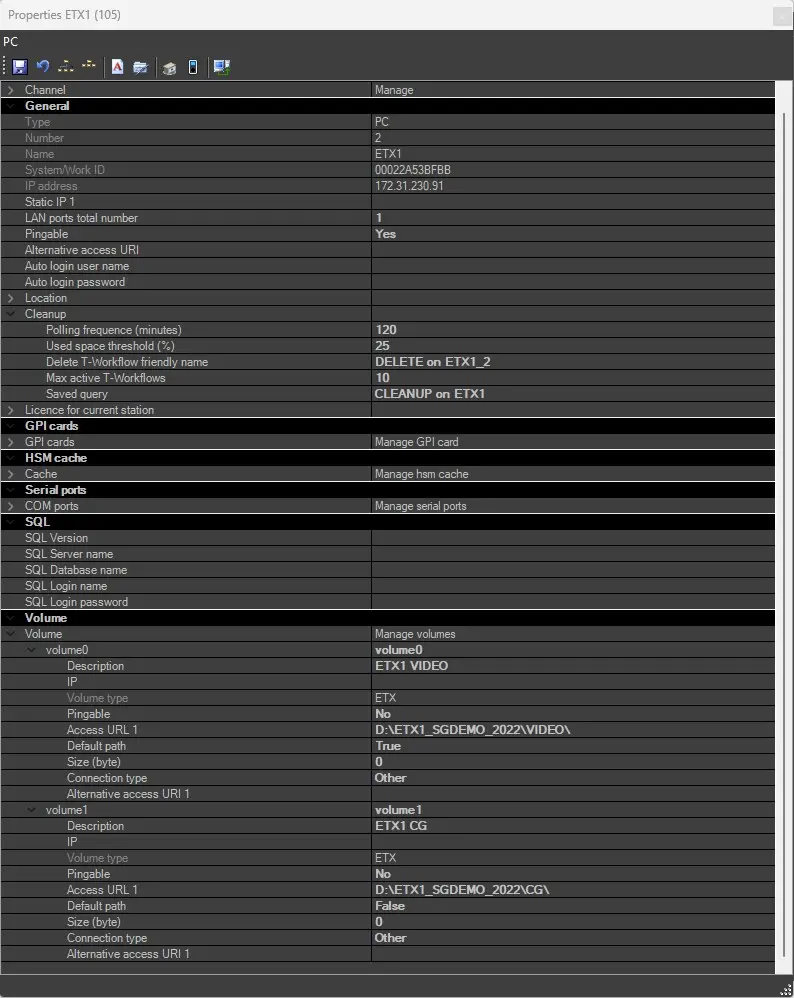
The storage space available on a device is calculated according to the volumes configured in the resource:
Properties_ETX
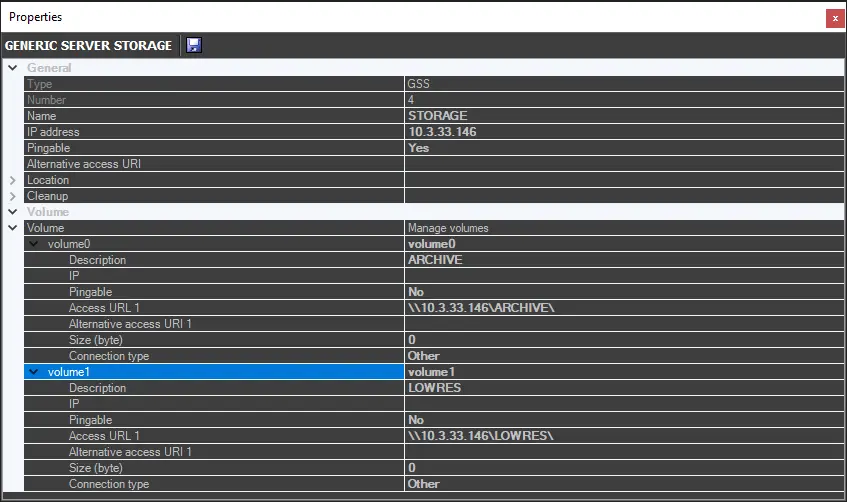
Properties_GENERIC_SERVER_STORAGE
If there are two or more paths belonging to the same volume paths or sharing the same directory root, for example:
\\10.3.33.146\STORAGE\ARCHIVE
\\10.3.33.146\STORAGE\LOWRES
The monitoring console could misread the space and multiply the disk capacity, presenting double the available space.
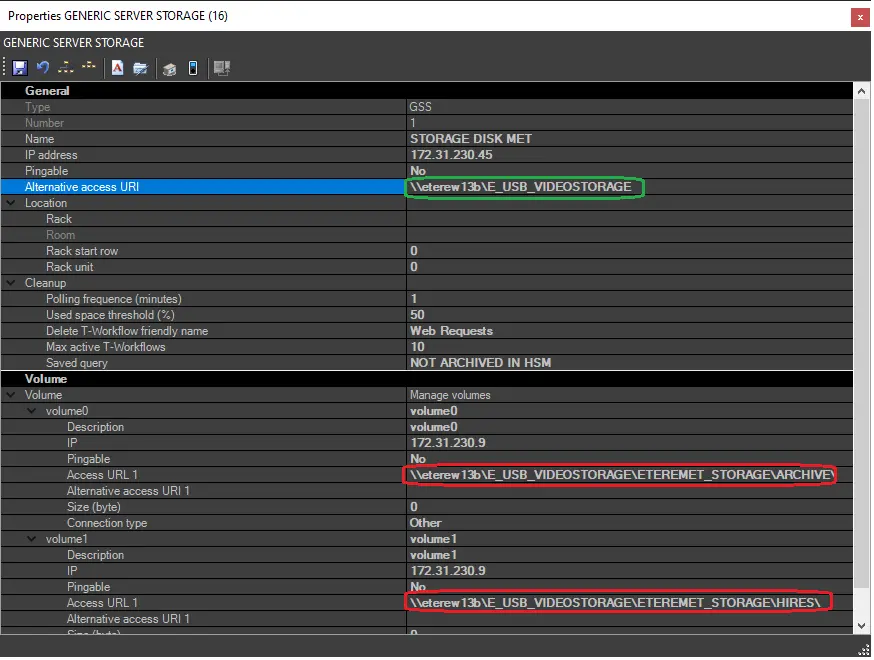
Using an Alternative access URI is recommended to identify the paths in the GSS.
Instead, when two paths residing in the same volume are written in the respective base paths in the database, the magnitude read in the monitoring console reflects the actual disk space in each path:
\\10.3.33.146\ARCHIVE\
\\10.3.33.146\LOWRES\
As illustrated below, if the Alternative access URI is set in the storage properties, the system calculates the storage space based on the Alternative access URI. It ignores the paths specified in the Access URL.
alternative_access_uri
 Properties_GENERIC_SERVER_STORAGE_
 Properties_ETX
 alternative_access_uri