Stories
79.4.8.7 Templates
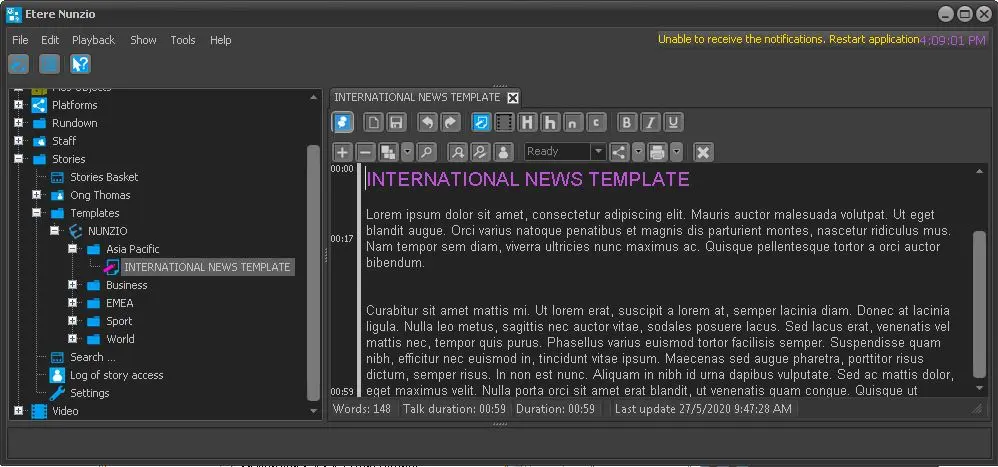
The Templates node contains all story templates available in the station. Templates are grouped by category, e.g. Business, Sport, World, etc.
4751_Templates
If the template in one category is relevant in another category, you can copy the template and create a duplicate template in another category.
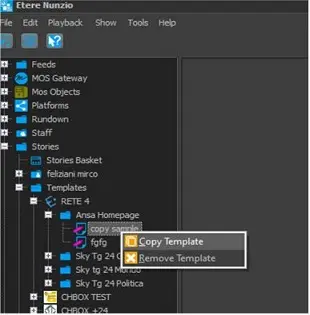
From the source category, simply right-click on the template and select “Copy Template”.
4750_Copy_Template
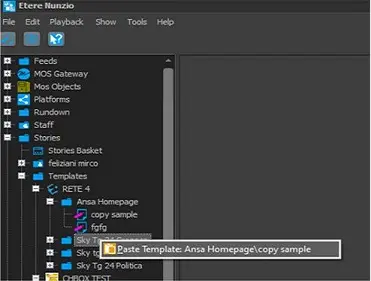
Next, select the destination category right-click and select “Paste Template” (with the source target path displayed) to paste the copied template into different category.
4749_Paste_Template
To revert the copy action, you can simply click on "Remove Template" to remove the template from the category.
 Templates
 Copy_Template
 Paste_Template