Reports Editor
59.2.22.1 Preliminary Setting
Before starting managing reports, it is highly required to accomplish the following actions:
- Launch the "SQL Reports Repository Maintenance" function to load all the reports (.RPT and . RDL) stored on a certain user-defined directory into the system:
SQL_Reports_Repository_Maintenance
- Make sure a default printer is configured in the windows system.
NB: Please note that during the "SQL Reports repository maintenance", the default email body (Etere.Report.mht) will be automatically imported.
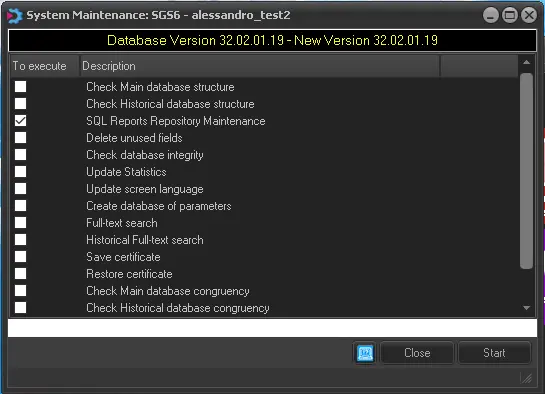 SQL_Reports_Repository_Maintenance