71.18.16.1 Use ETX Ingest Channel for Ingest
Once the ETX Ingest channel is configured, you can use the channel for ingest as well as for preview purposes.
Use ETX ingest in Easy Ingest
Launch the Ingest module from the PC where ETX resource is installed, click on the Settings icon from the Start menu to activate the main settings function.
Etere Ingest - Settings 1
Follow the steps below to use ETX ingest channel for Easy Ingest:
•Click the Resource button to view the ETX resource in the PC.
•From “Easy Ingest” tab select “Configuration A” tab.
•From the available resource select the ETX ingest channel as the main encoder used for Easy ingest.
•Click <Apply> to save settings and exist from main settings
When Easy Ingest is launched, it used ETX ingest channel for playout and preview.
Etere Ingest
Use ETX ingest in Multifunction Ingest
From Ingest Start menu, click Settings icon to activate the main settings function.
Etere Ingest - Settings 2
Follow the steps below to use ETX ingest channel for Multifunction Ingest:
•Click the Resource button to view the ETX resource in the PC.
•From “Multifunction Ingest” tab select “Configuration A” tab.
•From the available resource select the ETX ingest channel as the main destination during ingest.
•Click <Apply> to save settings and exist from main settings
When Multifunction Ingest is launched, it used ETX ingest channel for playout and preview.
Etere Ingest - Multifunction Ingest
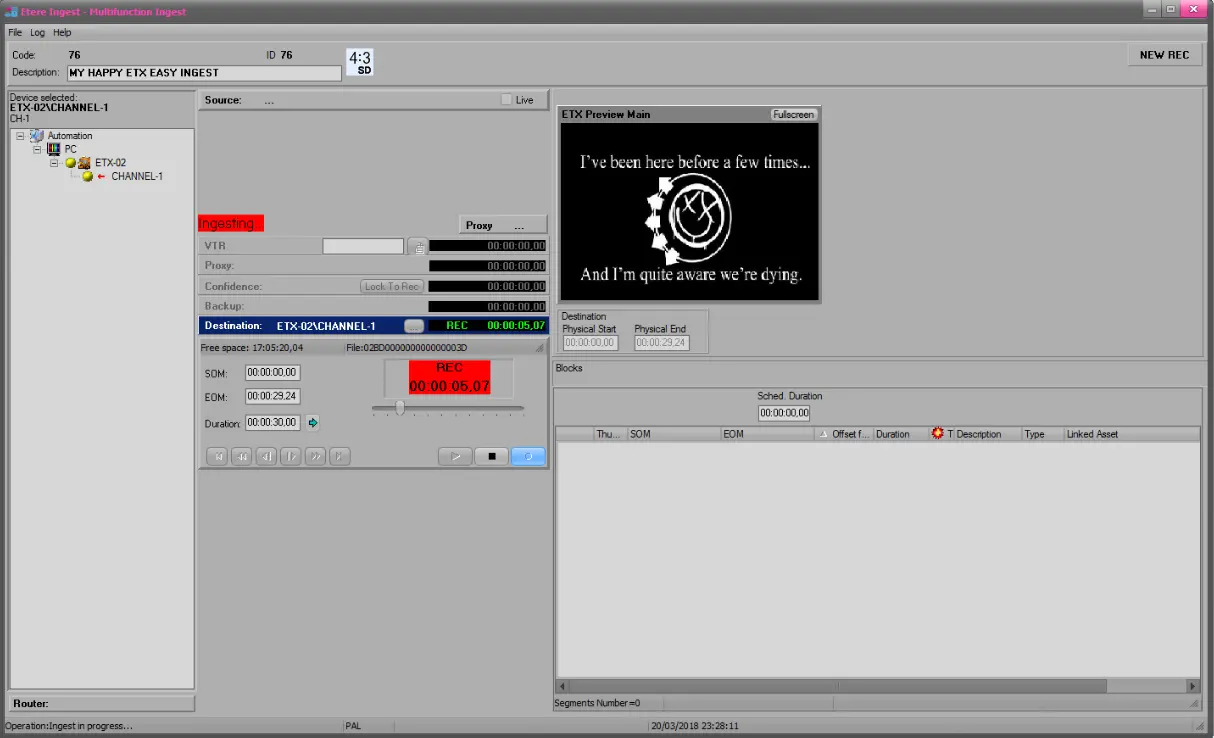 Etere_Ingest_-_Multifunction_Ingest
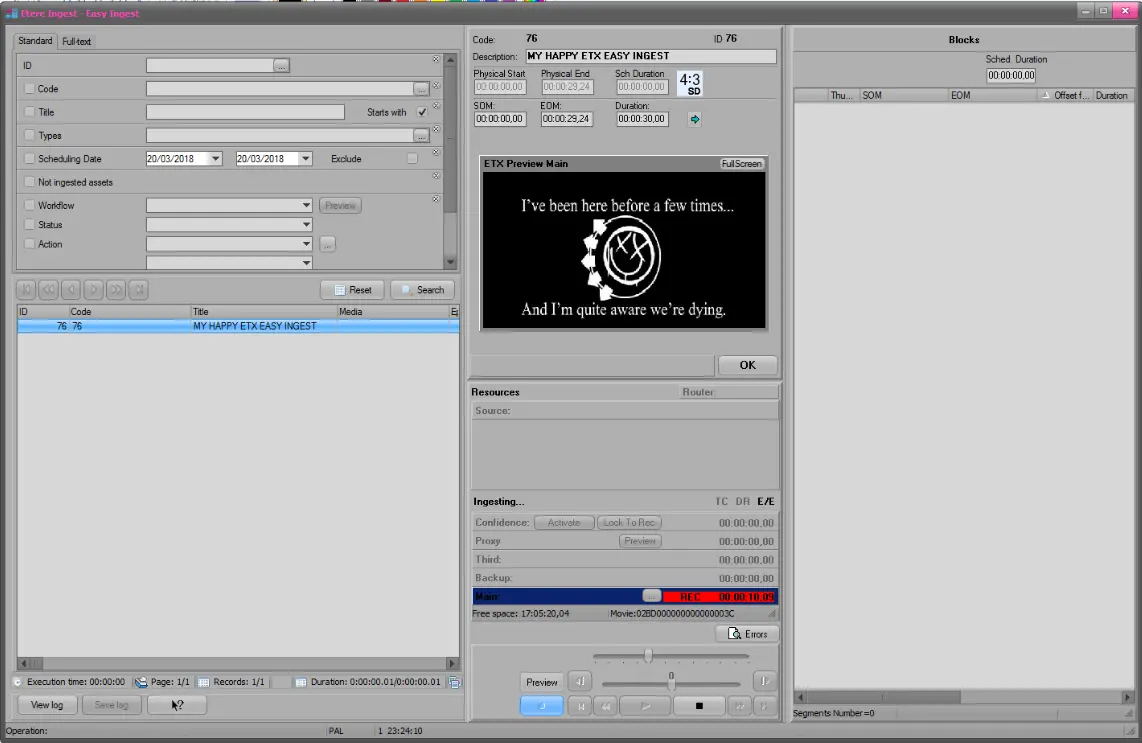 Etere_Ingest
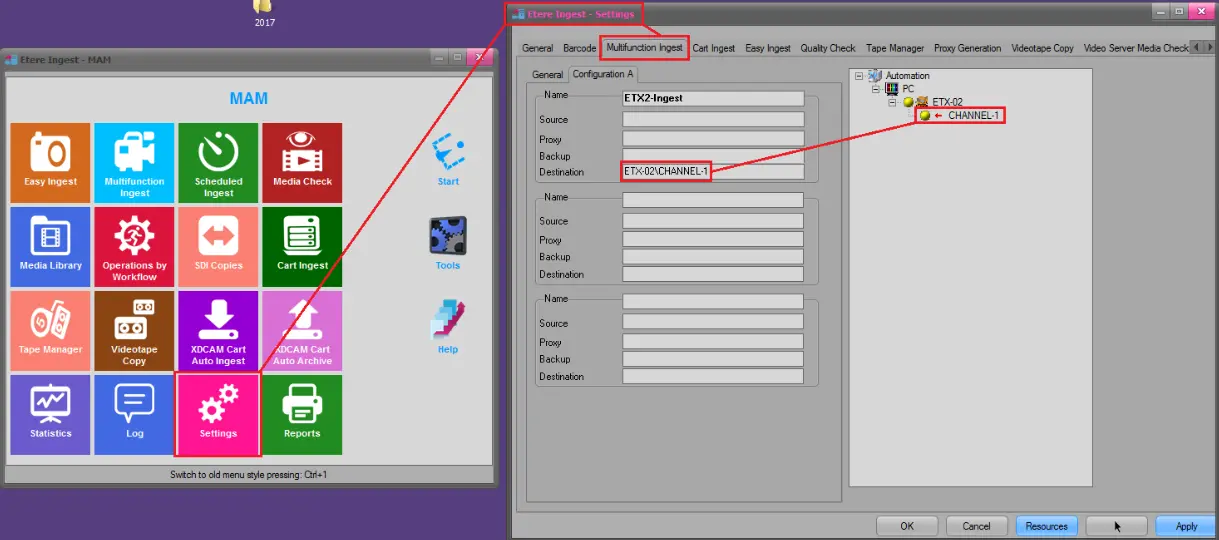 Etere_Ingest_-_Settings_2
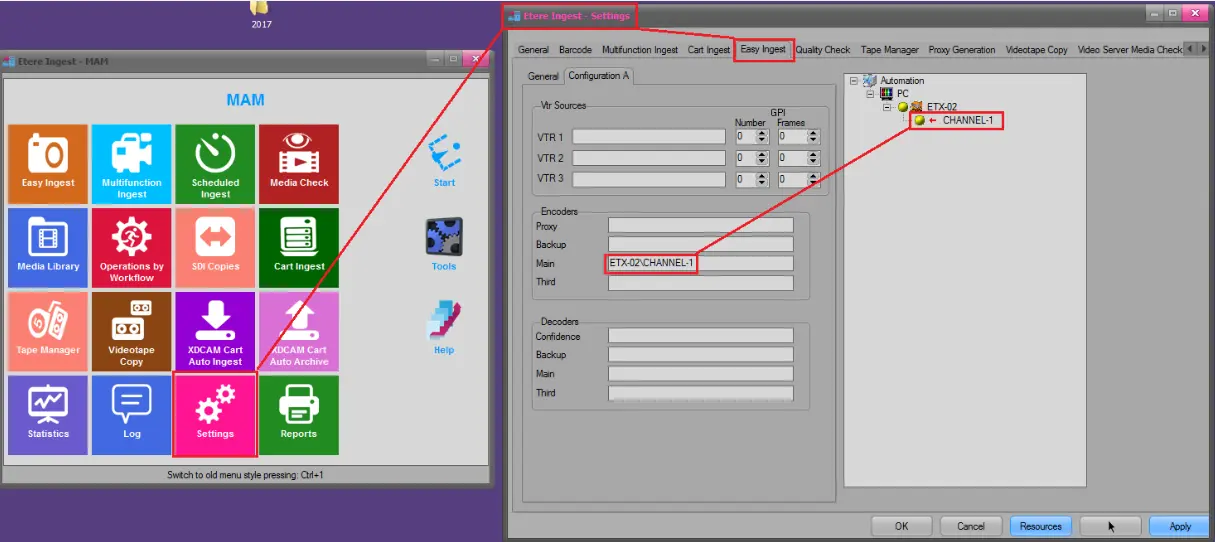 Etere_Ingest_-_Settings_1