79.4.6.2 Creating a Rundown Template
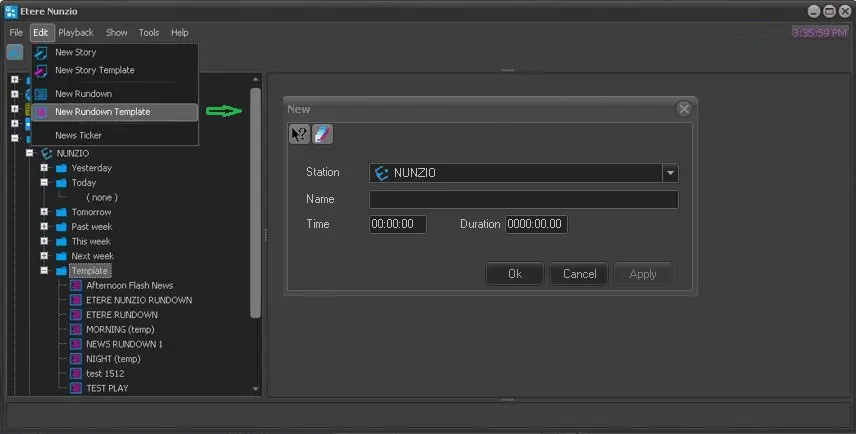
To create a new Rundown Template, simply click on the Edit menu and select New Rundown Template.
4777_New_Rundown_Template
In the New template dialogue, assign a name to the template and set the start time and duration.
Click <OK> to open the template..
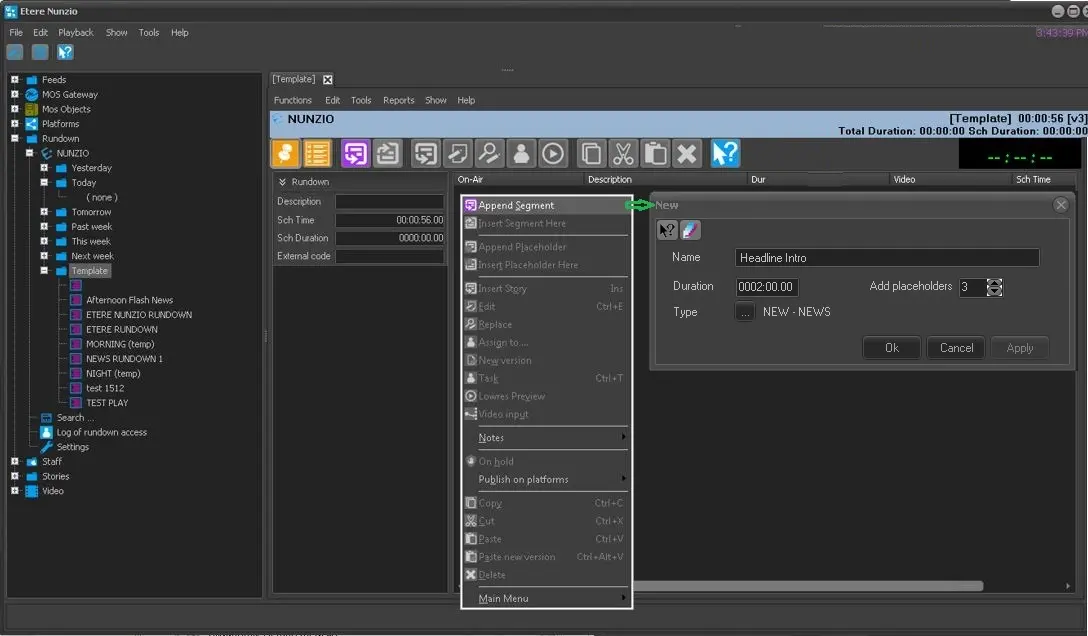
In the Rundown Template, right-click on the blank space and select Append Segments.
4778_Append_Segments
In the New segment dialogue, assign a name to it and specify the amount of placeholder in the Add placeholder parameter where you can insert stories in the rundown.
Click <Apply> and <OK> to confirm the creation of segment.
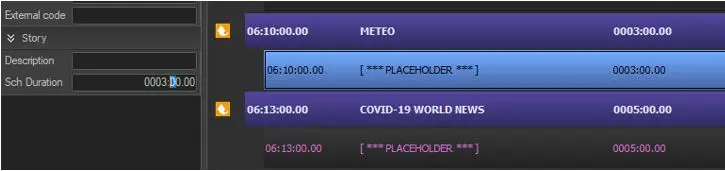
The new placeholder would be inserted in the Rundown for adding stories.
4779_New_template_placeholder
In addition, in Etere Nunzio is possible to automatically create multiple Rundowns from a single Rundown Template.
In order to accomplish this is necessary to:
1. select any Nunzio Rundown Template or create a brand new one;
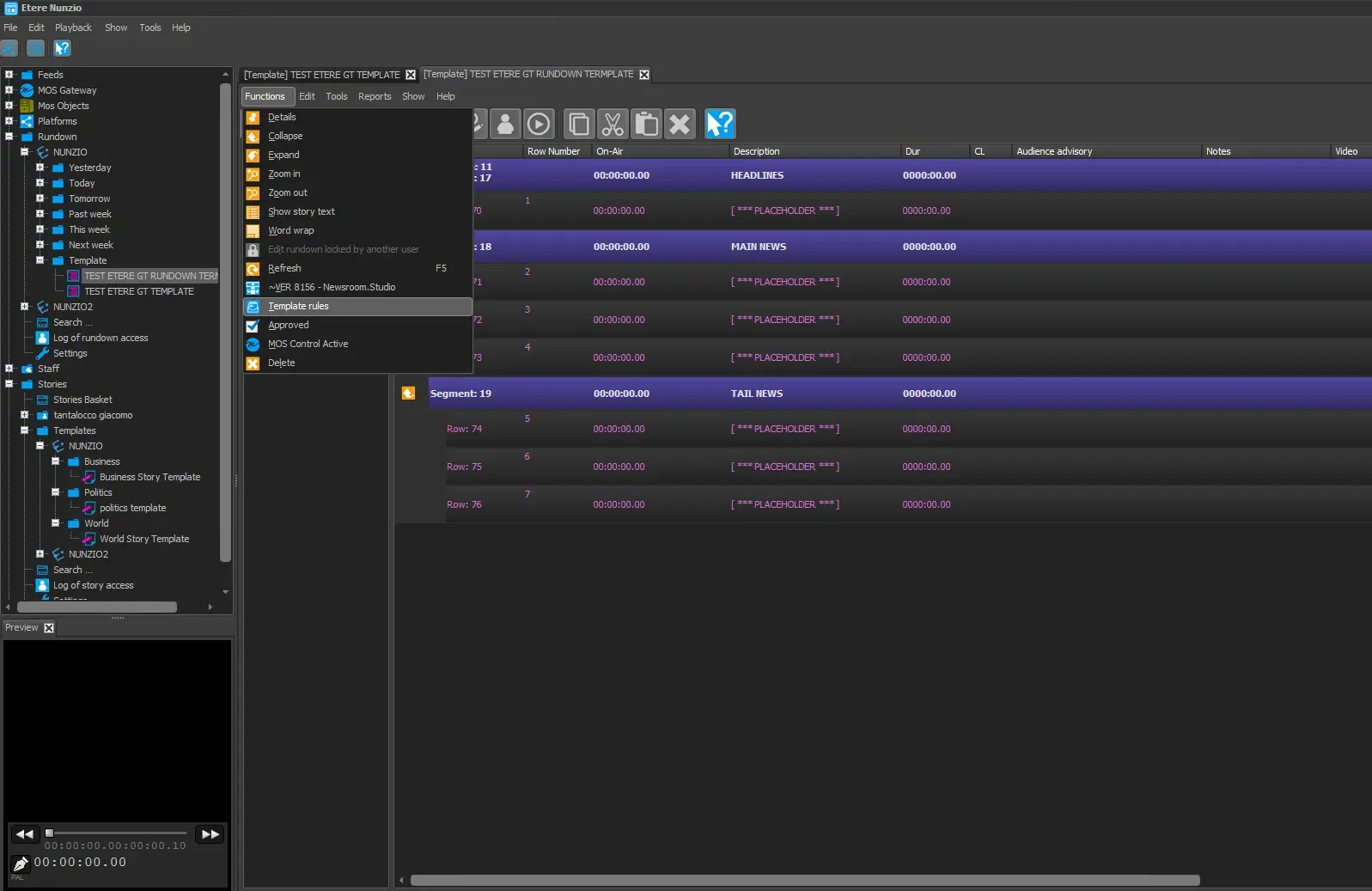
2. once the Rundown is ready, go to Function > Template Rules;
template_rules
NOTE: is worth mentioning that the Template Rules function is only available under the Rundown Template section.
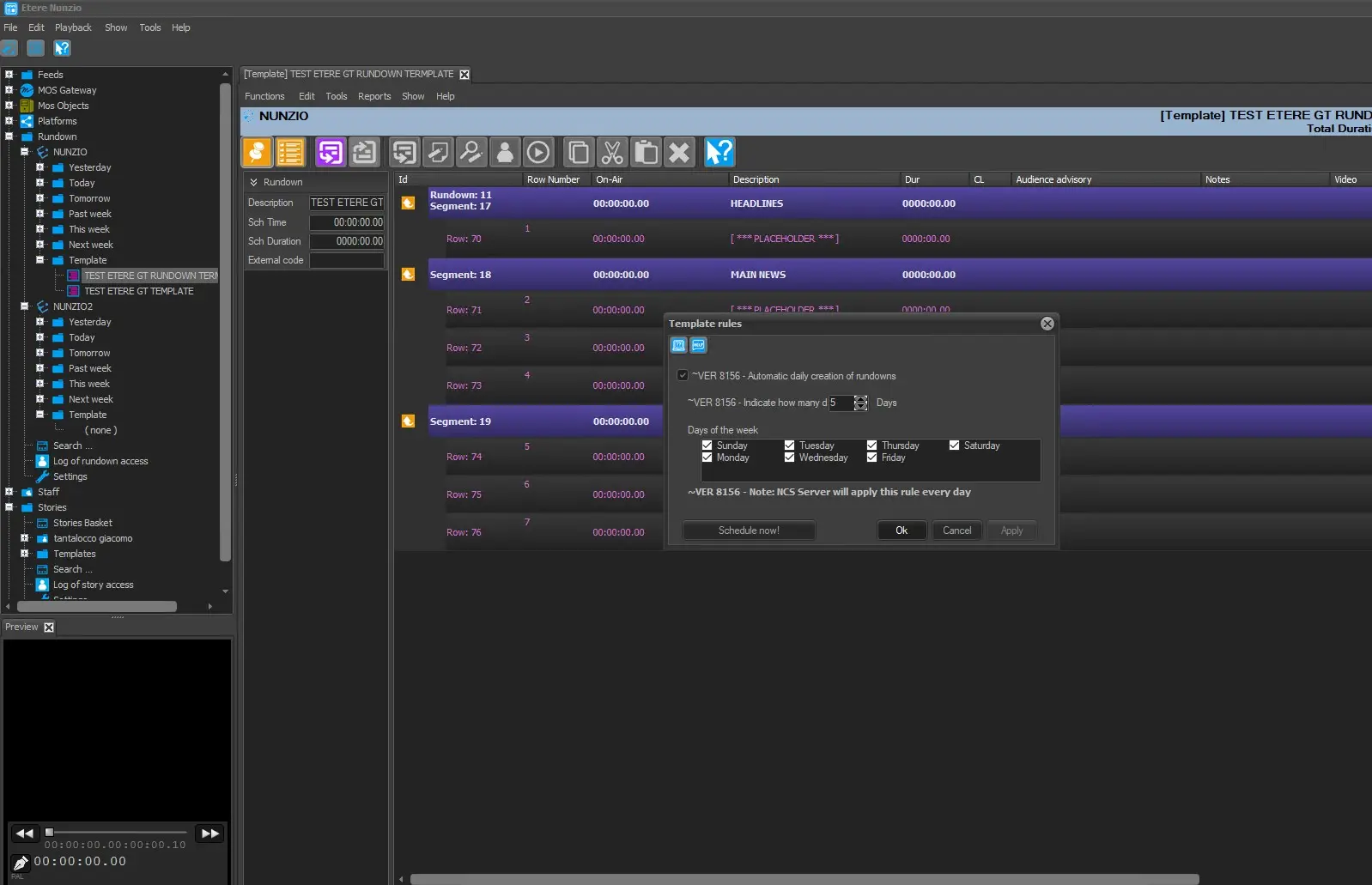
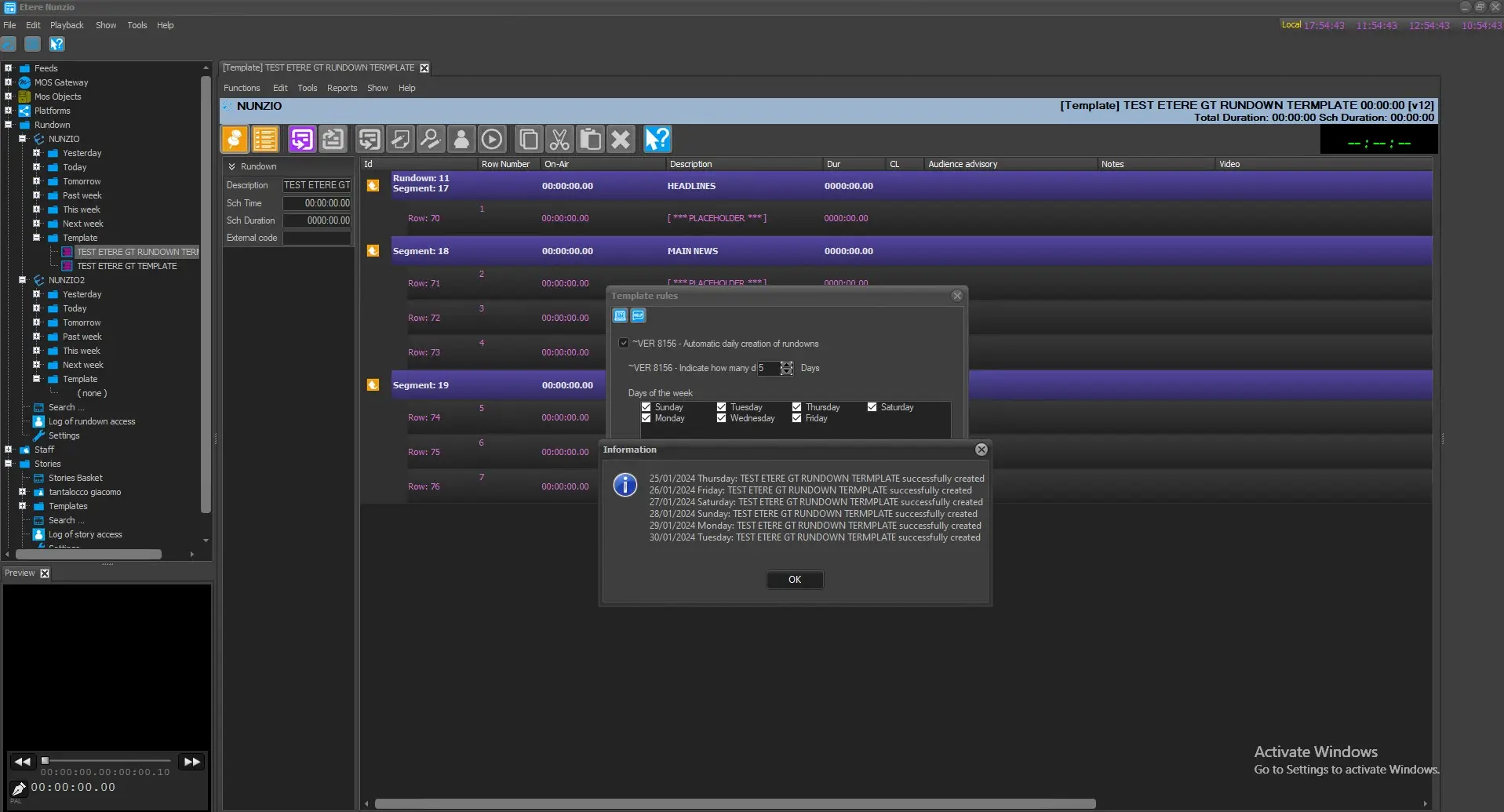
3. in the following form select the Automatic daily creation of Rundown option;
4. indicate for how many days the Rundown must be created;
5. finally select the wanted days of the week for the Rundown creation.
template_rules_form
6. upon confirmation by pressing the button Schedule Now!, the system will create N Etere nunzio Rundown depending on the date which have been set on the Template Rules form.
schedule_now
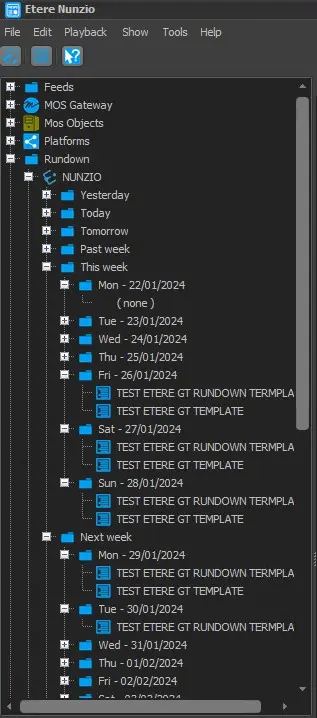
Once the procedure is done, is possible to find all the automatically created Rundowns in their given tree:
Rundown > Station > This Week or Next Week
depending on which time-frame has been selected during the Rundown Creation from a Template.
auto_rundown
 New_Rundown_Template
 Append_Segments
 New_template_placeholder
 template_rules_form
 template_rules
 scuedle_now
 auto_rundown