19.3.1 Settings User and Rights
To use Web Services API, as with all web services, requires a few access parameters to be set first; these parameters are following described:
User credentials
Etere Web Services supports authenticating users either from the Etere Personal data or from the Active Directory:
Access credentials
Personal Data: The Personal Data allows the configuration of access credentials to be used by existing (or new users) to login into the Etere WebServices:
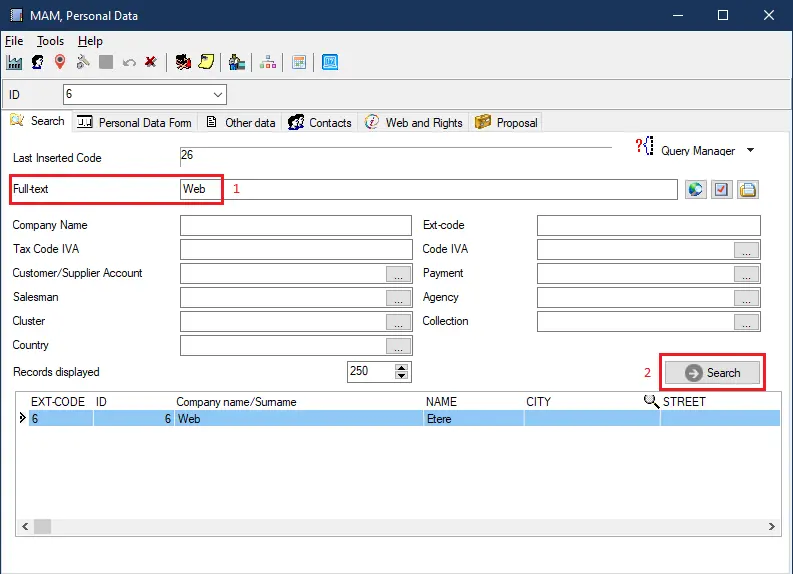
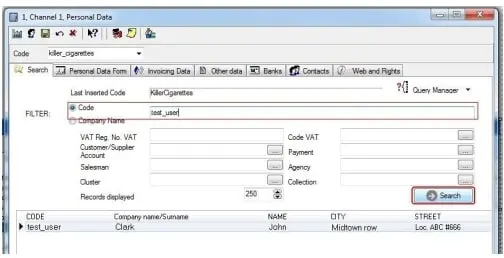
1. Open the Etere Configuration > Personal Data module and search for the user you intend to configure using the Web Services;
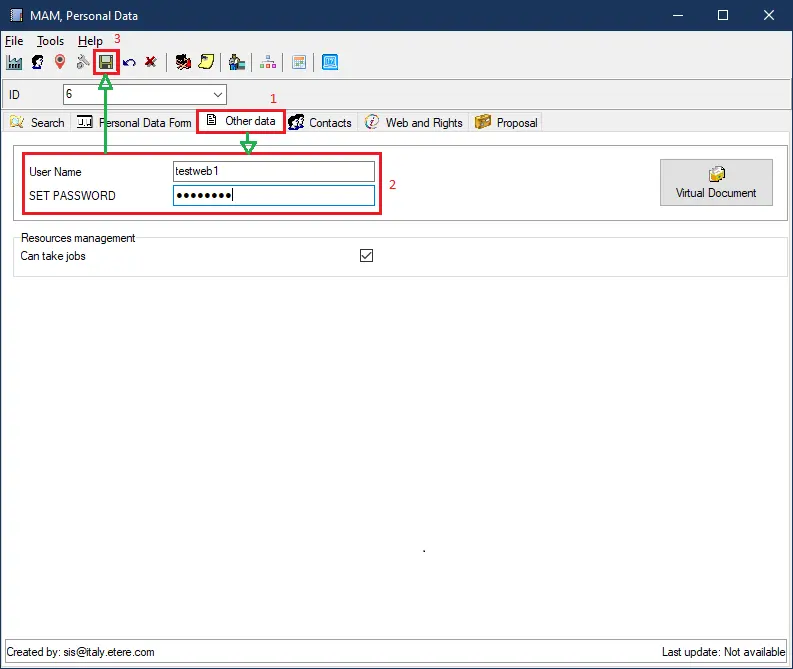
2. Once found, make double-click on the user and navigate to the Other Data tab, in which it will be possible to add/change a username and password;
etere api ws personal data
3. Click on the [Save] button and close the window. The saved username and password will be your login to access Web Services.
Note: In Web Server, there is no default user.
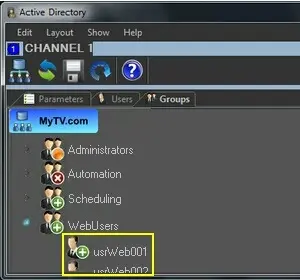
Active Directory: In case the system is integrated into the Active Directory, users will be enabled to login into the Etere web services using the same access credentials as in the organization's active directory;
Please refer to the Active Directory Integration chapter for detailed information on this feature.
User Rights
Whether web users are from the Personal Data or the Active Directory, it will be possible to turn on or off specific rights for them regarding operations (e.g. T-workflows, instances, etc.):
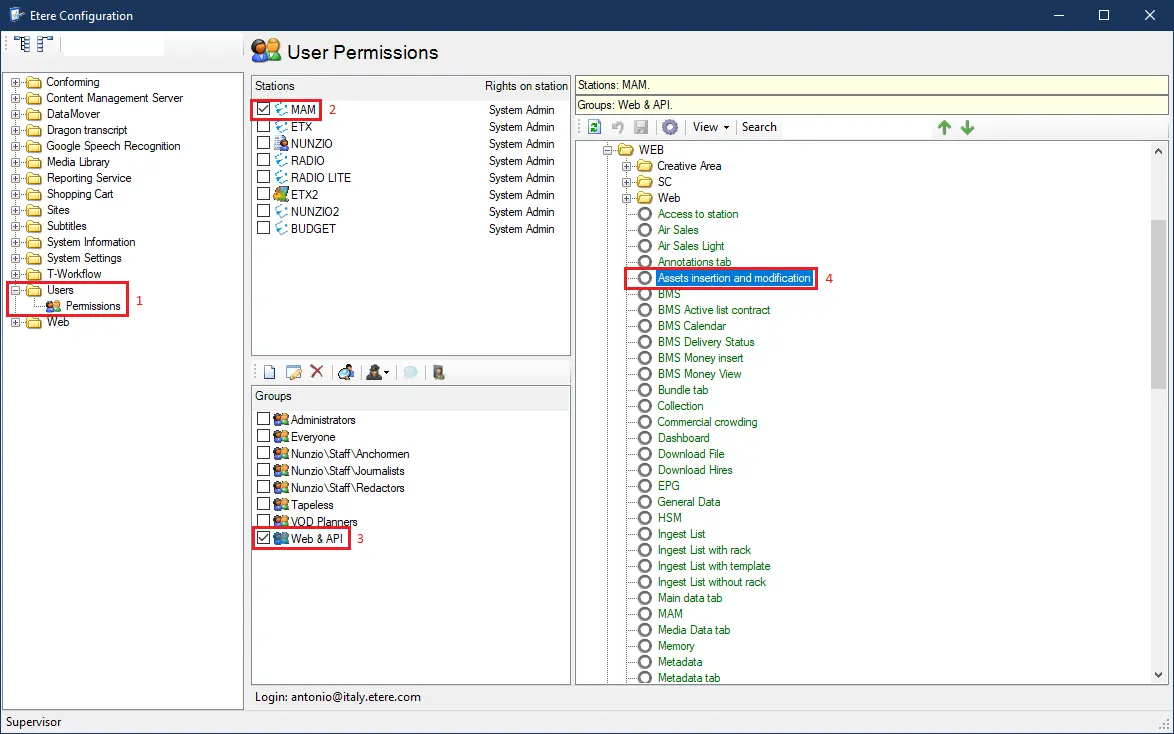
1. Under Etere Configuration > Editor > Rights Management, turn on/off rights for specific operations for the selected user.
Double-click on the operation rights that you intend to modify, then press the [Save] button:
Access: Access the Etere database;
Functions
Media Library: Create and view assets;
Media Library\Modification: Delete assets;
Workflow Instances
All required T-workflows: Trigger and monitor T-workflows;
Workflow Actions
All the necessary actions: Execute T-workflow actions
2. Once you have set the user and rights that will be allowed by Web Services, you are ready to start using the Web service.
 5121_etere_api_ws_personal_data
 5123_Search_
 5124_Etere_api_ws
 5125_Rights_Management
 search_user_code