Using Etere CensorMX
58.2.3 Changing the Timeshift Delay
- TimeShift Features
Time_shiftgui - TimeShift Settings
Features
- Advanced TimeShift Settings
Note: Consider that this section contains advanced configuration settings, which need not be changed unless you need to debug the specific problem. In this case, they should be modified only under Etere support supervision. Advancedsettings_updated2 - Changing the Timeshift Setting for the Playout Channel
The default timeshift delay is 10 minutes. However, you can change the default delay to any time you require. To change the Timeshift Delay Default, you have to change the settings for both the Playout Channel and CensorMX, as shown below.- To change the time delay for the playout channel, click [Settings] in the GTimeShift player.
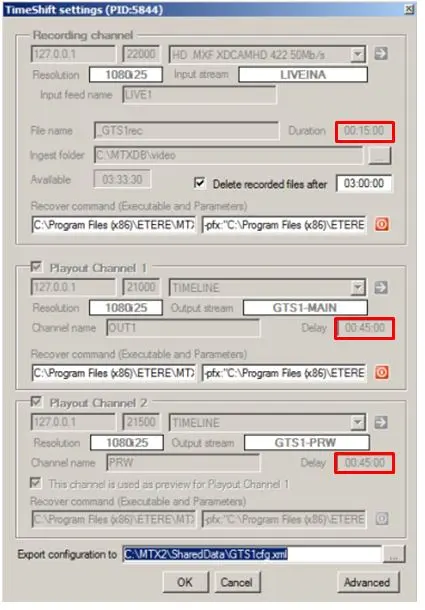
Gtimeshift1 - Insert the duration in the Delay field for Playout Channel 1 and Playout Channel 2, as shown below. (Time format is in hh:mm: ss)
For the Recording Channel duration, ensure the recording file duration is:
- greater (or equal) to 5 seconds
- more significant than the Max cue time threshold
- less than half of minimum Timeshift minus Max cue time threshold
Timeshiftsettings3 - Click [OK] to save the changes.
- To change the time delay for the playout channel, click [Settings] in the GTimeShift player.
- Changing the Default Timeshift Delay in CensorMX
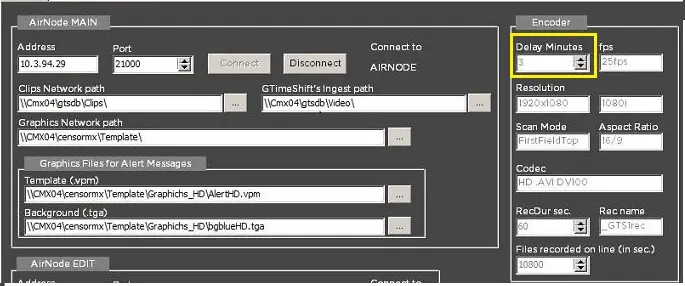
- To change the default timeshift delay, click the Configuration tab in the program's top left corner.
- In the "Delay" section, select the time (in minutes) you want the Timeshift delay to be. Timehshift001_new
- Click [Save Parameters] to save your selected duration.
- Restart the Etere CensorMX application. It should start with the timeshift delay duration you have selected.
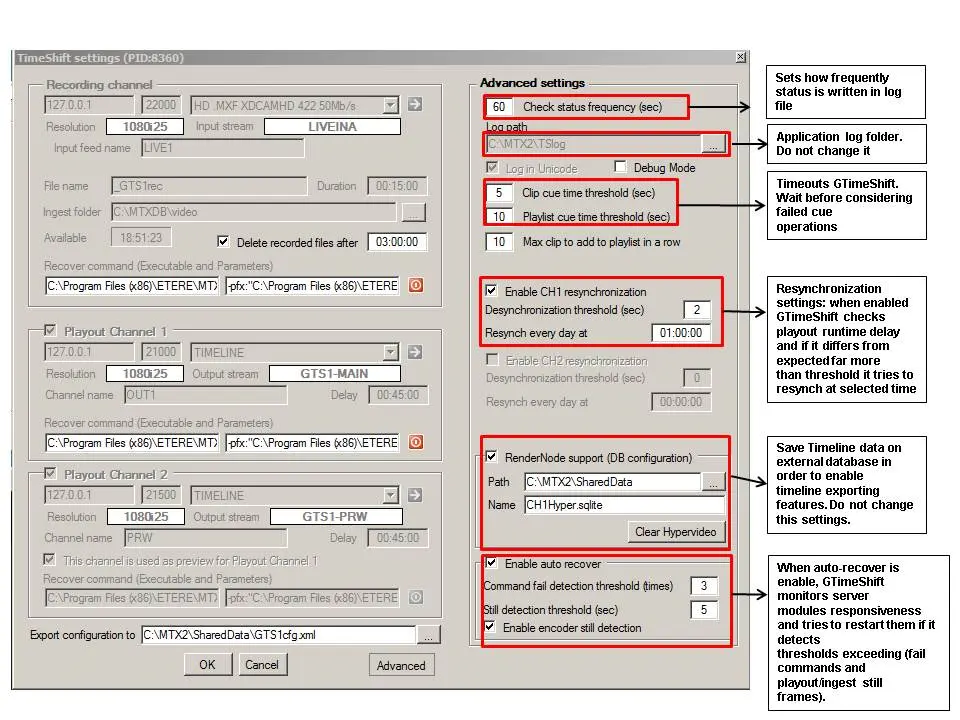 Advancedsettings_updated2
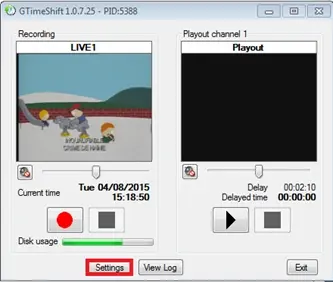 Gtimeshift1
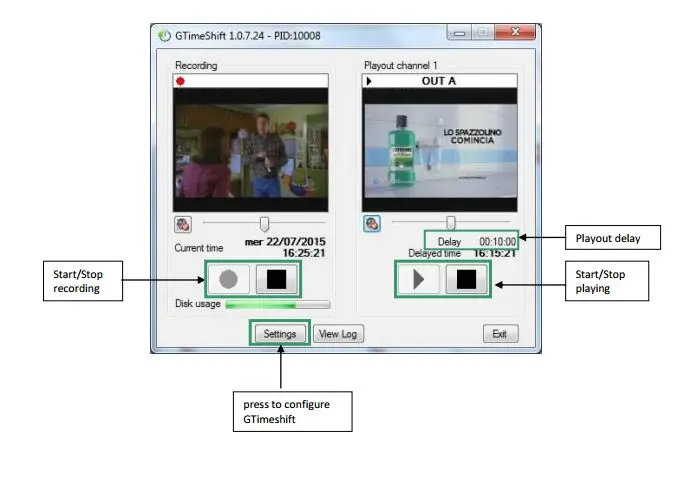 Time_shiftgui
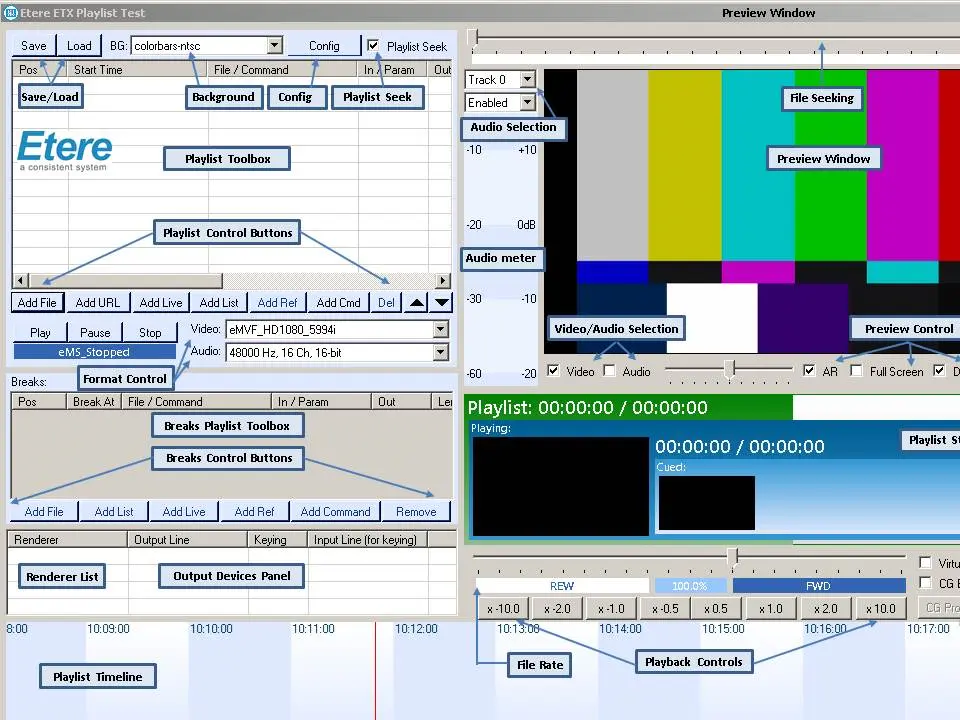 Features
 Timehshift001_new
 Timeshiftsettings3