Nunzio App Menu
79.6.4.5 Web Service
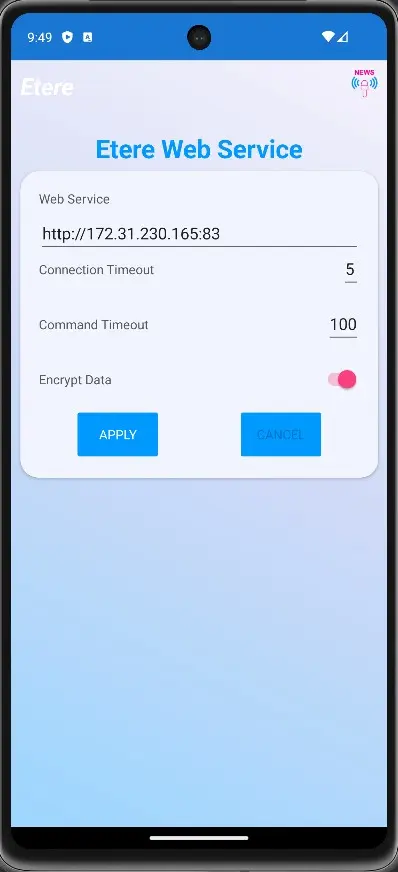
In the Web Service view is possible to change the Web Service URL anytime.
In the given section is also possible to:
1. insert the Web Service URL;
2. set the Web Service Timeout;
3. set the Web Service Command Timeout;
4. select the possibility to Encrypt Data on the Web Service side.
Once every setting has been confirmed, press the APPLY button to save all the related changes.
nunzio_android_web_service
WARNING: It worth mentioning that once in the Web Service view, is not possible to get back to any other Menu View until the connection has been made. So, press APPLY, no matter if the Web Service has changed, the LOGIN is mandatory to access the Application again.
 nunzio_android_web_service