81.1.1.4 Promo Crowding
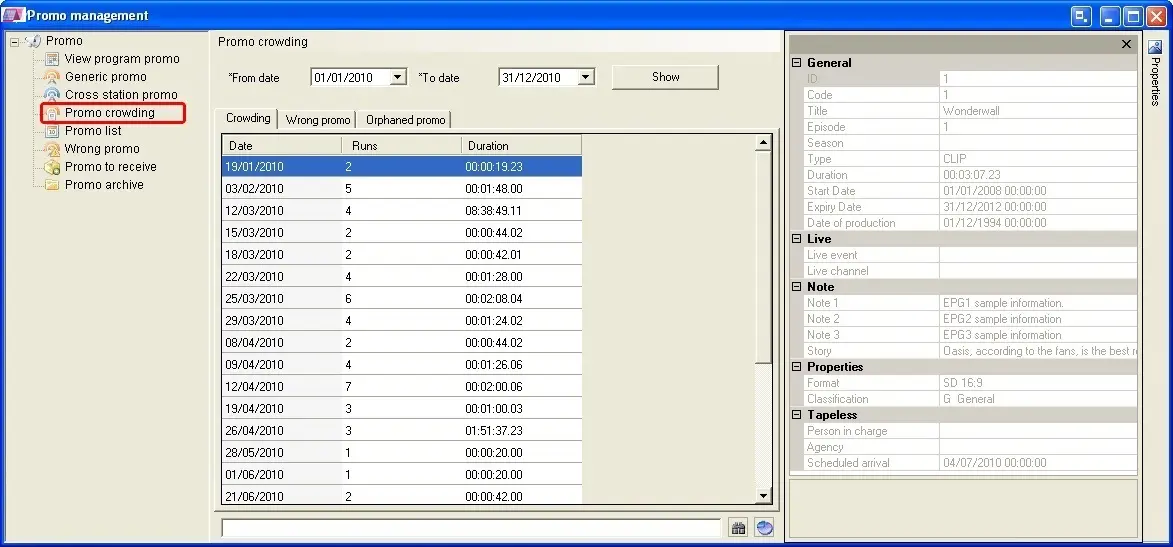
The Promo Crowding section permits the station to keep its trailer crowding always under control, this by providing detailed per-day information about all trailers matching the following criteria:
4826_Promo_Crowding
•Crowding: The number of trailers scheduled within the selected date range,
•Wrong promo: The number of trailers scheduled within the given interval, for which are present some scheduling incongruences (see the 'Wrong Promo' section for further details),
•Orphaned promo: The number of trailers scheduled on a certain date which are not linked to any program.
Inserting trailers in the schedule
It is possible to schedule trailers listed in this section, just make right-click on them and click the 'Insert' option or drag and drop them into the schedule. See the Placing Promos chapter for detailed information on this function.
When inserting trailer to schedule, there are 3 options for insertion:
-Insert: insert the trailer into the current opened schedule.
-Insert top: insert trailer to the top of the schedule.
-Insert bottom: insert trailer at the end of the schedule.
 Promo_Crowding