59.2.41.1 Emergency Assets
In case a failure occurs during the playout phase, Etere Automation will be automatically switched to an 'emergency playout' mode and transmit all assets enabled on this section (randomly and following a continuous rotation rule) to cover the entire duration of the replaced clips.
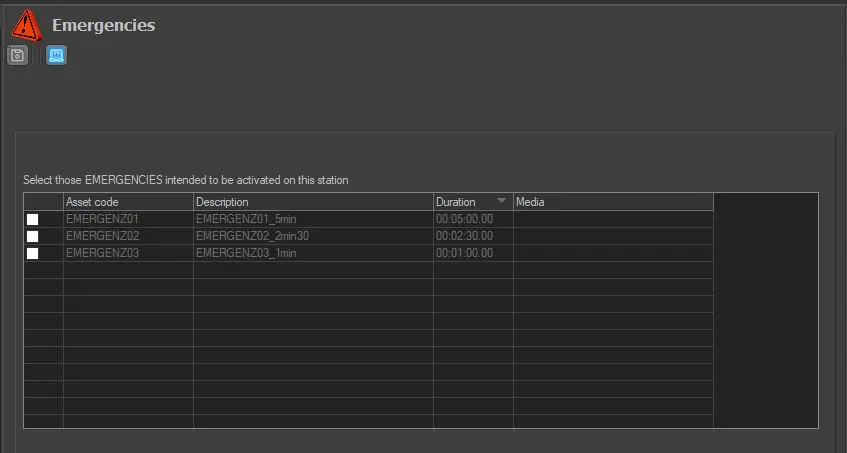
To select the assets to be used as emergency assets, tick on the assets and click on the 'save' button:
Emergencies
Only those assets with an asset code starting with 'emergenz' will be listed in this section (and therefore allowed for emergency playout); moreover, an asset to be selected must be already recorded and have a media associated with it.
Please note that the following scenarios are not managed during an emergency:
•Automation machine failure.
•The Video Server path where the clips (as well as the emergency clips) are stored is unreachable.
 Emergencies