Executive Editor
59.2.40.25 BMS
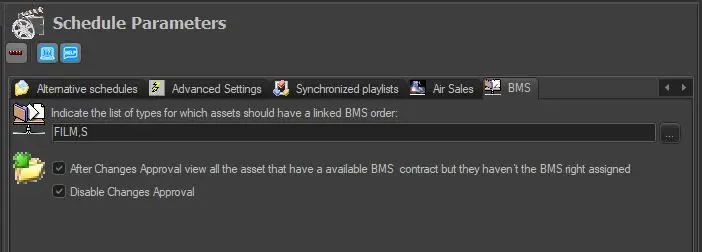
Under the BMS tab, it includes the following options:
schedule_parameters_bms
• Indicate the list of types for which assets should have a linked BMS order: Click on the search button beside the text box to include the asset types (e.g. season, films, etc.) linked to BMS to be scheduled to go on-air.
• After Changes Approval, view all the assets that have an available BMS contract but they haven't the BMS right assigned: Once changes have been approved, generate a list of scheduled assets with available BMS contracts but without assigned appropriate rights.
• Disable Changes Approval: If this option is enabled, the acceptance of the variations is not required when importing daily broadcast schedules for television day.
 schedule_parameters_bms