Etere Configuration
59.10 Main-Backup Mode
On a system with Main and Backup resources available, it is possible to continue using the software (and its resources) when a problem occurs on the Main resources by switching the used resources from Main to Backup (assuming Main and Backup resources are already configured):
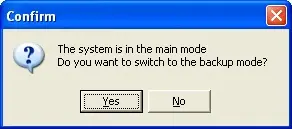
1. To switch from Main to Backup resources, double click on the icon "Main\Backup Mode" and click on "Yes" to confirm the action:
Main-Backup_Mode
2. When the Backup mode is active, the Title Bar turns blue to red on all Etere modules.
3. Once problems with the Main resources are resolved, double-click again on the icon "Main\Backup Mode" to switch back to the Main mode.
 Main-Backup_Mode