How to
59.3.14.4 Show the assets for which a T-workflow is running
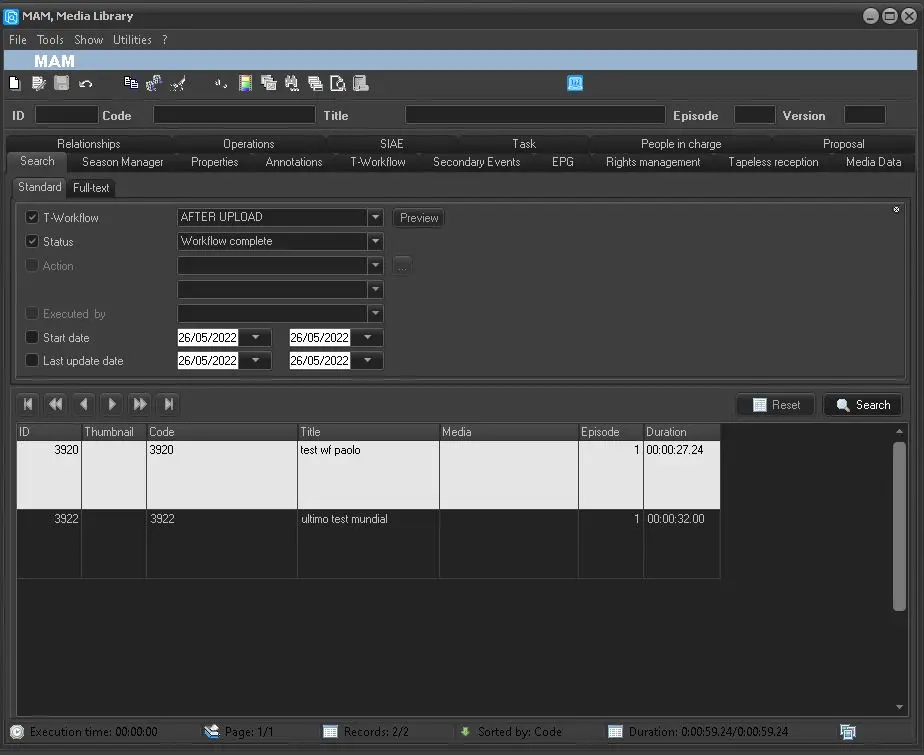
Sometimes, it is necessary to know to which assets a T-workflow is assigned (for controlling the correct assignment of it, assigning more assets, managing all the assets linked to a determinate T-workflow, etc.). This can be done directly from the Search tab in the Asset Form on Media Library modules by adding the filter "T-Workflow".
Running a search filtering results by information related to the T-Workflow will list all the assets that match the input criteria.
which_a_T-workflow_is_running
 which_a_T-workflow_is_running