84.2.6.13 Video Assist - Manage Events
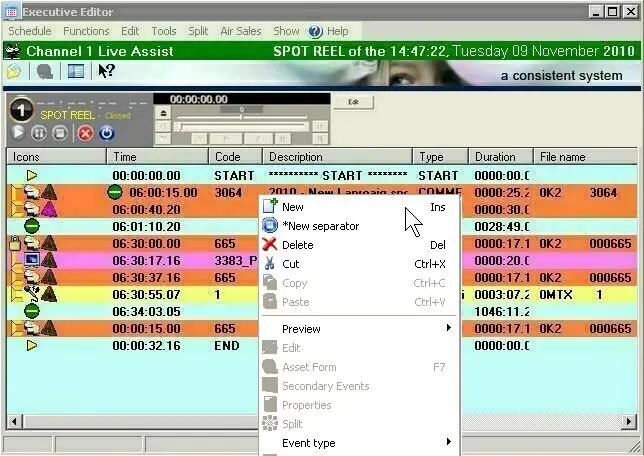
Events scheduled within the Video Assist playlist can be filtered according to their short-event-reel property, this by using the related options available in the Schedule menu; additionally, by making right-click in the schedule it will be possible to insert separators (i.e.: events at which the playback of the schedule will be automatically stopped).
5037_Executive_Editor
Scheduled events can be copied from one Executive Editor instance to another by using the CTRL-C and CTRL-V combination keys (please refer to the Managing Events chapter for information about how to manage events within schedules).
Previewing events using Jog&Shuttle
In order to manage events through the jog&shuttle, just select them from the playlist and press the [LiveAssists_Control_06 Load] button, making double-click on one of the selected events its preview will be positioned at the start of the related clip.
 5037_Executive_Editor