65.2.2.3 Add Live
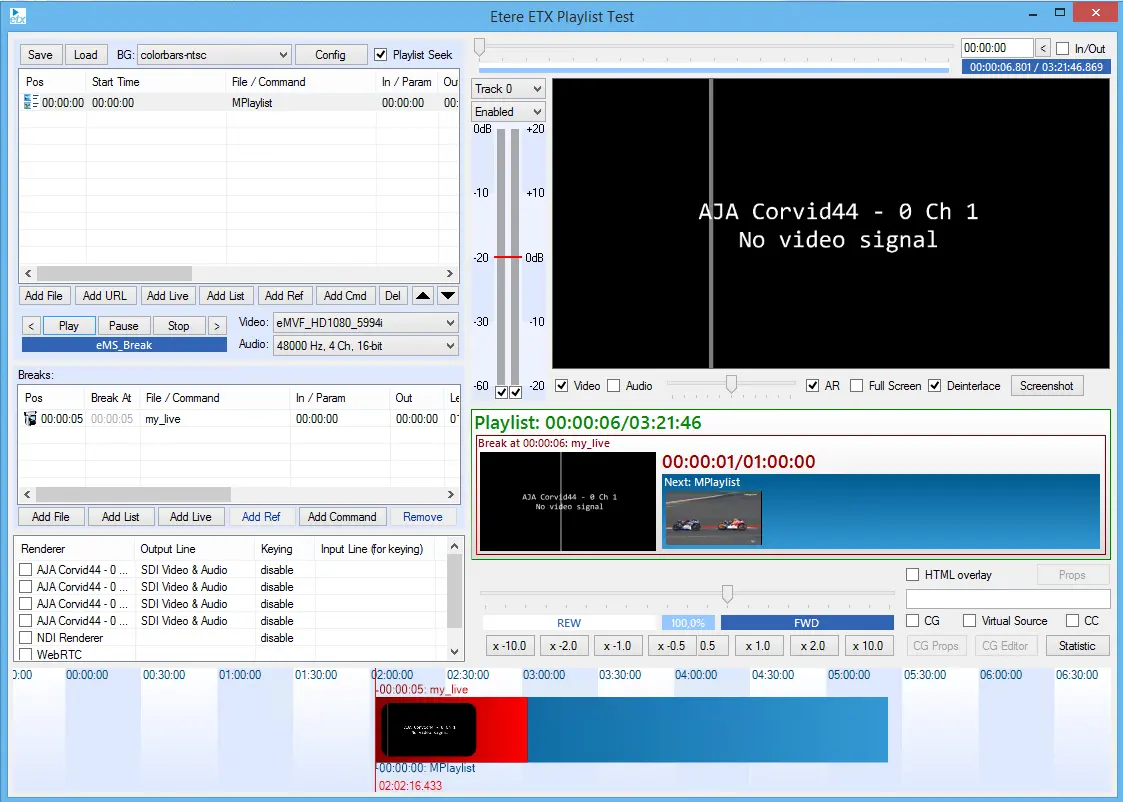
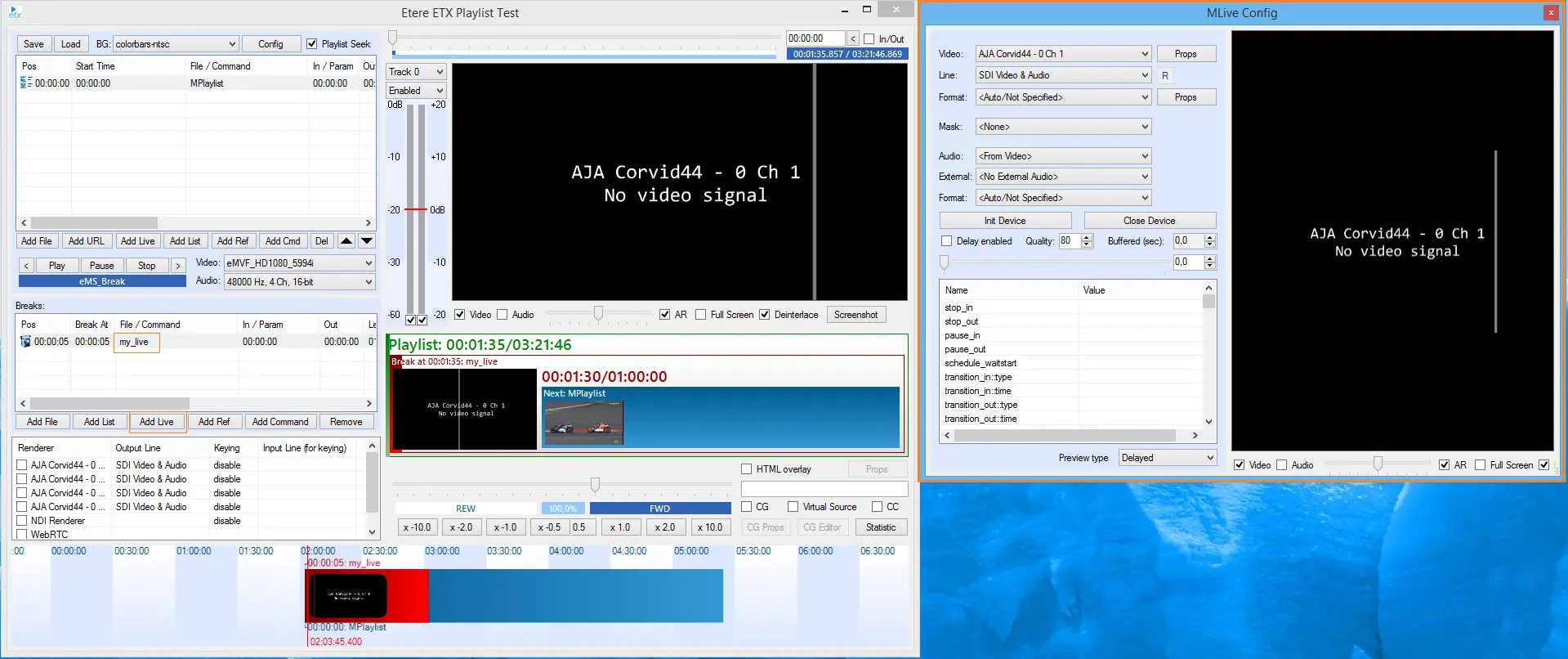
The Add Live button cover the same behavior as Add File and Add List do. Basically it allows us to insert any live signal, either SDI or NDI as Breaks within our Etere Toolbox Player Playlist.
Once you have added the live a new record will be eventually created.
Double click to open ETX MLive Config menu.
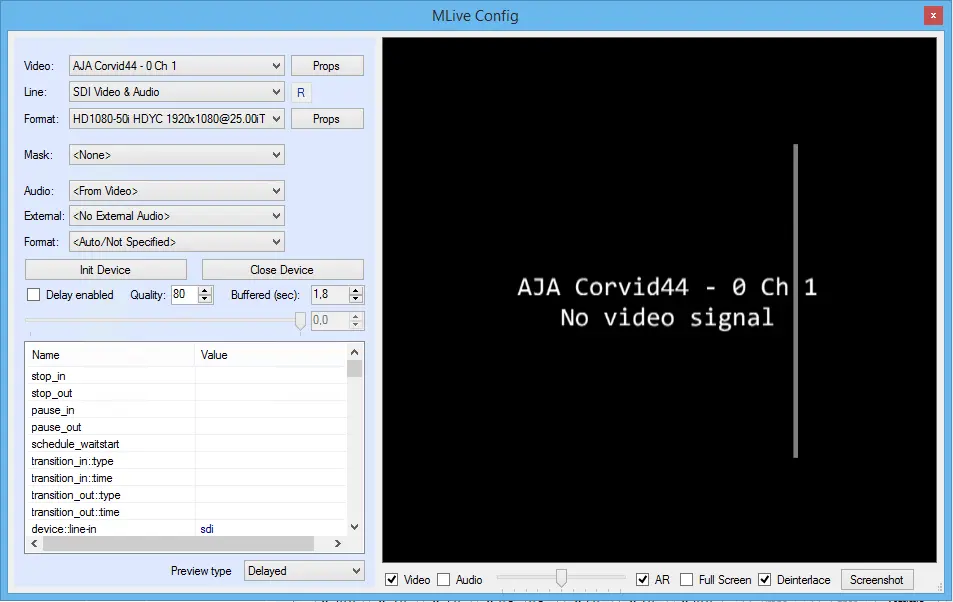
ETX MLive Control allows to configure live sources and illustrates how to use ETX Device interface and its methods.
5465_etere_toolbox_brks_add_live_details
Also you can operate ETX Delay feature. To enable this feature you need to select Delay enabled check-box.
The behavior is the same as Add Live on the Playlist Section as we have seen previously.
There are two types of audio sources that you can use for your live source with DeviceSet method: audio and ext_audio.
- Audio allows you to list and use possible audio devices:
For Blackmagic, StreamLabs and Deltacast devices allows you to use audio from the device (embedded audio). For DirectShow devices it returns you a list of Audio Capture Source filters.
Compare results for list of "audio" devices for Blackmagic device:
5466_etere_toolbox_mlive_config
- Ext_audio
This type of device allows you to use external audio sources for all video devices. "ext_audio" returns you only real devices (such as microphones). In case of any external audio source usage the external audio will be added to embedded one as separated audio channels.
Here is list of "ext_audio" devices for Blackmagic device:
5466_etere_toolbox_mlive_config
 etere_toolbox_brks_add_live
 etere_toolbox_brks_add_live_details
 etere_toolbox_mlive_config