52.2.1 Preliminary Configuration
To start using Etere Ad Insertion, some preliminary operations must be done according to which Mode is used:
Etere Ad Insertion Stand-Alone
or
Etere Ad Insertion with Automation
STAND-ALONE MODE
To use the Stand-Alone Mode, it is necessary to do the following operations:
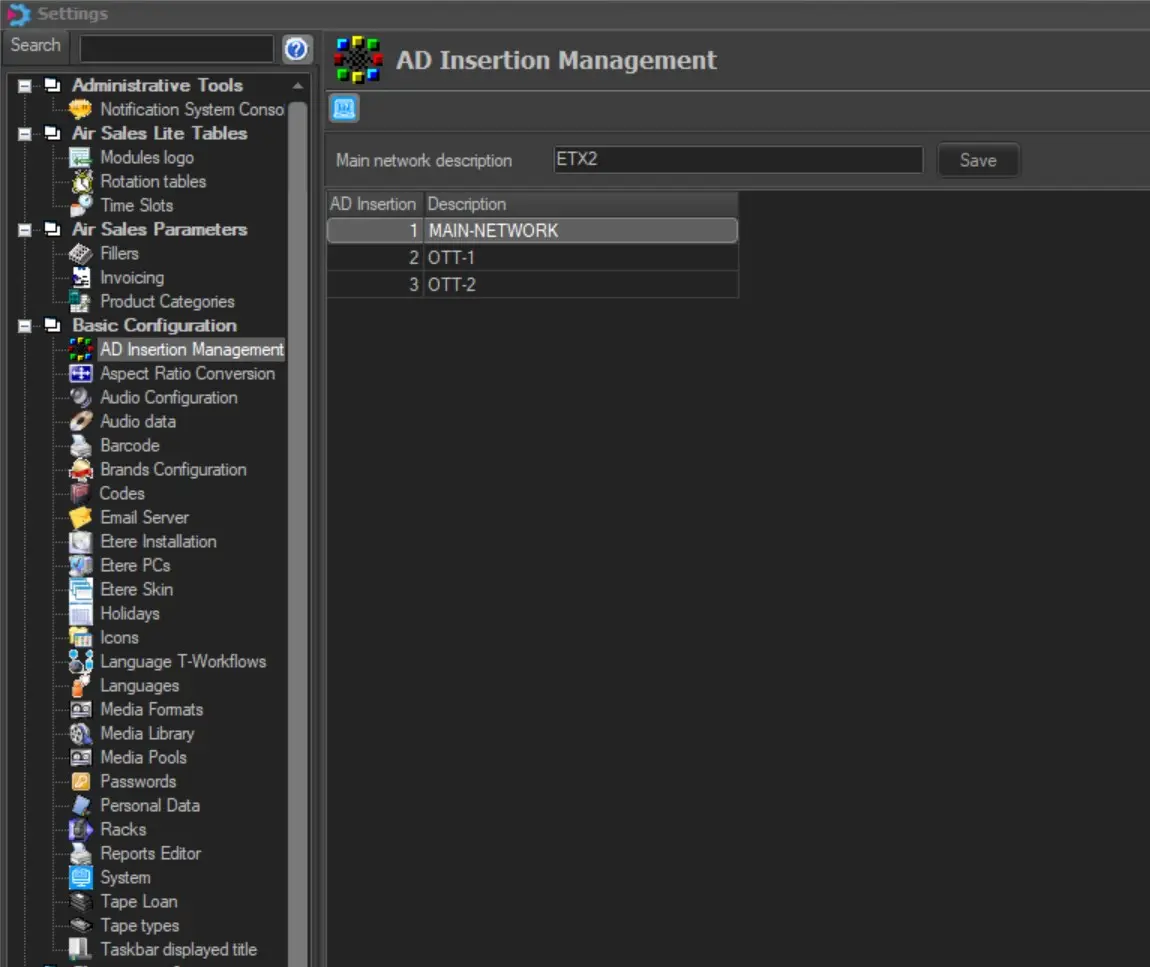
1. Set the Main network's name and at least 1 Regional network in Etere Configuration > Settings > AdInsertion Management.
2. Create the Adinsertion ETX playout channel, as explained in the chapter "AdInsertion ETX channel creation".
AUTOMATION MODE
If the Automation Mode is enabled, the following preliminary steps must be performed to allow the Ad Insertion SPLITS to be aired correctly.
1. Set the Main network's name and at least 2 Regional networks in Etere Configuration > Settings > AdInsertion Management. Automation will be the first split, while the AdInsertion modules will be the others.
Etere Ad Insertion supports up to 7 Splits, plus the first split.
adinsertion_networks
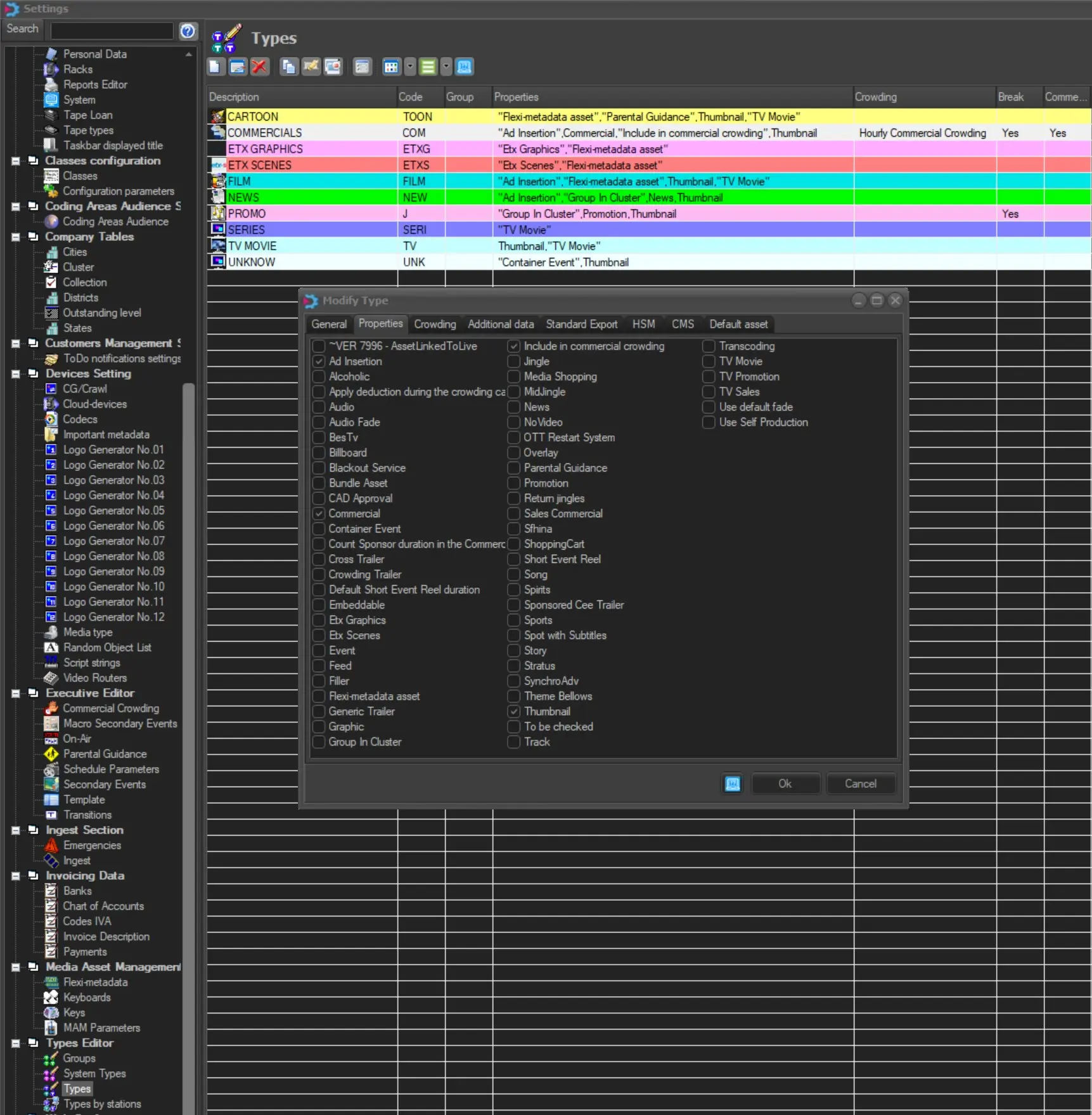
2. After that, the Etere TYPES intended to be aired through Etere AdInsertion must have the Ad Insertion Property. It can be set in Etere Configuration > Settings > Types.
types_adinsertion_prop
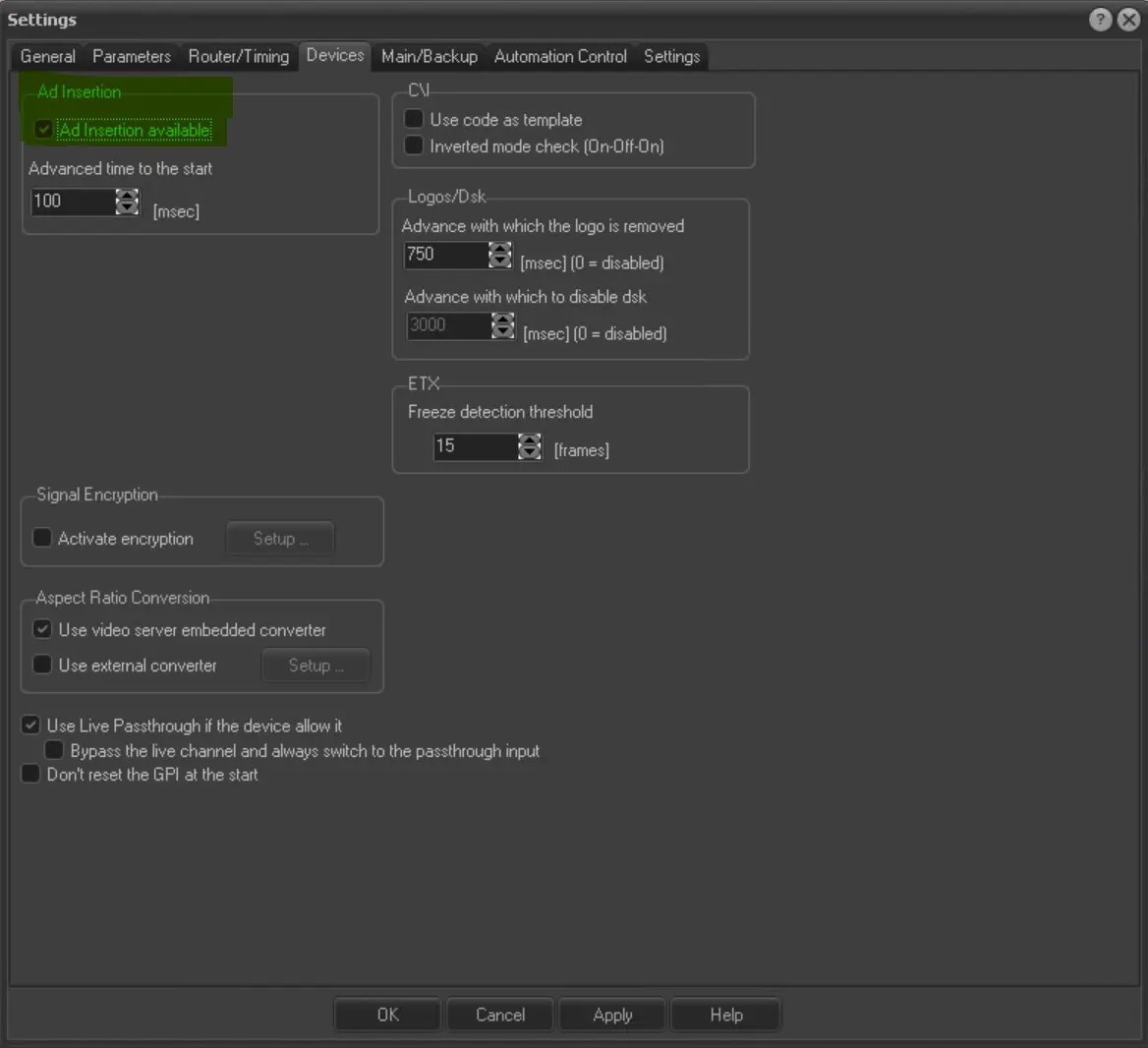
3. Enable the Ad Insertion flag to allow Etere Automation to recognize the configured SPLITS in Etere Automation > Settings > Devices tab.
au_settings_adinsertion
4. Create the Ad Insertion ETX playout channel, as explained in the chapter "AdInsertion ETX channel creation".
 adinsertion_networks
 types_adinsertion_prop
 au_settings_adinsertion