70.3.3.4 Unloading Tapes
Unloading tapes in Etere HSM Headquarters is an easy task; to perform these actions, just follow the subsequent procedures:
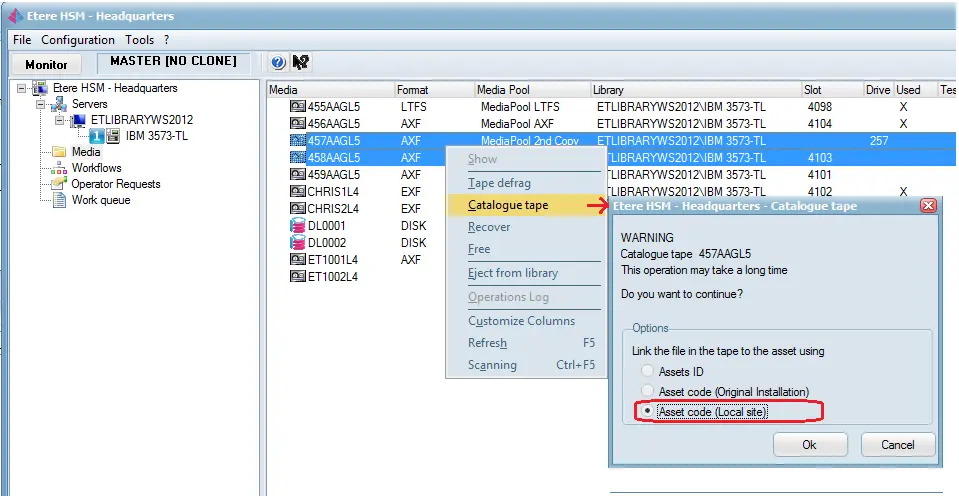
1. Go to the Media section and make right-click on the tape intended to be unloaded from the library, and select the "Eject from library" option:
Etere HSM - Headquarters 1
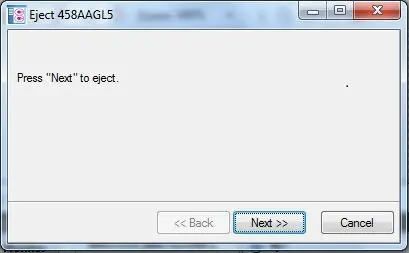
2. Click on the Next button to continue:
Eject 1
NB: If the i/e port is retractable (i.s. supports automatic ejection), it will be automatically extended.
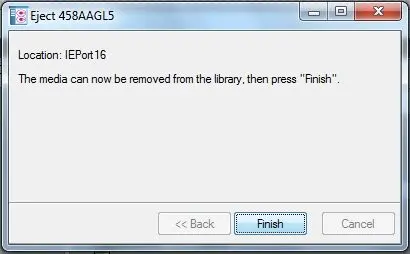
3. Wait until the ejection is completed. The application will indicate the port used to eject the tape; click on the Next button and then on Finish:
Eject 2
4. Once the tape has been unloaded from the library, under the library section, it will now appear offline:
Etere HSM - Headquarters 2
NB: Remember that to eject tapes from the library besides Etere HSM -Headquarters, the Etere HSM - Robotics module must be running.
 Etere_HSM_-_Headquarters_2
 Etere_HSM_-_Headquarters_1
 Eject_2
 Eject_1