18.2.5 User Statistics
The User Statistics section allows the Administrator to monitor user access to the Etere Web, collect user statistics, and analyse user login behaviours regularly.
There are two options for statistics collection; you can collect statistics on a specific day or month of the year.
User Statistics
Collect Statistics by Day
Statistics by Day
Click on the displayed date text box, and select a date from the calendar month to display user statistics on a specific day.
Under this session, the following information is captured:
• Total number of logins per day;
• Total number of minutes used per day (indicate the average duration per login in "h:m:s" format);
• Total number of logged-in users per day;
• Total number of minutes used per user per day (indicate the average duration per user in "h:m:s" format);
When the user login to Etere Web, a logout date similar to the login date is generated; when the user selects any module on the left panel, the logout date will be updated. The last logout date is updated when the user clicks on the "Logout" button to exit from Etere Web.
Collect Statistics by Month
Statistics by Month
Select the particular month of the year; you can also select a different year and click the <Show> button to display user statistics captured on the specific month.
Under monthly session, the following statistics are captured based on the specific month of the year selection:
• The number of users per specific day in the month;
• The number of login sessions generated per day in the month;
• The duration of user logins per specific day in the month (average user login time);
• The duration of the login session per specific day in the month (average login session time).
Moreover, clicking the <Export> button generates an .XLS file containing all information for the selected month.
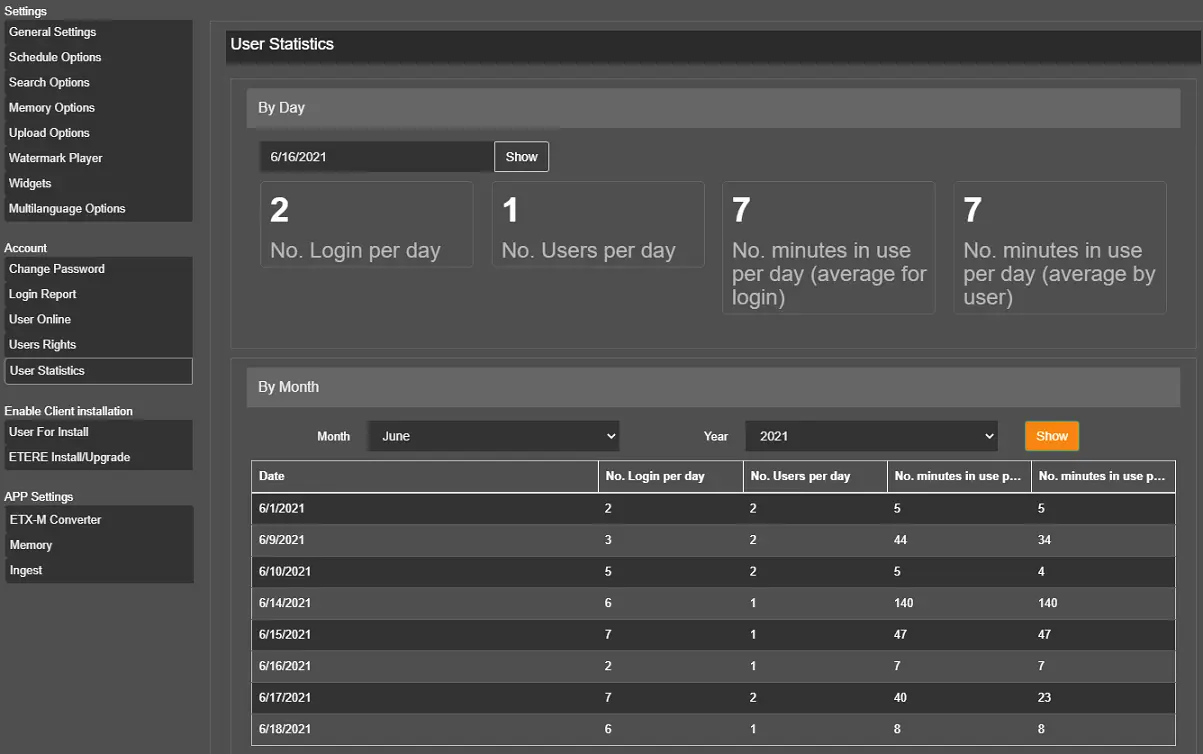 User_Statistics
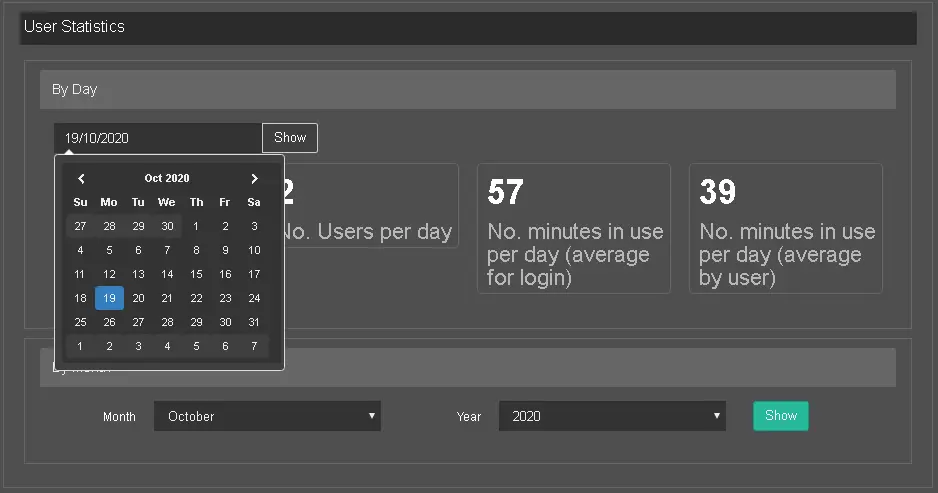 Statistics_by_Day
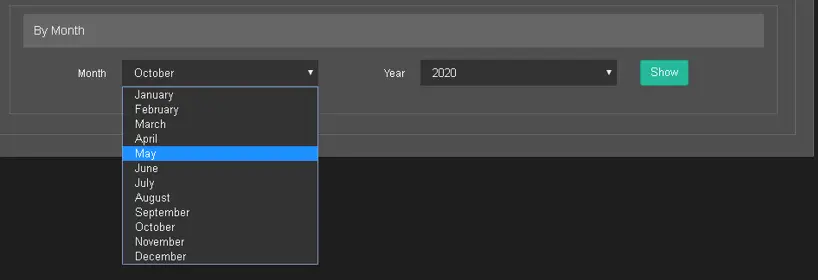 Statistics_by_Month