72.18.2.6 Download tasks
Completing a download task is an easy operation that can be accomplished following the procedure below:
1.Select a task by clicking on its name (e.g. WS Download & Edit):
Download task
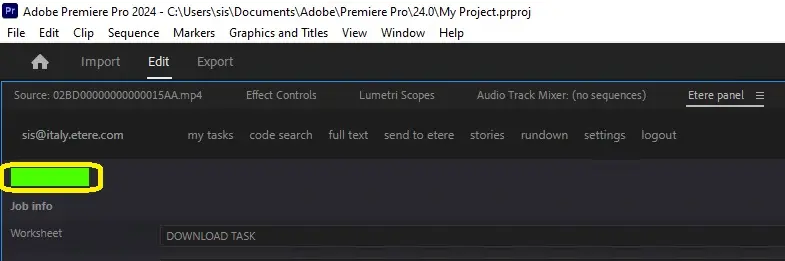
2.All the task information will be loaded in the panel, press the green status button to undertake the task:
Green status
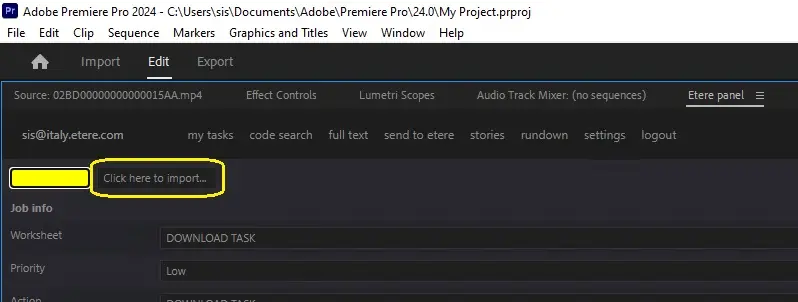
3.The status will become yellow indicating that the task was undertaken, you will be able to download the required media by pressing the [Click here to import] button:
Yellow status
NB: In case the file is unavailable the import will be disabled and a warning message will ask you to contact a supervisor to verify the file availability.
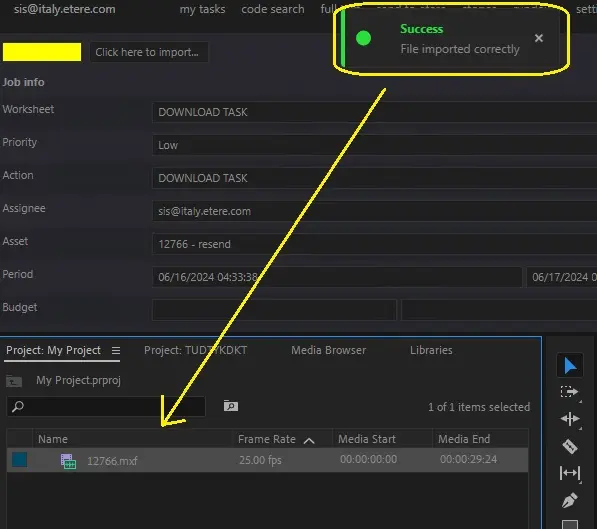
4.Media will be automatically imported into your current Adobe sequence:
Media
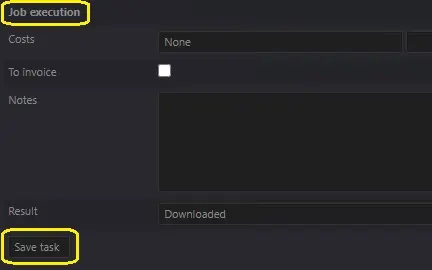
5.Compile required data and set a result for the task outcome:
Press the [Job execution] button to collapse/expand this area
Job execution
6.Press the [Save task] button and the task will be set as completed and its related T-workflow will move forward (e.g. to an upload task).
 Green_status
 Yellow_status
 Job_execution
 Media
Media
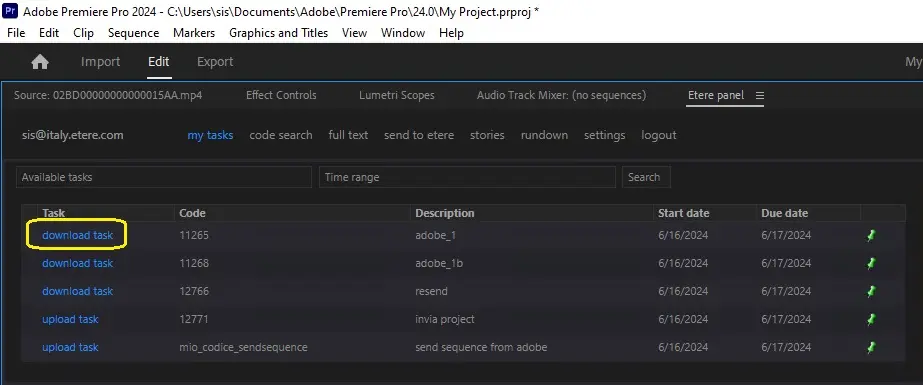 Download_task_