74.5.3.4 TRANSTEL - Creating a RunDown
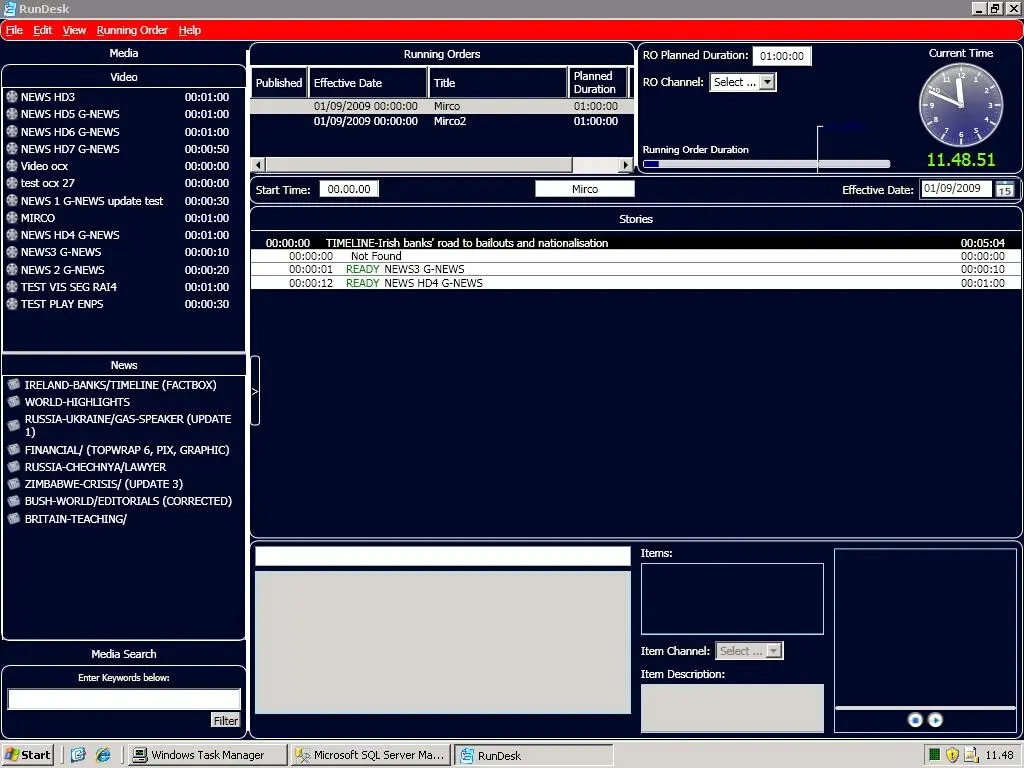
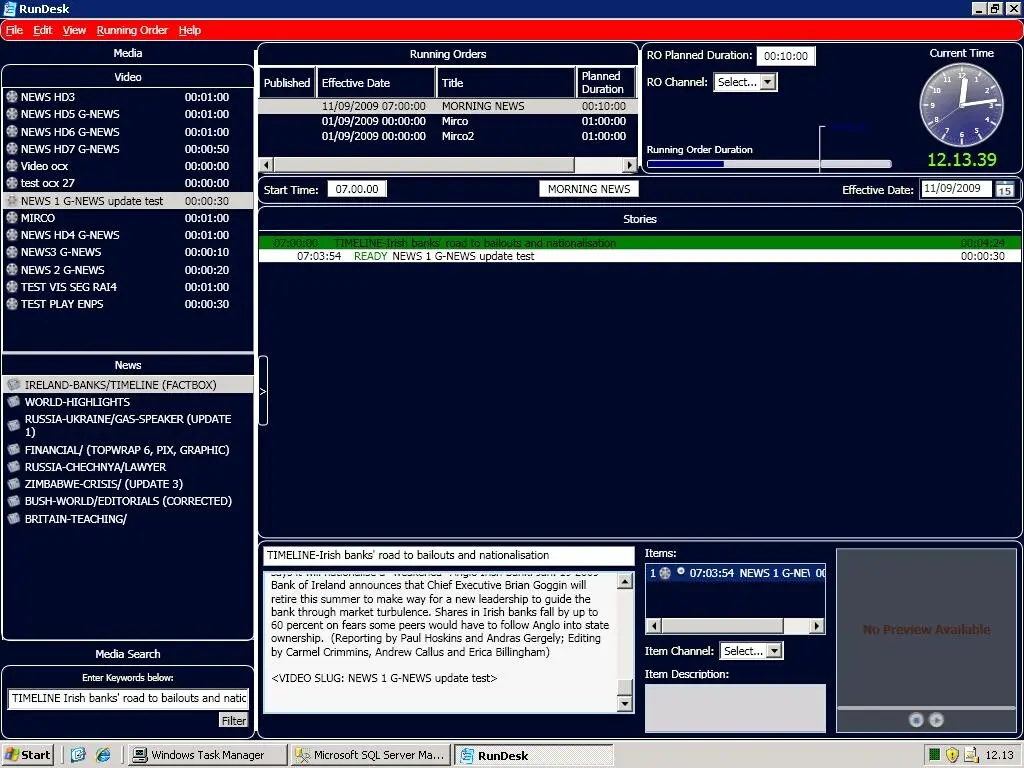
1. Launch RunDesk; at the left, under the "Video" section, all the assets sent from Etere Mos Gateway will be listed. Stories ("News") are received via the web, and rundowns ("Running Orders") are in the middle top part of the window
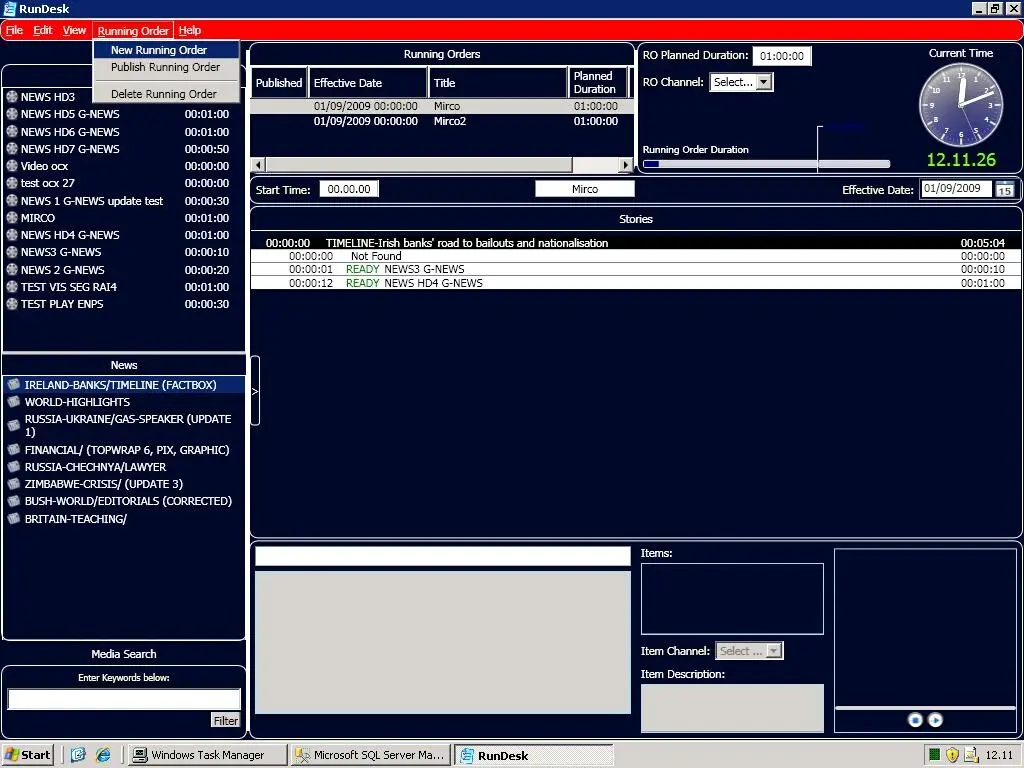
2. Go to the "Running Order" menu and select the "New Running Order" option
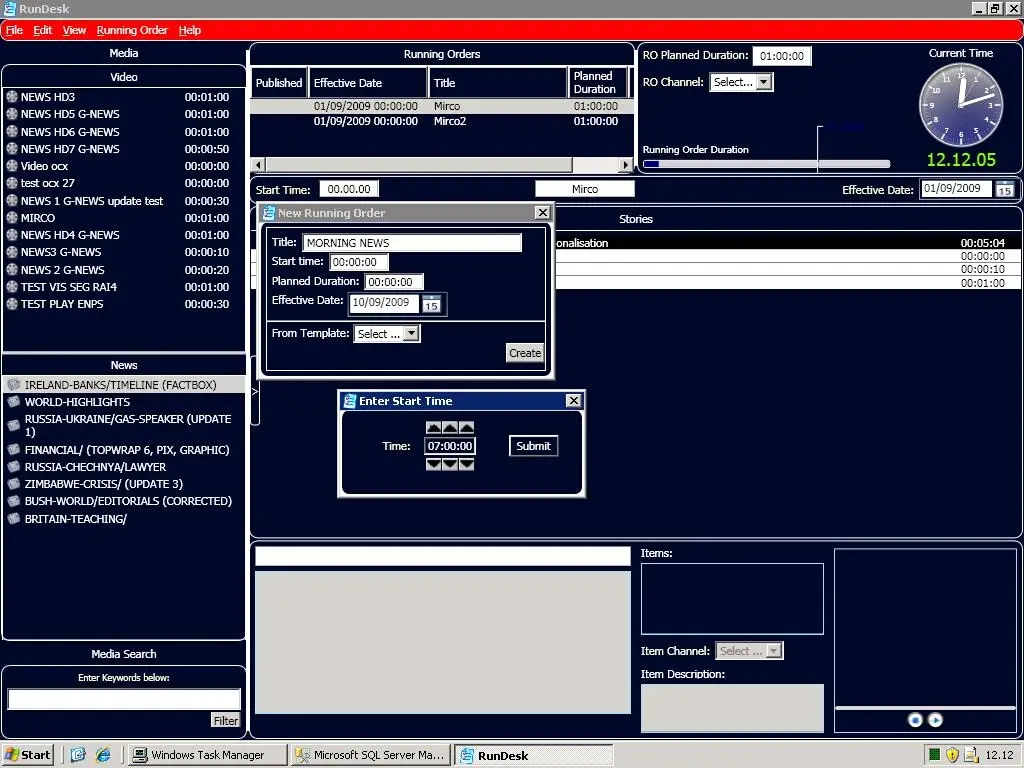
3. A popup window will appear, allowing to insert the rundown's relevant information, including title, start-time, planned duration, and effective date
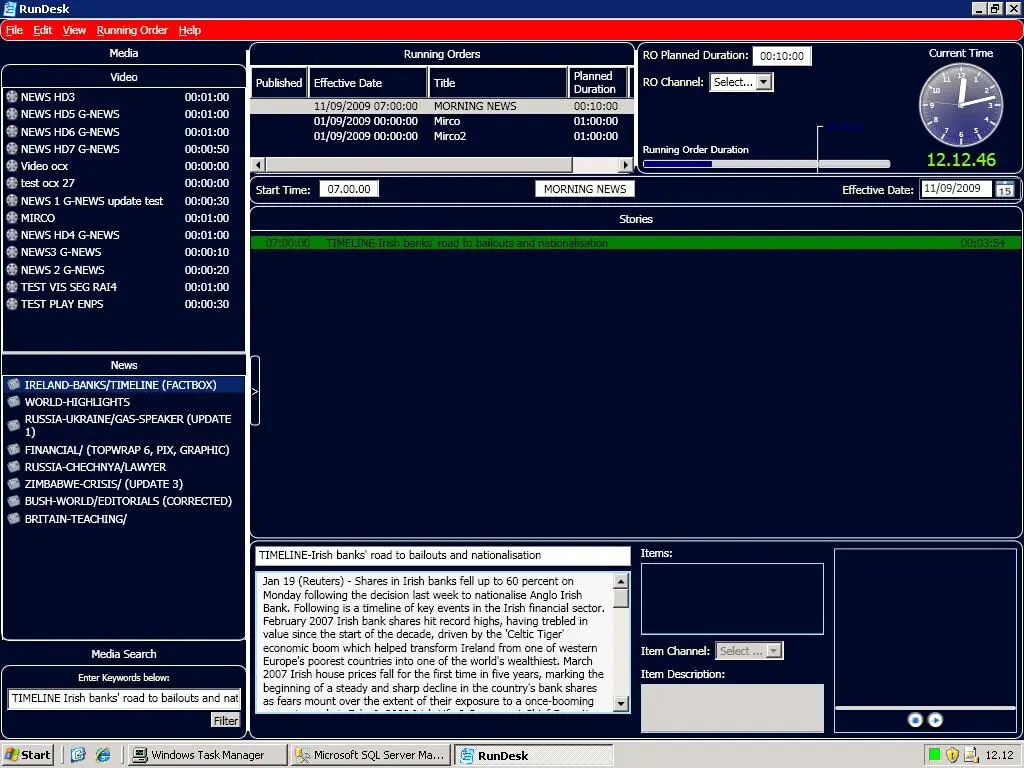
4. At this point, it will be possible to insert the "News" stories in the rundown with drag-and-drop in the central section. In the middle bottom part, it will be possible to modify the text of the "News" as well as insert the related "Video"
5. To insert a video from the "Video" section, drag and drop it onto the story under the "Stories" section. The video data of the selected story will be displayed in the bottom "Items" section
6. If the clip has a low-res video file, it will be possible to preview it
7. The RunDown can be published by going to the "Running Order" and selecting the "Publish Running Orders" option
 transtel_1
 transtel_2
 Transtel_3
 Transtel_4
 Transtel_5