75.3 Usage - Timelines area
This chapter describes the main area of the module, where the timelines representing the current day schedule for each station are displayed.
multichannel_view_multi_db
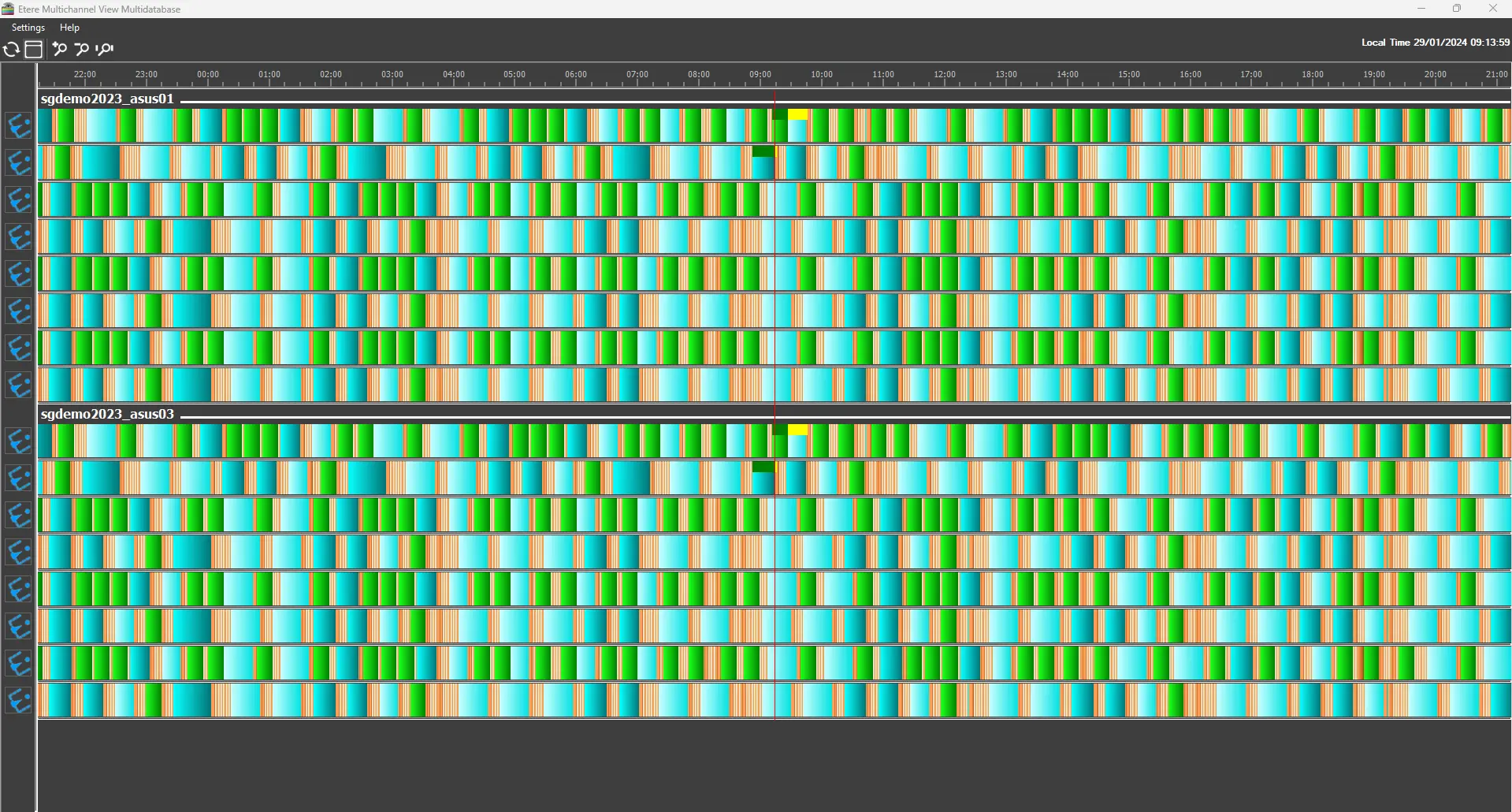
As shown in the image, the time bar at the top covers the whole 24-hour day, and the current time is indicated by the red line crossing the timelines vertically.
The timelines are split below into foldable sub-sections, each representing the databases configured (see chapter 82.1.1.0 Database settings for reference).
The station image on the left bar displays the station to which the schedule belongs. Each database sub-section shows all the licensed stations, and it's not possible to display just some of them.
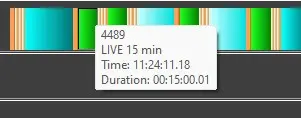
If it's needed to see the details of an event, the user can just hover over it with the mouse. A tooltip will show the data selected in Settings > Data to display (see 82.1.2.0 Data to display chapter for reference).
timeline_event_details
Etere Multichannel view Multidatabase also shows the on-air status of the events, displaying a green bar above the event when it's playing and a yellow bar when it's in cued status.
 multichannel_view_multi_db
 timeline_event_details