59.5.7.18 Relationships
Report Description
The Relationships report generates a list of assets and their relationships, e.g., related parent assets, child assets, and versions of assets.
Report Filters
Provide the required filters to generate a complete report.
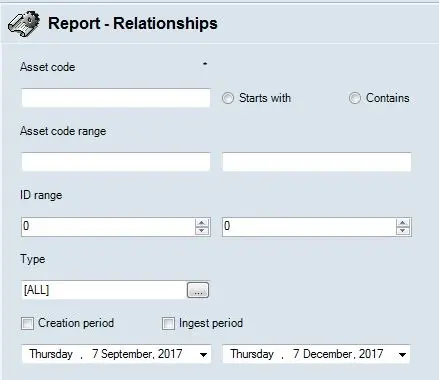
Asset code: Enter the asset code to be filtered. You can select “*Start with” to search for asset code starting with specific characters or “Contains” to filter asset code containing specific characters.
Asset code range: In addition to asset code, specify the range between two asset codes to extract specific assets within the two ranges.
ID range: Enter the range between two assets ID to include asset types within the two ranges in the report.
Types: Select a type of asset from the list or all asset types.
Creation period: Enable this option to include asset creation dates in the report. You can use the calendars below to select start and end dates for assets created within the date range.
Ingest period: Enable this option to extract the ingest date of assets within the specific date range. Use the calendars below to select a start and end dates for the ingestion period.
Report Preview
After all parameters settings are accomplished, you can preview the report by clicking on the <Preview> button or print the report as hardcopy using the <Print> button.
 report_asset_relation_ships