59.2.4.4 Aspect logo matching
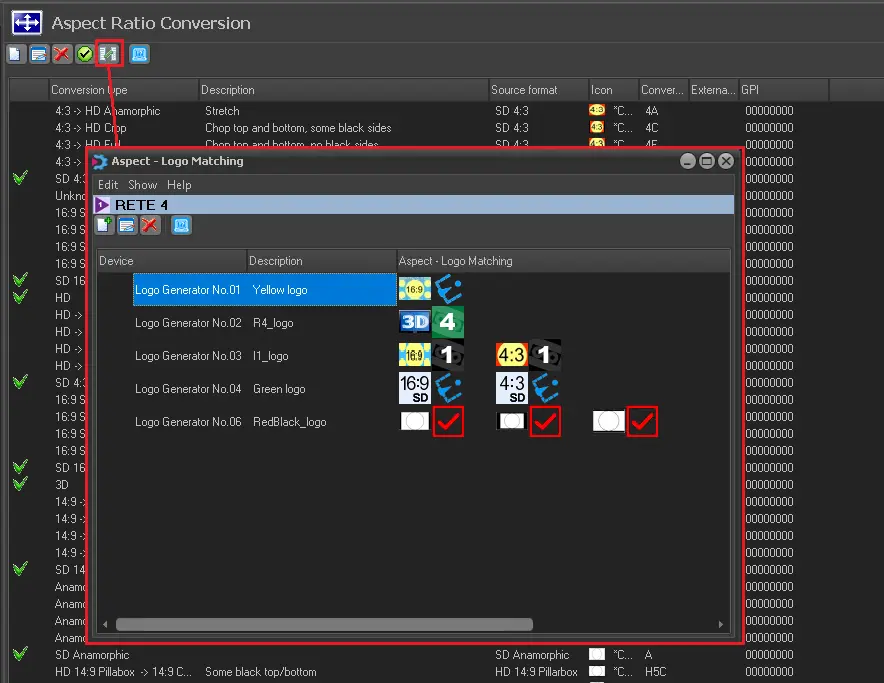
The [Logo matching] button allows mapping different logos of one or more Logo Generators to the playout aspect ratio.
Aspect_logo_matching
TOOLBAR
New - Allows a new mapping for specific conversions, as described below.
Edit - Allows to edit the selected mapping.
Delete - Deletes the selected mapping.
HOW TO CONFIGURE A LOGO MATCH
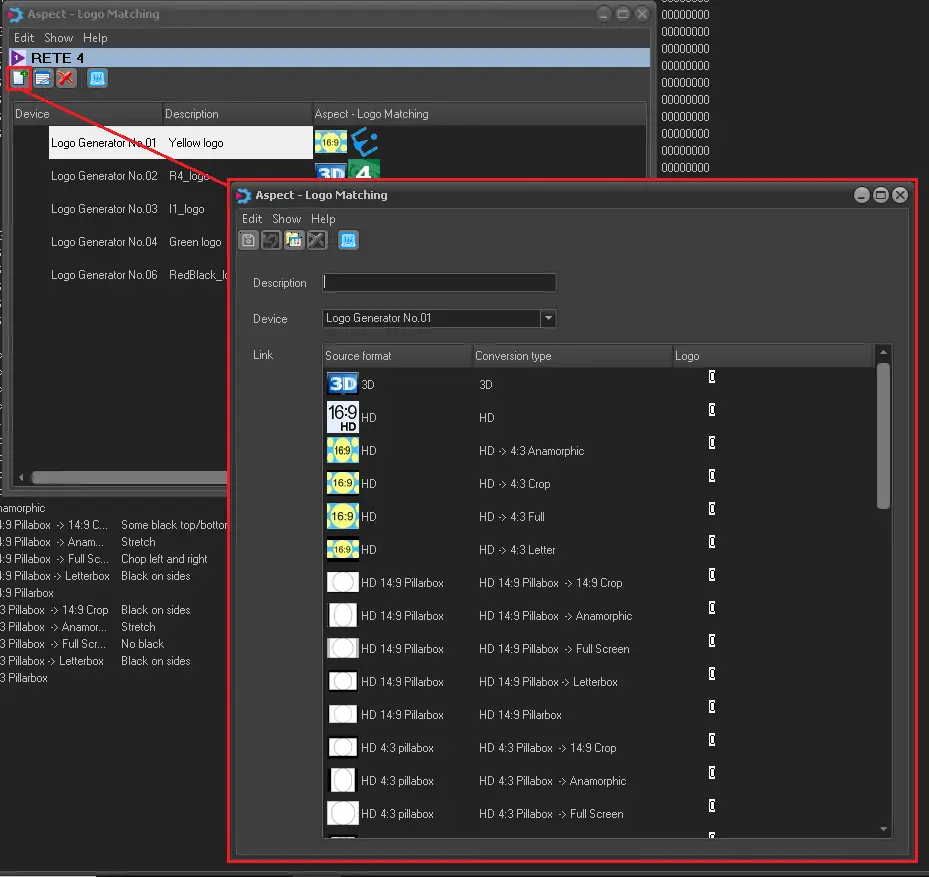
To configure a "logo match", press the [New] button and set all its required parameters:
logo_matching_link
Description - Add a brief description of the logo mapped.
Device - Select the logo generator where the logo to be mapped is configured.
Link - Double-click on a conversion to open the list of the logos configured for the given device, then select one to link it to the desired conversion.
TOOLBAR FUNCTIONS
Save - Saves the current mapping.
Cancel - Undo the last operation performed.
Logo to enter - Opens the list of the logos defined for the given device.
Remove logo - Deletes the selected link between conversion and logo.
Note: This function is available only for the license with customer code 1345.
 Aspect_logo_matching
 logo_matching_link