85.2.11.2 How to use it
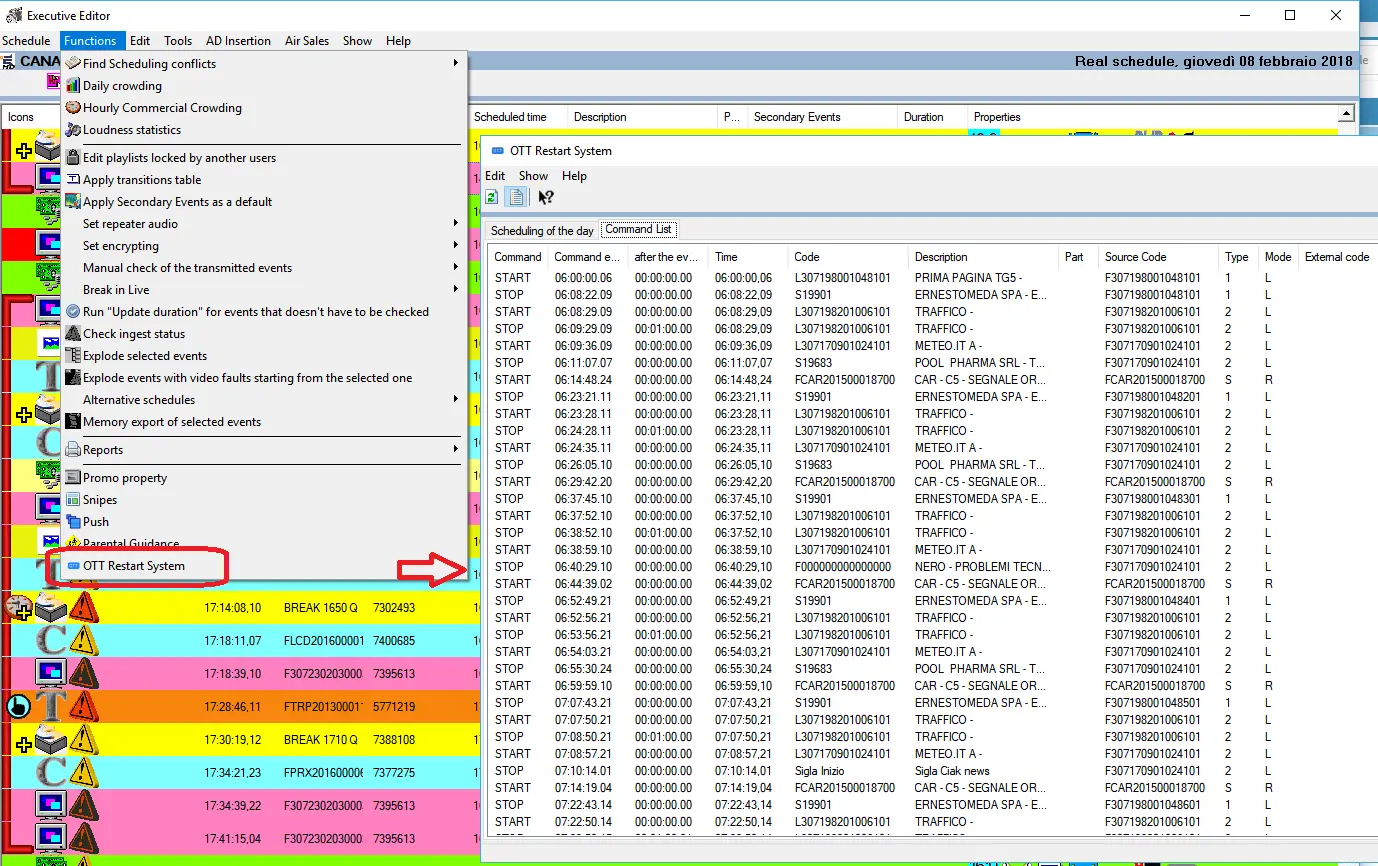
From Executive Editor, click on the “Functions” tab in the function menu bar and select “OTT Restart System” from the list to generate a details notification listing of the start time and end time of each program executed in the system, as shown in the image below.
OTT Restart System
After which, activate the OTT Restart System plug-in service in STMan to send the notification listing to OTT Restart System through the Web services via http.
The notification consists of:
•The Program’s Start notification, consists of 16 characters code identified by Mediaset and 11 character code of Traffic System Event ID.
e.g. START F000000000000001, A0000000001
•The content in the program.
•The Program’s End notification, consists of 16 characters code identified by Mediaset.
e.g. STOP F000000000000001
The “Start” and “Stop” command notifications must be sent for each program transmission, when there are contiguous programs transmissions, the “Start” and “Stop” command for each program must be captured in pairs.
The notification would return the transmission result in integer value, where ‘0’ = transmission ok, ‘1’ = transmission terminated with error.
There are some restrictions and limitations to the notification:
•The notification would be sent approximately 1.5 seconds delay with respect to the actual playout time, depending on network traffic and conditions.
•It is not possible to deliver AsRun Log information for +24 channels, as they are not playout by Automation but they are a time shift of their main channels.
•For Boing and Cartoonito it is not possible to deliver correct AsRun log information about programs.
•When switching between winter time and summer time the correct behavior is not guaranteed.
•The character strings must be separated by colon (':').
 OTT_Restart_System