Shopping Cart
9.5.4 View Failed Tickets
You can extract those request tickets that failed to complete the process for specific reasons.
View_Failed_Tickets
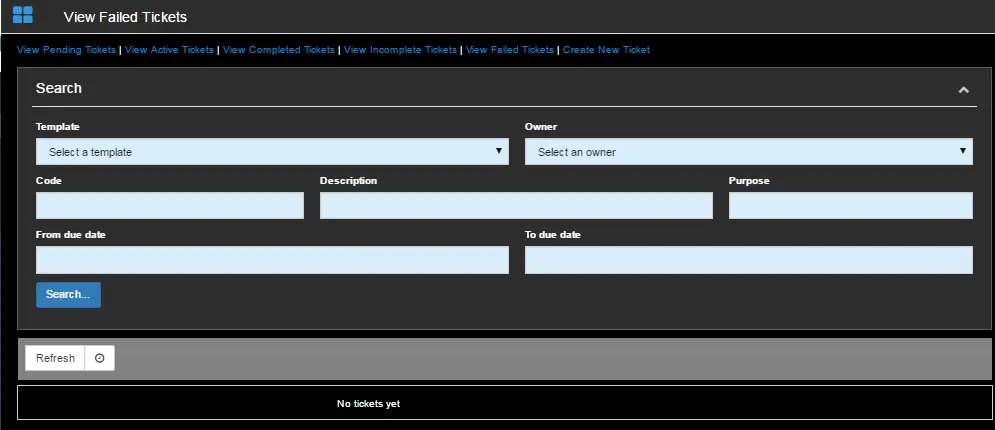
Provide the search criteria to extract the failed tickets.
Select a predefined template that links to the ticket during the creation of the ticket;
- Owner: Enter the name of the user or user code who has created the request ticket;
- Code: Specify the code assigned to the ticket;
- Description: Search the tickets by their descriptions;
- Purpose: Search the tickets by filtering the text description entered in the ticket purpose field;
- From due date - To due date: Search the database for tickets created within the specified date range;
Click the <Search> button to filter tickets matching the criteria.
You can click the <Refresh> icon to activate the auto-refresh to receive the updates.
 View_Failed_Tickets