79.4.8.10 Logs of Story Access
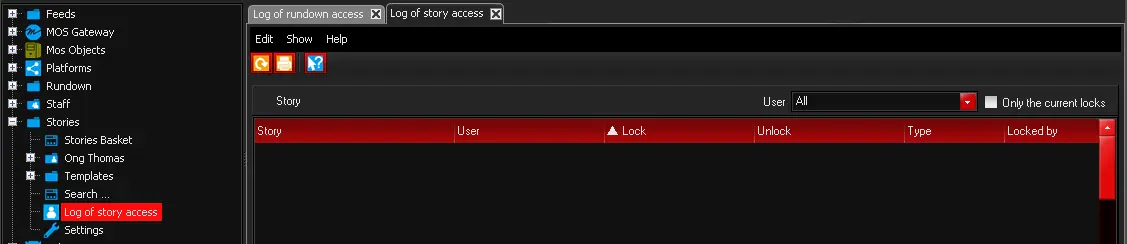
In Stories node, you can use the Log of story access sub-node to generate a report with the same name to determine and manage the stories locking status.
4754_Log_of_story_access
Fulfill the required parameters to retrieve the access report:
- Story: Select a story, or specify “All” to filter all stories.
- User: Select a user from the list or specify “All” to filter all users.
- Only the current lock: Enable this option to filter only current locks status. If unchecked, all locks would be retrieved.
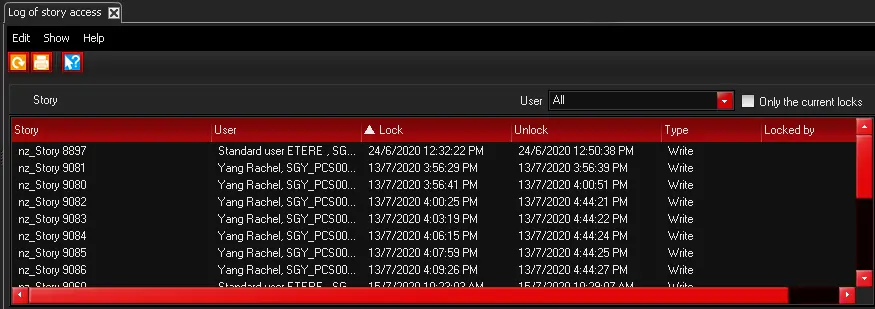
A sample of Log of Story access report is displayed below. You can use the Print icon to print the report, or use the <Page setup> icon to modify the page layout, or export the report using the <Export> icon to export report to Word format, or other supported formats, e.g. PDF, Excel, PowerPoint, Data Feed, XML, etc.
4755_Export
In the User column, if the user name is displayed as “Etere.Unknown.xxxxxx.xxxxx.nnnn” it indicate that user had disconnected from SQL. When the connection resumed, the “Etere.Unknown” would be replaced by Domain user name.
 Log_of_story_access
 Export