96.2 Etere Audio Mixer Console
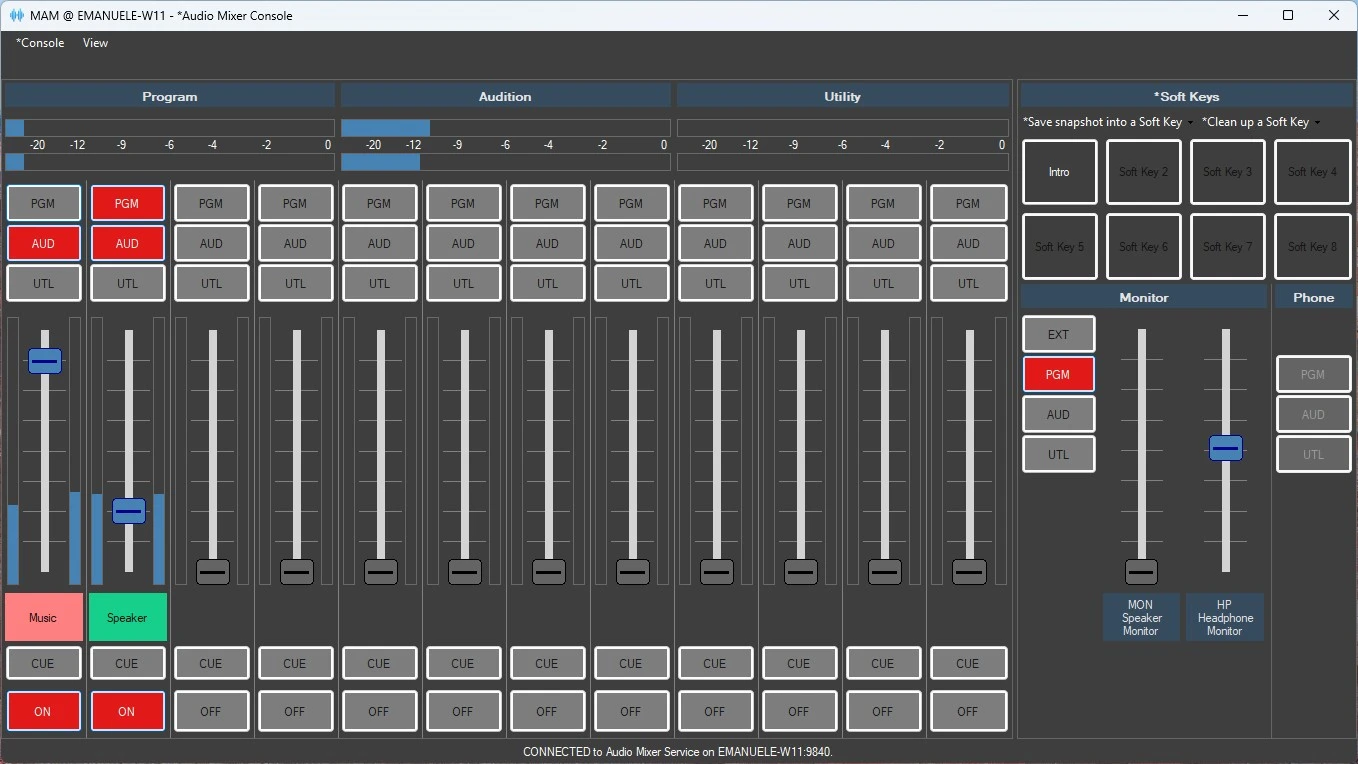
In order to control Etere Audio Mixer, Etere Audio Mixer Console must be used.
etere_audio_mixer_console
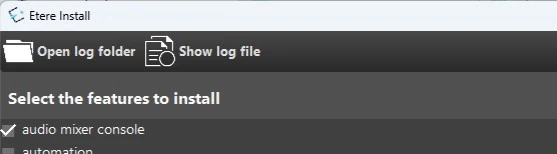
It has its own feature in Etere Update and can be installed either on the machine where the service is located or on another machine, since it communicates with the service via TCP.
mixer_console_install
More than one console can be opened on a machine, connected to different services.
More than one console connected to the same service can be opened on different machines, the service will synchronize all consoles connected to it.
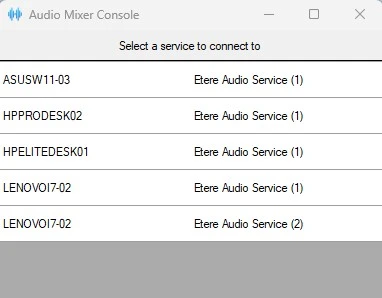
At the startup, Etere audio mixer console asks which service it has to connect to:
mixer_console_startup
Once connected, the console is opened and the connected service is shown at the bottom of the window.
The Mixer section, allows to route audio from input channels to output channels:
• Buttons ON/OFF: Switch the input channel on and off. To take the input from a channel, it must be on.
• Buttons CUE: Route the input to the CUE output, its volume is not affected by the fader.
• Faders: Set the output volume for the input channel; on the sides the input volume is shown.
• Buttons PGM, AUD and UTL: Turn it on to route the input to the related output, with the volume set by the fader.
• VU meters Program, Audition and Utility: Show the volume of the PGM, AUD and UTL outputs.
Monitor section, to loopback an audio to the monitor channels MON and HP:
• Buttons PGM, AUD and UTL: Loopback the relating output channel to the monitor channels.
• Button EXT: Route an external audio to the monitor channels.
• Faders: Set the output volume of each monitor.
Phone section, to route audio from phone input to output channels:
• Buttons PGM, AUD and UTL: Route the phone input to the related output.
Soft Keys: Here you can save the current selections and levels to a template, in order to reload them quickly when needed. Click on button "Save snapshot into a Soft key" and select in which key the configuration have to be saved, then type a brief, recognizable name. To delete a template, use the button "Clean up a soft key".
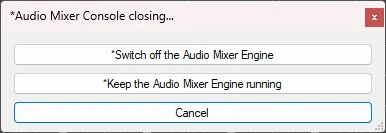
Before closing Etere Audio Mixer Console, it prompts a message, asking if the Audio Mixer engine should be kept active or switched off:
mixer_console_closing
Switch off the Audio Mixer Engine: The service will switch off all its channel.
Keep the Audio Mixer Engine running: The service will continue to work. When console will reopen, it will synchronize with the service.
 etere_audio_mixer_console
 mixer_console_install
 mixer_console_startup
 mixer_console_closing