72.18.2.9 Send to Etere
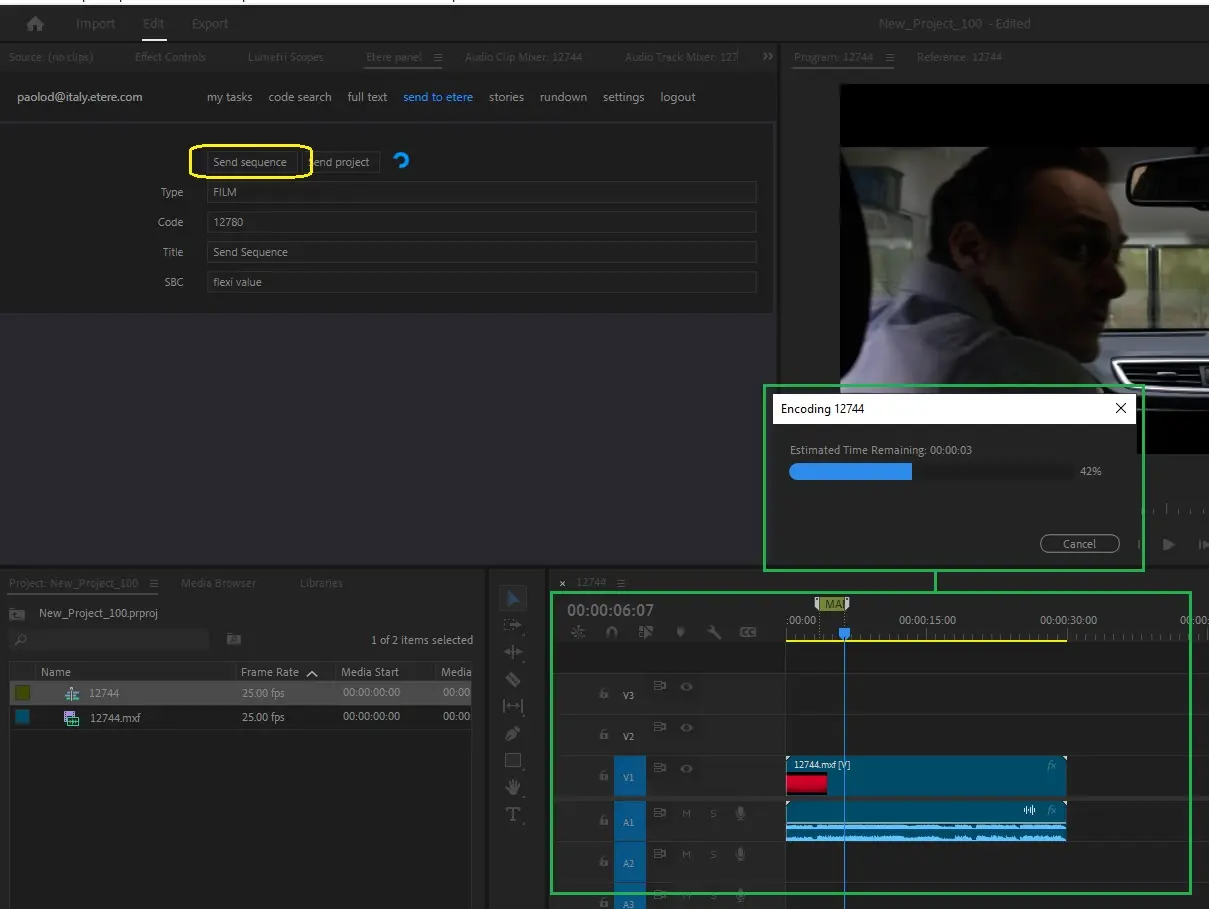
Under the "Send to Etere" section, editors can upload adobe sequences into the Etere MAM just by pressing the [Send to Etere...] button, the upload process will be performed as described below:
Upload into the Etere system the rendered file of the sequence
1 - The sequence is renderer based on the preset configured in the "Local path for EPR files" setting.
2 - The rendered file is uploaded into the cloud-device configured on the "Generated sequence path" setting, importing also markers added in Adobe timeline
3 - The uploaded file is linked to a new asset (automatically created using CODE and TITLE inserted on related fields).
A post-upload T-workflow is automatically triggered for the new asset.
4 - The new asset will be available in the Media Library.
NB: Beside the asset code and asset title, you could also enter flexi-metadata before sending file to Etere.
Send_sequence
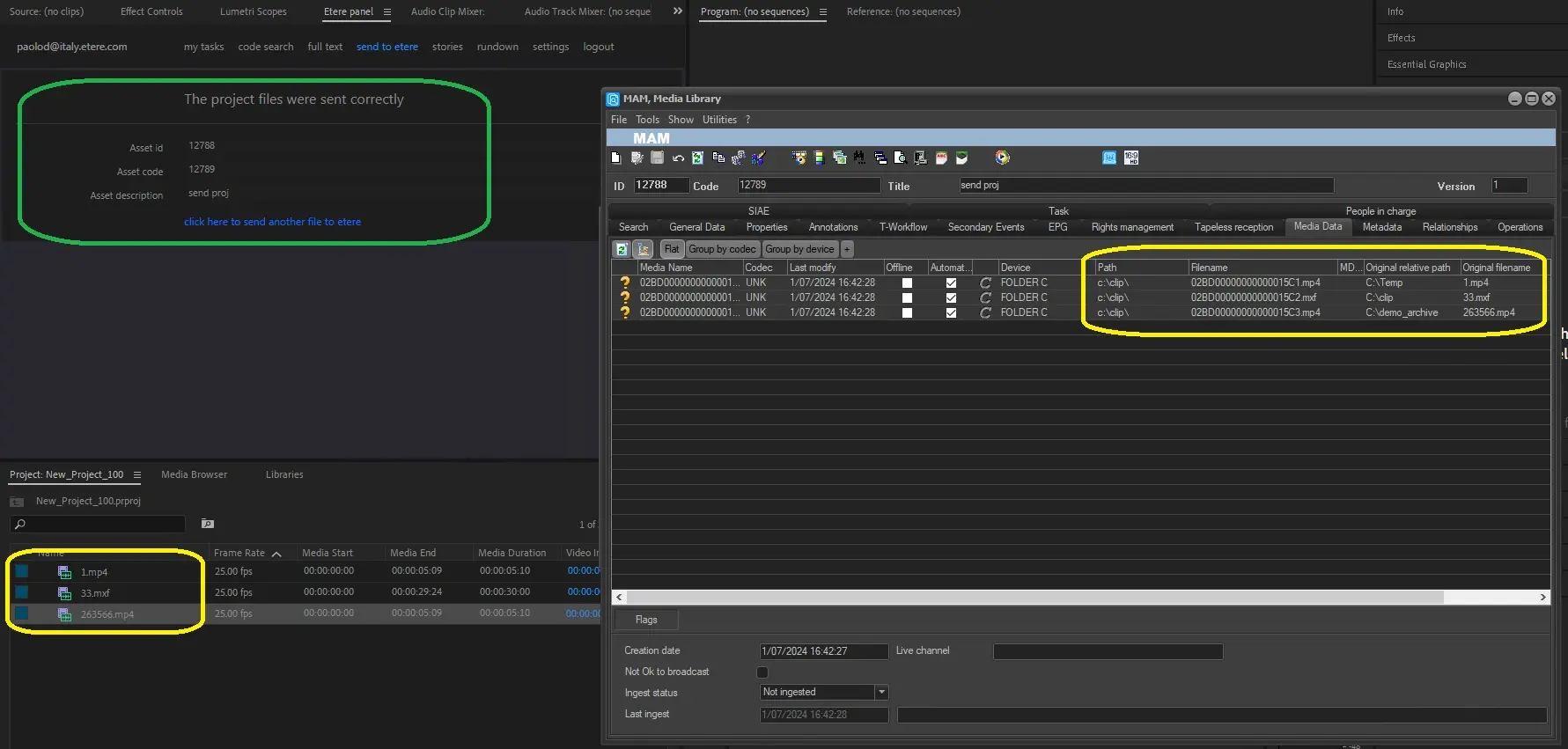
Upload into the Etere system all single files related to the project
1 - All files are copied (using unique filenames) in the cloud-device specified in the "Project file import path" setting.
2 - A new asset is created to hold all project files, which are referred as one metafile. The "original relative path" and "original filename" will be preserved in the database for all files
A post-upload T-workflow is automatically triggered for the new asset.
3 - The new asset will be available in the Media Library.
Send_project
When the file is received in Etere, the file would be renamed as per ingest rules defined in the Configuration > Settings > Ingest, this would allowed multiple versions of the same asset to be uploaded to Etere.
NB: When sending file to Etere, the Web Server must have the rights to write and rename the xmp file in the destination folder.
 send_sequence
 send_project