16.1 What is EtereWeb Tapeless
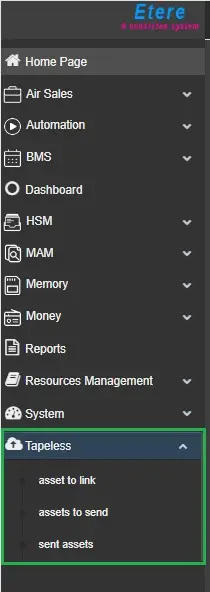
The Tapeless module is a multimedia content transfer tool between external suppliers and TV Stations via the Web interface to upload video files associated with the assets.
EtereWeb Tapeless
The workflow of the Tapeless module is briefly described in the following steps:
0. Operator enters an asset from the Media library (Windows) and sets the supplier name. (type the first three letters for autofill) and date of arrival;
1. Supplier logins to EtereWeb and check the Assets To Send;
2. On Assets to Send, all the assets assigned to the logged supplier with the date today or future will be displayed;
3. Select an asset;
4. Start Upload from Tab Upload of the selected asset.
To ensure the smooth functioning of Tapeless reception, two T-workflows must coexist in the Default T-workflows settings in the Etere Configuration editor module:
Default T-workflow Name - After an EtereWeb upload;
T-workflow function: T-workflow to be launched after a file is uploaded via EtereWeb;
Default T-workflow Name - After a Tapeless upload;
T-workflow function: T-workflow to be launched after a file is uploaded via Tapeless Reception;
The above Default T-workflows can also be associated with EtereWeb’s users in the Personal Data form.
 EtereWebTapeless_001