69.2.1.15 SNELL MORPHEUS PLAYLIST EVF
Import Scope
The F90 – Import SNELL MORPHEUS PLAYLIST EVF allows to import EVF files containing Snell playlist.
Import Parameters
The parameters required are listed below:
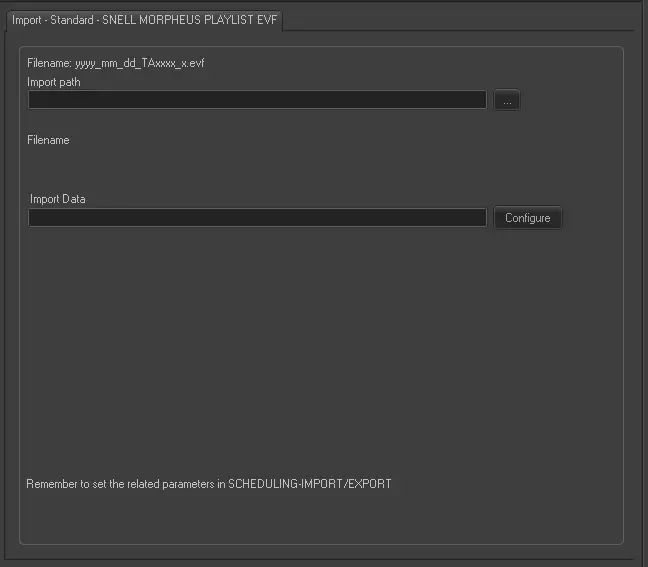
Import - Standard - SNELL MORPHEUS PLAYLIST EVF
Filename - The filename format must be “yyyy_mm_dd_TAxxxx_x.evf, where:
- TA is the hard-coded code.
- xxxx represent the channel number taken from channel reference table.
- x represent the day in week to perform the import, where 0=Sunday, 1=Monday, 2=Tuesday, etc.
Import path - Specify the path and directory where the EVF file is located. You can use the browse button to locate the file in network.
Import Data - Opens the Configure Import window to specify the days and the frequency to be imported.
Scheduling related import
Set the same parameters in the Etere Scheduling > Import/Export > IMPORT\STANDARD\SNELLMORPHEUSPLAYLISTEVF and APPLY the changes once done.
 snell_morpheus