84.4.5.54 CUSTOM > DIGITALB ASSET XML
Import Scope
The Import Custom DIGITALB ASSET XML import an XML format file containing the data of one or more assets. The import process would perform validity check before start importing the data into database:
•It must be an XML format file (.xml), the file name can be vary.
•The file must contains the correct XML format structure.
•During import, the process search the code asset from the Film note in column B to avoid importing the same asset.
•The following must exist in Etere database:
oThe Flexi-metadata SMPTE: “Albanian Title”, “Rating”
oThe TipoGenre: “1_STANDART”
•If asset already present in Etere database, confirmation message would be prompt (Yes / No) to alert user before importing the asset.
The following data would be imported:
•title -> Movies title
•clipid -> Flexi-Metadata "Albanian Title"
•type -> Footage type, e.g. Film
•category -> Film genre
•duration -> Footage duration
•season -> Seasons Season
•notes -> Film note
•tag -> Film note
•quality -> Film quality (e.g. EXELENT = 9, LOW = 8, MEDIUM = 7)
•proddate -> Film production date
•receiptdate -> Scheduled arrival date
•validfrom -> Validity start date
•validto -> Validity end date
•taglines -> Film genre
•trivia -> Flexi-Metadata "Rating"
•comments -> Film note
•genre -> Genre description
•company -> Production Company Name
•FileName -> Original file name
•Duration -> Film duration
•All EDLs would be created as visible segments
* PRODDATE and RECIPDATE are calculated with starting date 01.01.1900 and add days after this date and finally subtract 14 days.
Import File and Parameters
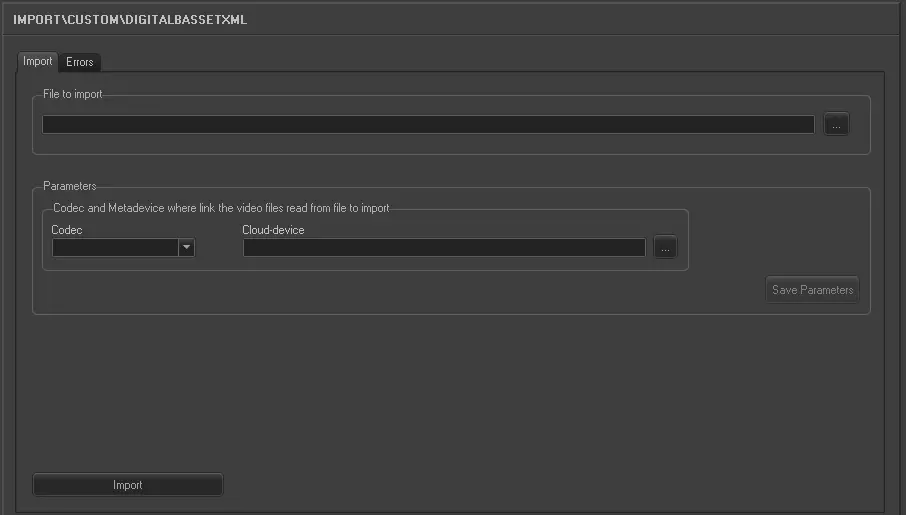
Import_custom_digitalb_asset_xml
•File to import: Enter the filename of the XML format file. You can use the browse button to locate the file in the drive.
Parameters:
•Codec: Specify the codec to be used for the import.
•Cloud-device: Select a metadevice where the XML file is stored.
Click the <Save Parameters> to confirm the parameter settings.
Launch the Import
Simply click the <Import> button to start import data from the XML format file into database.
 5263_Import_custom_digitalb_asset_xml