71.13 XDCAM Cart auto archive
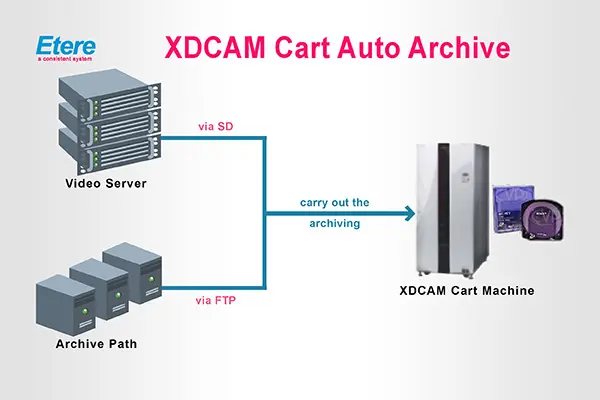
This module allows you to store video files from either video servers or storage paths into professional XDCAM discs in either SDI or FTP mode. The figure below clearly illustrates how this module operates:
XDCAM Cart Auto Archive 1
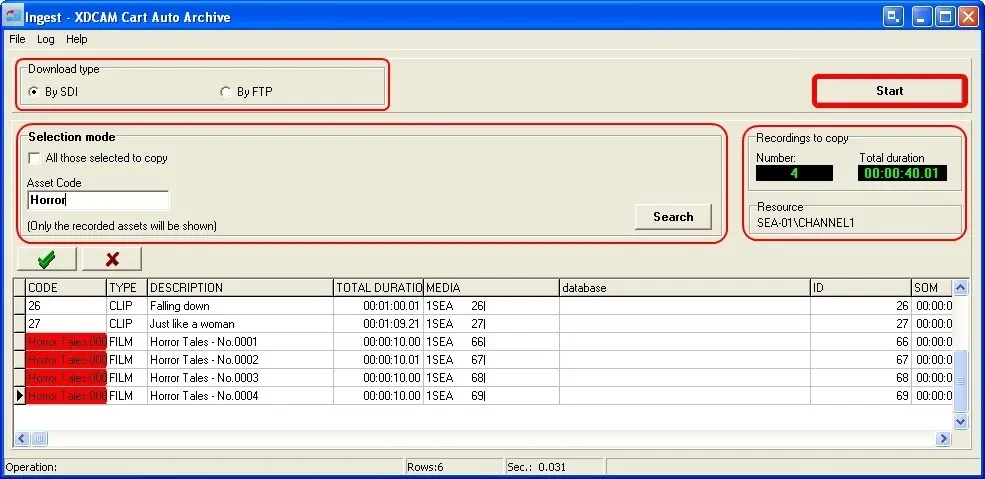
Before using this application, you must set the resources in the 'Parameters' module (Configuring XDCAM Cart AutoArchive). After that, you will be able to use this module, and the main window will be displayed as shown below:
XDCAM Cart Auto Archive 2
•Download Type:
The download can be done:
Via SDI: To perform the search amongst video files which are already present in the video server.
Via FTP: To perform the search amongst video files already archived.
•Selection Mode
1. Set the filtering parameters here; you can select to show only those assets chosen to be copied or assets whose codes begin with the given string; after that, click on the 'Search' button to populate the asset list and start selecting assets.
2. Once you have selected the assets you intend to archive (by double-clicking on them or using the 'select all' option), their code will be marked with red; now you can press the 'Start' button, and a new window will be opened:
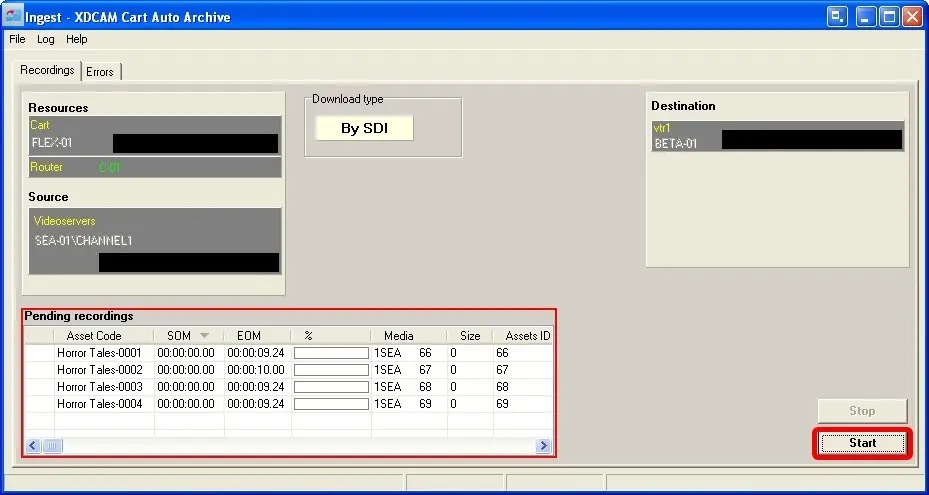
XDCAM Cart Auto Archive 3
3. In this window, you must confirm the archiving of the specified files from the Cart resource onto the VTR destination. To do it, click on the 'Start' button (remember that you can interrupt the download process at any time just by clicking on the 'Stop' button).
4. The selection of the tape is automatic; in the first instance, a free tape will be searched; if it doesn't exist, the tape with more free space for the first ingest operation is selected; if the space is enough, also for the other ingest operations, only that tape will be used, if not, another tape will be searched based on the previous criteria and so on for all the ingest operations.
 XDCAM_Cart_Auto_Archive_3
 XDCAM_Cart_Auto_Archive_2
 XDCAM_Cart_Auto_Archive_1