72.2.4.2 Enable Session Logs
What are "Session Logs"?
The Session Logs is a feature that allows to record and track all operations performed by users during their session¹ in the Media Library, using a separate log database to store all recorded information.
Sessions are intended since the user presses the [ML_HowTo_LogDatabase_03 Edit] button until the user closes the Media Library or open another asset.
The recording of session logs covers all changes performed to the asset data including general data, properties, EDL, etc.
Enabling the use of Session Logs
In order to enable the "Session Logs" it's enough to follow the procedure detailed below:
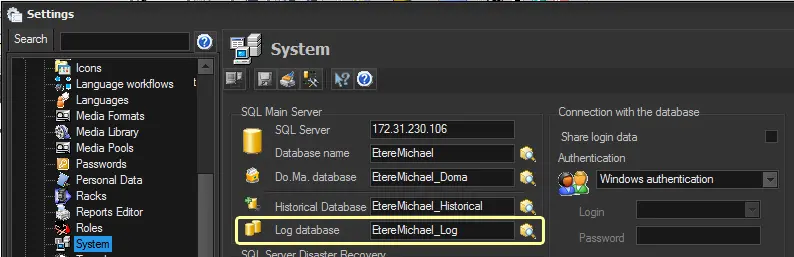
1. Under the "Etere Configuration > Settings > Basic > System" section, in the "Log database" parameter, enter the name of the database to be used and press the [Search] button to select/create the database:
Log database
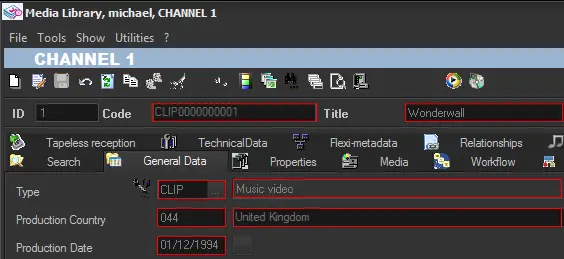
2. Once enabled, assets will be loaded in the Media Library as "read-only" (to prevent unwanted modifications):
Media Library
3. In order to modify an asset, it will be required to press the [ML_HowTo_LogDatabase_03 Edit] toolbar button:
Edit
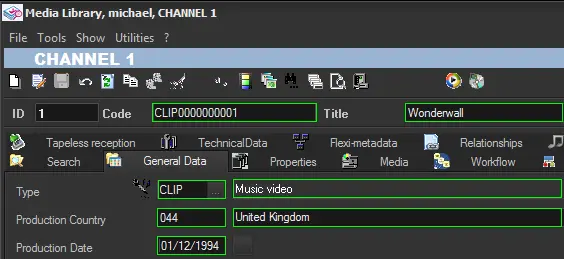
4. At this point, the operator can start modifying the asset (e.g. general data, workflows, properties, etc.):
General data, workflows, properties
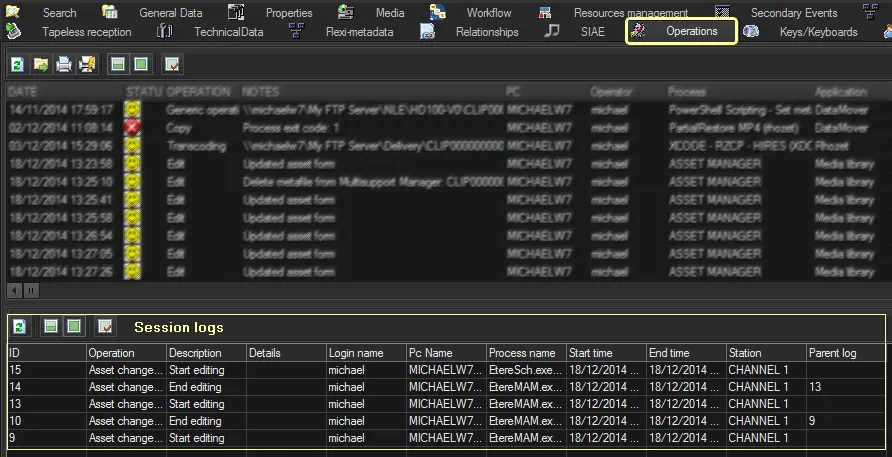
5. All operations performed by the user during his session will be recorded in the Logs Database, and will be available for consultation under the "Operations" tab:
Operations
 Media_Library
 Operations
 General_data,_workflows,_properties
 Log_database
 Edit
Edit