201.13.2.3 Delivery Workflow
The [Launch workflow] button allows attaching the workflow specified in the General tab to all assets related to the order lines included in the Delivery Order. The Delivery workflow will prepare media files to be delivered (e.g. adjust their aspect ratio, audio language,etc), generate the XML file containing all contractual and technical information required for their redistribution and deliver all required files (e.g. via FTP).
Once the workflow is launched for all assets, the "last delivery date" of all order lines would be updated with the current date (i.e. date the Delivery workflow has been launched).
Note
Please note that the Delivery workflow will be launched only if mandatory metadata is compiled for all assets within the order; in case where at least one metadata is not compiled for one asset, no workflow will be launched for any asset.
Sample workflow
An example of a Delivery workflow illustrated below, composed of following action:
Bms_ott_workflow_01
Packaging action
The DataMover Copy - Packaging action allows generating a zip file containing all required files (e.g. video, audio tracks, xml metadata, poster, etc.) and put file into a given directory (e.g. shared Ftp site).
The xml metadata file (containing content's contractual and technical information) can be generated from within this action as an "asset data" content, and transform its structure to meet a specific format:
Bms_ott_workflow_02
Note
The "reset on start command if" property of the Delivery workflow must allow being re-started (i.e. launched multiple times), this can be done by setting said property to "completed" or "always":
Bms_ott_workflow_04
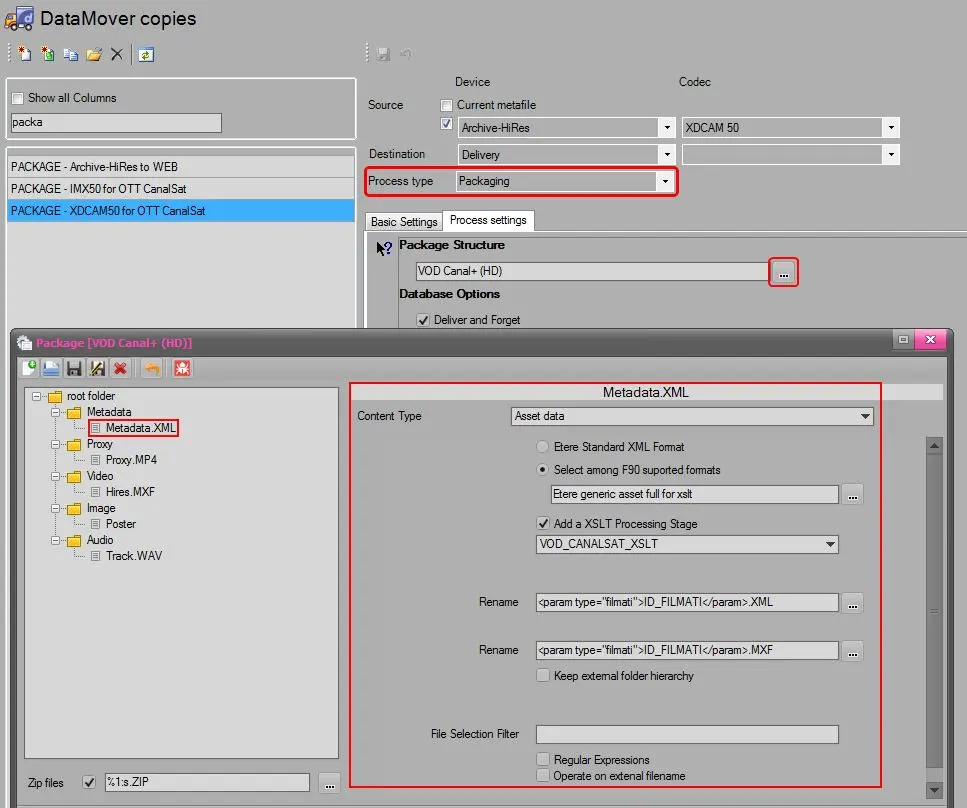 Bms_ott_workflow_02
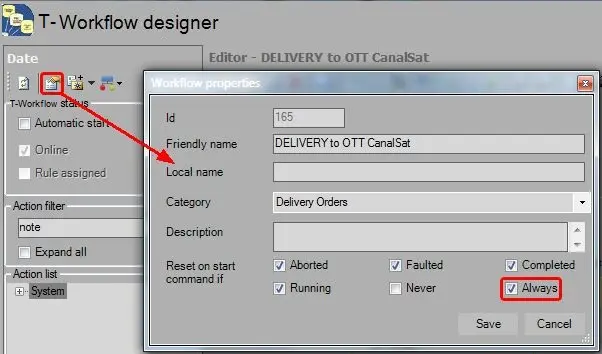 Bms_ott_workflow_04
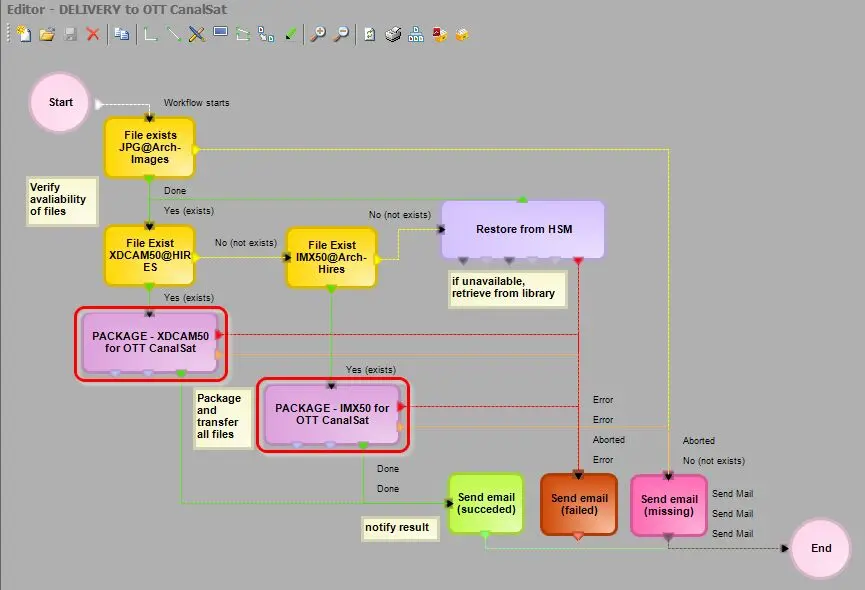 Bms_ott_workflow_01