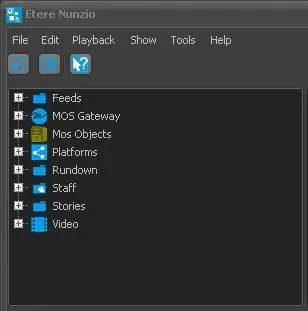
In the Staff tree node, all the users (e.g. journalists, anchorman, producer,, etc) and Active Directory groups that access to Nunzio are listed.
Roles
For each user group, you can access the task and agenda of the specific staff and view the stories.
Task
You can also edit the story in user group. If the story is opened for editing in other station the story would be marked as "Read-only".
In the Roles sub-node, you can create custom users roles based on user roles and responsibility to manage the stories. The Roles can be classified as Anchorman, Journalist, Cameraman, Producer, Redactor, etc. In each Roles, you can assign different users with similar responsibility to categorize the group accessing to the stories.
From Etere released version 30.2 onwards, the 3 user groups (Editor, Journalist, Anchormen) would no longer exist in new database when Nunzio is installed, you must import the user groups from Active Directory into new database and assign appropriate rights to users in the groups, as indicated in below screenshot.
Active Directory
When creating new story in Story Editor, you can assign the new story to any user role that defined in the Roles category in Staff node.
Upon selecting the Roles, you can set the story status as “Ready” or “Not ready” and assign a T-workflow to the story.